
ℹ️ Affiliate Disclosure: This article may contain affiliate links. If you book or purchase through these links, we may earn a commission at no additional cost to you.
Exploring the Best Goodnotes Planner Template Designs
A good Goodnotes planner template should make planning on an iPad faster, not bury everyday tasks inside dozens of unnecessary pages. I compared digital planners a particular focus on Goodnotes compatibility, hyperlinked navigation, useful daily and weekly layouts, long-term usability, and the kinds of projects each planner handles well. The 14 picks below range from large all-in-one systems to minimalist planners, academic organizers, ADHD-focused layouts, teacher planners, fitness trackers, wedding planning tools, and even a dedicated reading journal. I also looked for a mix of dated and undated designs so you can choose between a ready-made calendar and a planner you can reuse. I
f you want to browse beyond these picks, Planners & Schedules collection has more digital planning templates to compare.

The best Goodnotes planner templates depend on how much structure you want. I’d choose an all-in-one planner for managing several areas of life, a minimalist planner for distraction-free daily planning, an academic planner for classes and assignments, or a specialized template when your main priority is fitness, teaching, wedding planning, or another focused project.
Quick Picks
- Best Overall: Digital Planner for Ipad, GoodNotes — broad daily, weekly, finance, wellness, fitness, and productivity planning. See planner.
- Best Large Planner: All-in-One Digital Planner — extensive template library, covers, stickers, and calendar integrations. See planner.
- Best Minimalist: Minimalist Digital Planner — reusable hyperlinked planning without a heavily decorated interface. See planner.
- Best for Students: Student Digital Academic Planner IPad — academic organization plus supporting lifestyle pages. See planner.
- Best for 2026: 2026 Bundle Digital Planner, Goodnotes — dated planning with multiple layouts and calendar integrations. See planner.
Goodnotes Planner Template Comparison
| Product | Best for | Style/Type | Project Fit |
|---|---|---|---|
| Digital Planner for Ipad, GoodNotes | Everyday life planning | All-in-one undated | Work, goals, finance, wellness |
| All-in-One Digital Planner | Maximum variety | Rainbow all-in-one | Life, education, budgeting, travel |
| Digital Planner Blue 2025 2026 2027 & Undated | Dated and reusable planning | Blue digital bundle | Daily, weekly, monthly planning |
| Daily Digital Planner (Portrait) | Detailed scheduling | Portrait digital planner | Daily routines, goals, notes |
| All in One Undated Digital Planner | Reusable life planning | Cherry blossom | Long-term personal organization |
| Minimalist Digital Planner | Simple organization | Minimal undated | Tasks, meetings, routines |
| 2026 Bundle Digital Planner, Goodnotes | 2026 planning | Dated planner bundle | Calendar-based scheduling |
| Student Digital Academic Planner IPad | Students | Academic planner | Classes and study organization |
| Digital 2026 ADHD Productivity Template | Structured productivity | ADHD-focused planner | Tasks, habits, school, life |
| Digital Teacher Planner | Teachers | Hyperlinked educator planner | Lessons and classroom planning |
| Wedding Digital Planner, IPad Planner | Wedding organization | Specialty digital planner | Wedding details and tracking |
| Digital Reading Journal IPad Planner | Readers | Reading journal | Books, reviews, reading goals |
| Digital 2026 Workout Template | Fitness planning | Workout planner | Exercise, meals, measurements |
| Digital Planner Scrapbook Goodnotes | Decorative planning | Scrapbook-style undated | Daily, weekly, monthly planning |
14 Best Goodnotes Planner Templates for iPad
1. Digital Planner for Ipad, GoodNotes
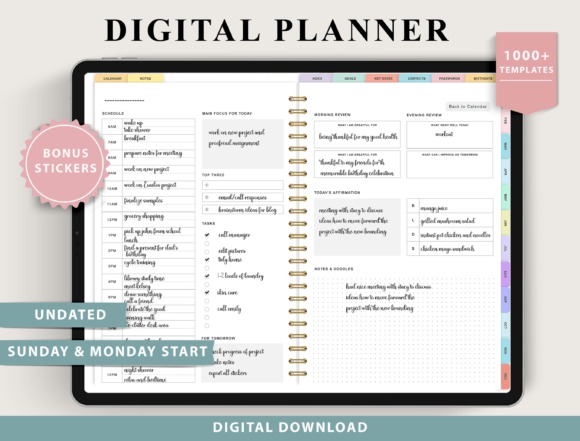
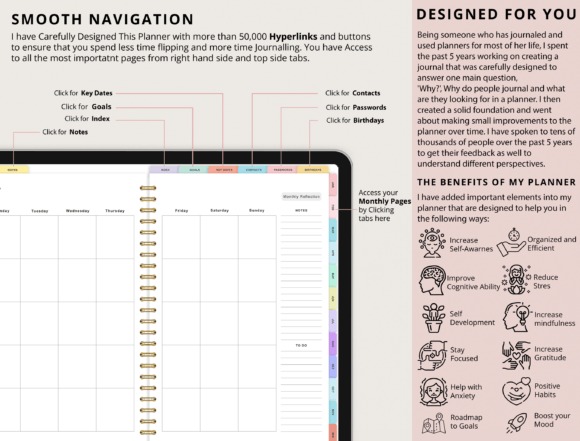
This is a broad undated Goodnotes planner aimed at people who want personal, professional, family, fitness, finance, nutrition, wellness, and productivity planning in one system. It includes several weekly and daily layout options plus a large collection of supporting templates, so it fits an iPad setup where one planner acts as a central dashboard.
I’d choose it over a narrowly focused planner when you regularly move between goals, schedules, money, meals, habits, and wellness. The tradeoff is the same thing that makes it useful: a large feature set can feel excessive if you mainly need a simple weekly agenda.
- Best for: life planning, productivity, finance tracking
- Key features: undated format; Sunday and Monday starts; multiple daily and weekly layouts; fitness, finance, nutrition, wellness and productivity templates
- Skip if: you want a small, minimalist planner with only core calendar pages.
2. All-in-One Digital Planner
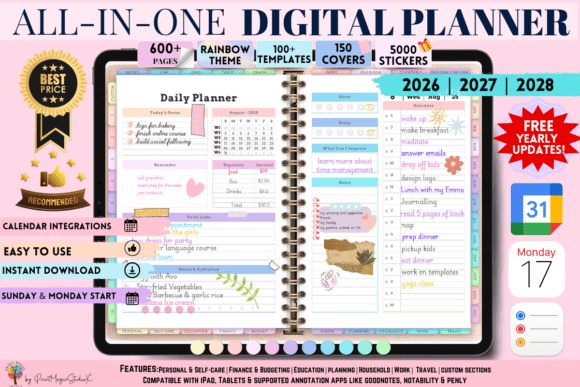
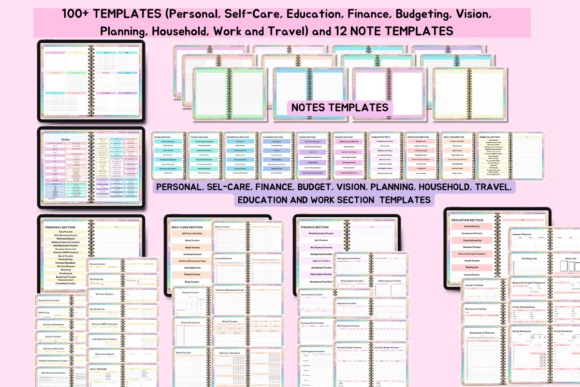
All-in-One Digital Planner is a feature-heavy rainbow-themed Goodnotes template for users who prefer one large planning hub rather than separate notebooks. Its Creative Fabrica listing includes 86 templates, 5,000 stickers, 150 covers, 10 custom sections, 12 note-paper templates, and planning areas spanning personal development, education, budgeting, and travel.
This is my pick when customization and breadth matter more than simplicity. Apple and Google integration can also suit people who combine handwritten iPad planning with digital calendar tools. The listing notes that opening the large files in Goodnotes requires a paid Goodnotes account, so this is not the leanest choice for casual users.
- Best for: comprehensive life planning, customization, digital stickers
- Key features: 86 templates; 5,000 stickers; 150 covers; Apple and Google integration
- Skip if: you prefer lightweight planner files or use only the basic Goodnotes setup.
See All-in-One Digital Planner
3. Digital Planner Blue 2025 2026 2027 & Undated
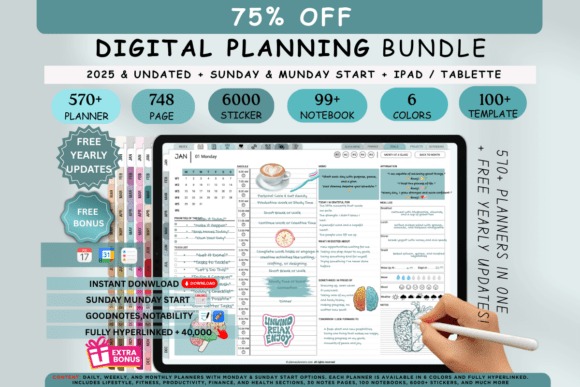
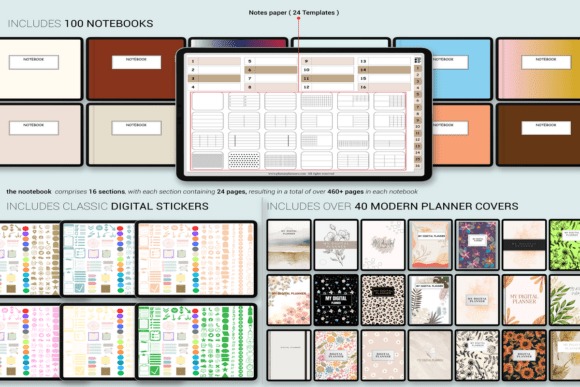
This blue digital planner bundle combines dated 2025, 2026, and 2027 planners with an undated version, making it useful for someone who wants a structured current calendar without losing the option to reuse the design later. It supports Goodnotes and Notability and includes daily, weekly, and monthly layouts with clickable navigation.
I’d choose this over a strictly undated design if seeing real calendar dates already placed on pages saves you setup time. It also includes multiple colors, covers, orientations, start-day options, and more than 63 templates covering areas such as lifestyle, wellness, finance, and fitness. Its breadth may be unnecessary for users who only need a basic weekly planner.
- Best for: dated planning, reusable planning, mixed life categories
- Key features: 2025–2027 plus undated planners; hyperlinks; daily, weekly and monthly formats; 63+ templates
- Skip if: you want a very compact planner with few configuration choices.
4. Daily Digital Planner (Portrait)
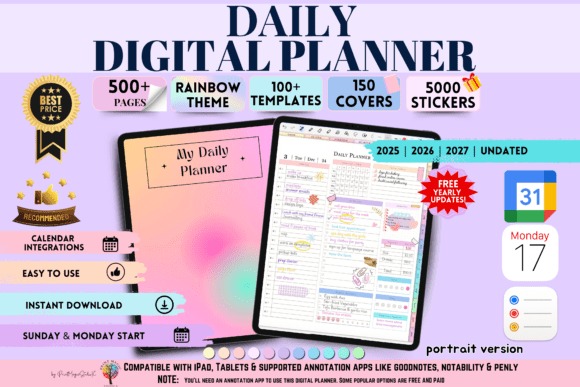
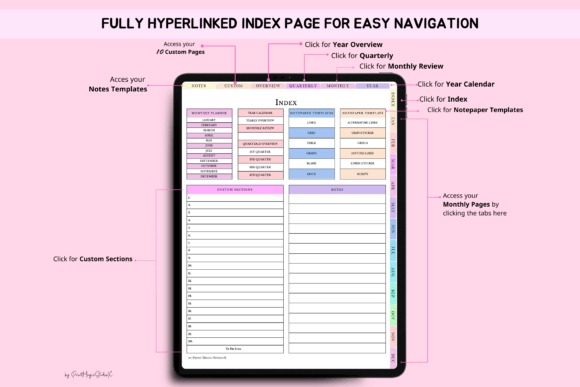
Daily Digital Planner is a portrait-format planner for users who like vertically oriented iPad pages and want their schedule broken down from yearly planning to individual days. The listing includes dated 2025, 2026, 2027 and undated options, more than 500 hyperlinked pages, 20 custom sections, and additional note templates.
I prefer this pick for someone who spends significant time in a daily page rather than mostly viewing monthly calendars. Calendar integrations can also complement a digital workflow. Because the planner contains hundreds of pages and multiple planning levels, it is more elaborate than necessary if your main goal is writing a few tasks each morning.
- Best for: daily scheduling, portrait iPad use, structured routines
- Key features: 500+ hyperlinked pages; yearly through daily layouts; 20 custom sections; Goodnotes compatibility
- Skip if: you mainly plan from a simple weekly overview.
5. All in One Undated Digital Planner
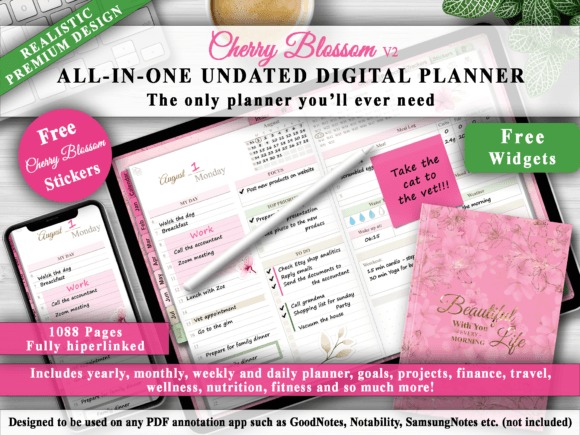
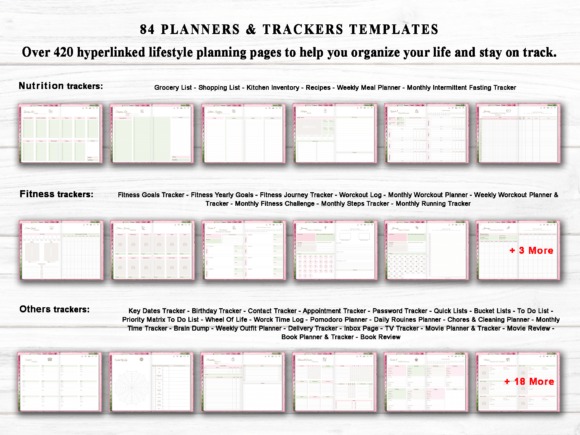
This cherry-blossom-themed planner combines the appearance of a traditional planner with a fully digital, hyperlinked structure. It contains more than 1,080 pages, two hyperlinked index pages, and an undated calendar that connects months, weeks, and days. It is intended for PDF annotation apps including Goodnotes and works across several device platforms.
I’d choose this one when you want the depth of a large life planner but specifically prefer an undated system you can start at any point. The indexes are particularly useful in a planner this large. However, users attracted to minimal page counts may find more than a thousand pages harder to manage than a streamlined daily or weekly notebook.
- Best for: long-term reusable planning, comprehensive organization
- Key features: 1,080+ pages; fully hyperlinked; two index pages; undated calendar
- Skip if: you want a lightweight planner with only a few core templates.
6. Minimalist Digital Planner
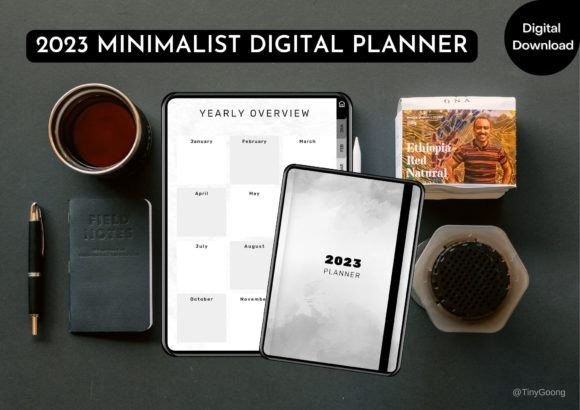
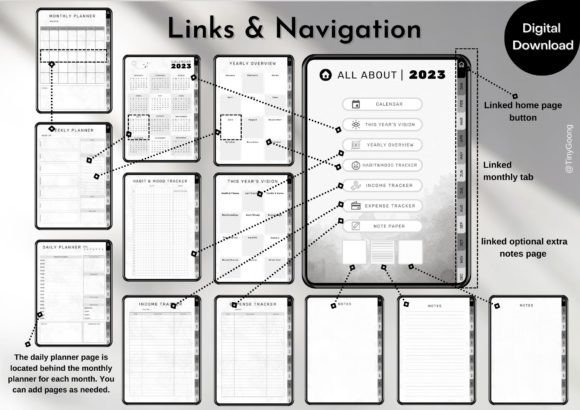
Minimalist Digital Planner is an undated Goodnotes-compatible template built around straightforward planning rather than a highly decorated visual system. It includes a hyperlinked structure with clickable tabs and buttons and is intended for organizing tasks, appointments, meetings, chores, and other recurring responsibilities on an iPad or Android tablet.
I’d pick this instead of one of the massive all-in-one planners when a clean interface helps you stay focused on the actual schedule. The reusable undated structure also removes the need to switch planners every calendar year. Its limitation is specialization: if you specifically need extensive budgeting, academic, fitness, or wedding worksheets, a purpose-built option below provides a stronger match.
- Best for: simple schedules, everyday tasks, distraction-free planning
- Key features: undated; hyperlinked navigation; clickable tabs; Goodnotes and Notability support
- Skip if: you want lots of niche trackers and specialty worksheets.
See Minimalist Digital Planner
7. 2026 Bundle Digital Planner, Goodnotes
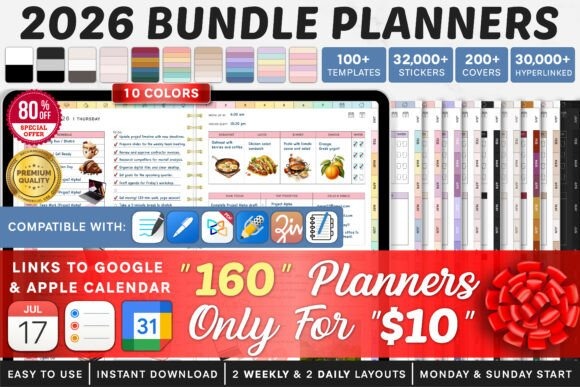
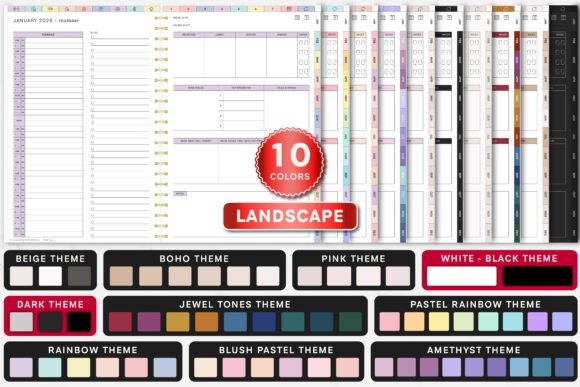
This 2026 Goodnotes planner bundle is designed for people who want a current-year system with considerable visual and layout choice. The bundle includes Monday- and Sunday-start planners, multiple weekly and daily layouts, extensive hyperlinking, and integrations for Apple Calendar, Apple Reminders, and Google Calendar.
I’d choose it over an undated planner when you want to begin planning 2026 without manually building the calendar structure yourself. The different versions also make it easier to find a page arrangement that suits how you naturally schedule. The obvious tradeoff is longevity: although the bundle is substantial, its dated structure is less timeless than a planner designed specifically for repeated year-to-year use.
- Best for: 2026 schedules, calendar integration, layout choice
- Key features: Sunday and Monday starts; two weekly layouts; two daily layouts; Apple and Google integrations
- Skip if: your priority is an undated planner you can reuse indefinitely.
8. Student Digital Academic Planner IPad
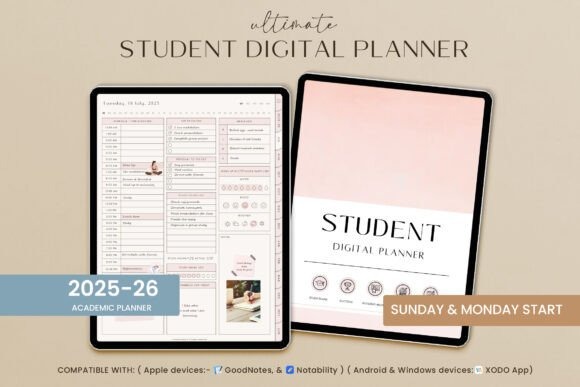
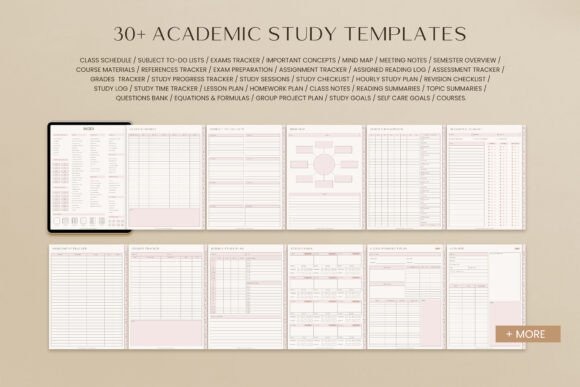
Student Digital Academic Planner is built for school and college organization rather than generic life planning. It works with Goodnotes and other annotation apps on iPad and Android tablets and combines academic organization with useful supporting pages. The listing also includes lifestyle sections such as meal planning, shopping, hydration, food logging, recipes, and several styles of note paper.
This is the stronger choice when classes and study responsibilities are the center of your planning system but you still want some everyday organization in the same file. I prefer that approach over forcing a general life planner into an academic workflow. Someone who has finished school, however, may end up with sections that have little relevance to daily planning.
- Best for: students, academic organization, study planning
- Key features: Goodnotes support; iPad and Android compatibility; lifestyle planning pages; multiple note layouts
- Skip if: you do not need an education-focused planning structure.
9. Digital 2026 ADHD Productivity Template
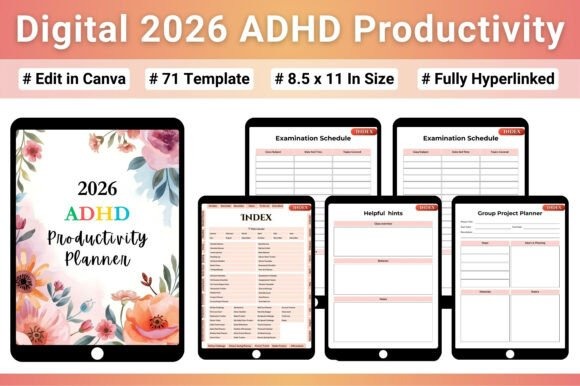
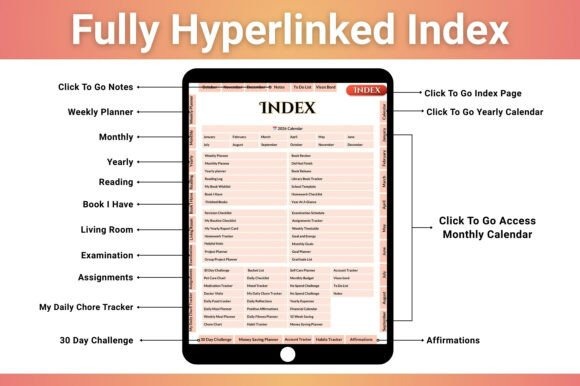
This 71-page 2026 productivity planner combines daily, weekly, and monthly planning with sections for life organization, self-care, finances, school, fitness, meals, and habits. It is supplied as a fully hyperlinked digital PDF and is described as compatible with Goodnotes, Notability, and other PDF annotation apps on iPads and tablets.
I’d choose this when you want a more intentionally segmented productivity system instead of an enormous general-purpose planner. Its 2026 calendar and quick hyperlink navigation make it particularly suited to users who want defined destinations for different responsibilities. Because it is specifically framed around ADHD-friendly organization, someone seeking a purely decorative planner or an extremely sparse calendar may prefer another design.
- Best for: structured productivity, habits, multi-area planning
- Key features: 71 pages; 2026 calendar; fully hyperlinked PDF; Goodnotes compatibility
- Skip if: you want a purely minimalist planner without specialized productivity sections.
10. Digital Teacher Planner
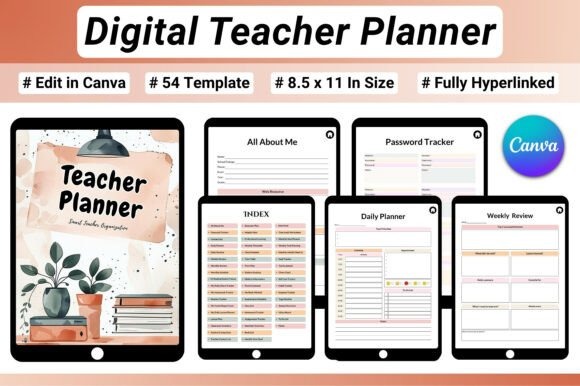
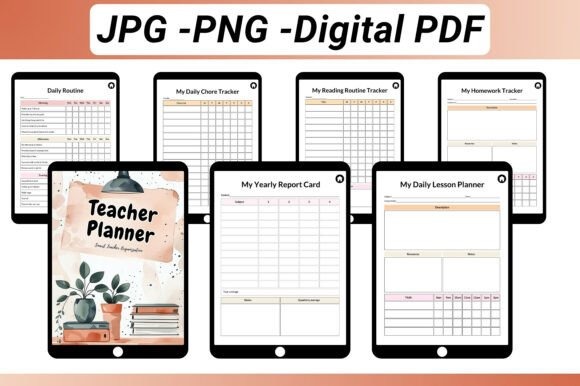
Digital Teacher Planner is a 54-page fully hyperlinked PDF created around teaching responsibilities. Instead of adapting generic calendar pages, it provides layouts for daily, weekly, monthly, and yearly planning alongside lesson plans, semester plans, term plans, class schedules, timetables, student information, assignments, goals, and other classroom organization tasks.
This is my preferred type of planner for teachers, homeschool educators, tutors, professors, or student teachers because lesson planning is integrated with the broader schedule. It is compatible with Goodnotes and other PDF annotation apps and can be used on an iPad or tablet. Its educational focus is also its limitation: most of the value disappears if you are not regularly managing lessons or students.
- Best for: teachers, tutors, lesson planning
- Key features: 54 pages; fully hyperlinked PDF; lesson planning layouts; class and semester scheduling
- Skip if: you need a general personal planner rather than an educator workflow.
11. Wedding Digital Planner, IPad Planner
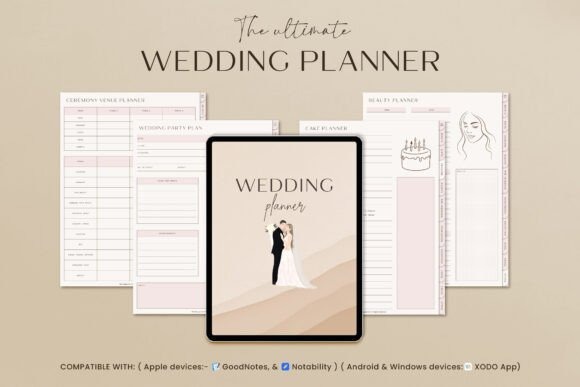
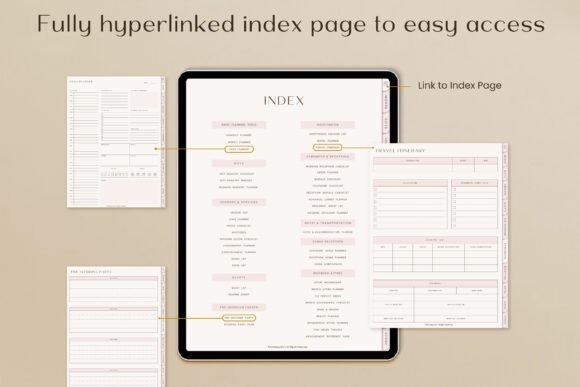
Wedding Digital Planner turns Goodnotes into a dedicated planning space for wedding-related organization rather than forcing event details into an everyday agenda. The digital planner works on iPad and Android tablets and supports annotation apps including Goodnotes, Notability, and Xodo. Its wedding-oriented pages include practical tracking tools such as item-order and measurement reference pages.
I’d choose a specialized planner like this when a wedding has enough moving parts to justify a separate notebook. Keeping event planning away from work and everyday to-do lists can make the Goodnotes library easier to navigate. The tradeoff is lifespan: unlike an undated life planner, this template is designed around one specific project and becomes far less useful once the wedding planning process is complete.
- Best for: wedding organization, event tracking, iPad planning
- Key features: Goodnotes compatibility; iPad and Android support; wedding-focused sections; digital PDF workflow
- Skip if: you need one planner for everyday life after the wedding.
12. Digital Reading Journal IPad Planner
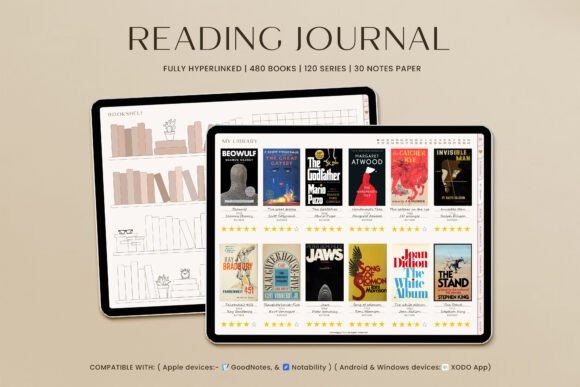
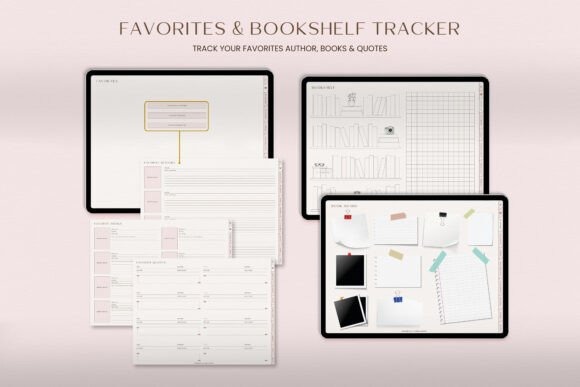
This landscape digital reading journal is a specialized Goodnotes template for readers who want to record books rather than manage their entire daily schedule. It provides hyperlinked navigation, a reading wishlist, favorite quotes and authors, reading challenges, individual book reviews, series tracking, and space to build a substantial personal reading library.
I’d choose it instead of putting reading notes inside a general planner because its structure is built around books from the start. The listing supports tracking up to 480 books and reviewing up to 120 book series, which makes it better suited to enthusiastic readers than an occasional reading-log page. It is less useful if your priority is appointments, work tasks, or calendar planning.
- Best for: reading logs, book reviews, reading challenges
- Key features: fully hyperlinked; up to 480 books; up to 120 book series; Goodnotes support
- Skip if: you primarily need a conventional daily or weekly planner.
13. Digital 2026 Workout Template
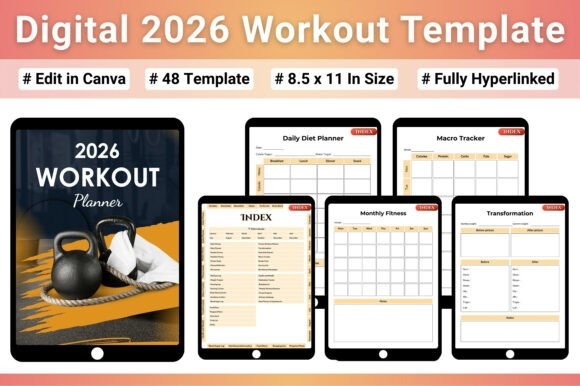
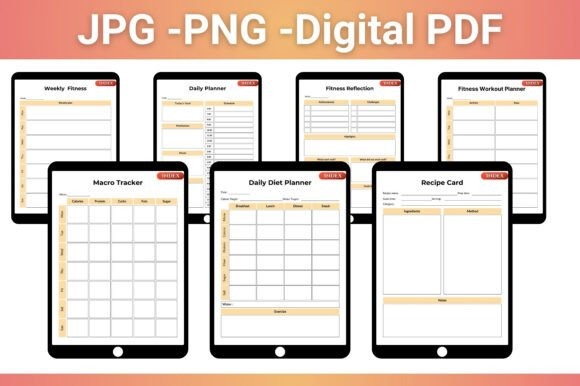
Digital 2026 Workout Template is a 48-page fitness planner built around exercise, nutrition, and progress tracking. The fully hyperlinked PDF includes a 2026 calendar plus pages for workouts, diet, weight, running, macros, sleep, body measurements, progress photos, and related fitness goals. It is compatible with Goodnotes and other PDF annotation apps.
I’d choose this over a general planner with only one exercise tracker when fitness is one of your main planning priorities. Its focused structure makes it easier to keep training records together instead of scattering them through daily pages. The 2026-specific calendar is useful now, although anyone wanting a permanently reusable fitness journal may prefer an undated alternative.
- Best for: workouts, fitness goals, nutrition tracking
- Key features: 48 pages; fully hyperlinked; 2026 calendar; workout and measurement tracking
- Skip if: fitness is only a small part of your broader planning routine.
14. Digital Planner Scrapbook Goodnotes
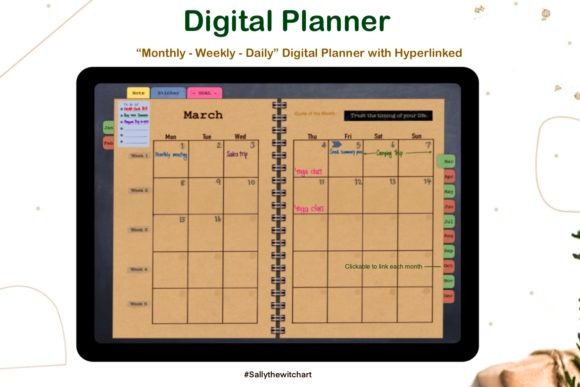
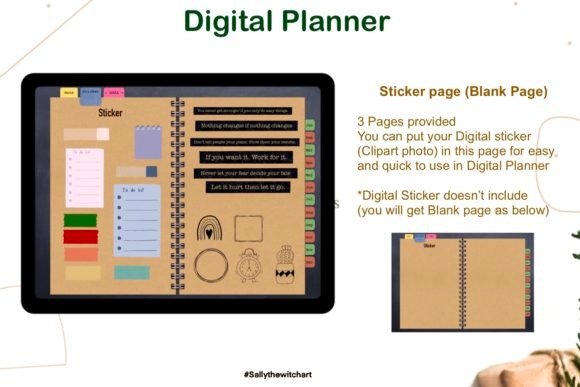
Digital Planner Scrapbook Goodnotes is the decorative option in this roundup. It uses a scrapbook theme while still providing practical undated monthly, weekly, and daily planning pages. The PDF contains extensive hyperlinking for navigation, a goals page, note pages, blank areas for digital stickers, and a Monday-start format.
I’d choose it when the visual experience of digital planning matters almost as much as the scheduling structure. Compared with the minimalist pick, this one has a more crafted journal-like personality and leaves room to develop a decorative Goodnotes workflow with your own stickers. Digital stickers are not included with the planner itself, so users specifically looking for a large bundled sticker collection should consider one of the all-in-one options instead.
- Best for: decorative planning, digital journaling, sticker layouts
- Key features: scrapbook theme; hyperlinked PDF; undated daily, weekly and monthly pages; Monday start
- Skip if: you want bundled stickers or a strictly minimalist interface.
See Scrapbook Goodnotes Planner
Which Goodnotes Planner Template Should You Choose?
For a broad everyday system, I’d start with Digital Planner for Ipad, GoodNotes because it balances daily and weekly planning with finance, fitness, wellness, and productivity sections. If you want maximum variety and customization, All-in-One Digital Planner is the larger option.
For a cleaner workflow, I prefer Minimalist Digital Planner. Students should look first at Student Digital Academic Planner IPad, while anyone specifically organizing the current year may prefer 2026 Bundle Digital Planner, Goodnotes. I’d only move to the teacher, wedding, reading, or fitness templates when that specialty is the main reason you are opening Goodnotes.
Frequently Asked Questions
What is the best Goodnotes planner template for iPad?
For general iPad planning, a hyperlinked all-in-one or minimalist planner is usually the most flexible choice. The best option depends on whether you need daily scheduling, weekly overviews, budgeting, wellness tracking, academic pages, or another specialty. Choose the planner whose core pages match tasks you will actually use regularly.
Do digital planner templates work in Goodnotes?
Yes, many digital planners supplied as compatible PDFs can be imported into Goodnotes and written on with an Apple Pencil or other supported input method. Compatibility varies by product, so check the individual listing for Goodnotes support, file requirements, hyperlinks, and any account or app requirements before choosing a template.
Is an undated Goodnotes planner better than a dated planner?
An undated Goodnotes planner is better when you want flexibility and the ability to start at any time, while a dated planner is more convenient when you want calendar dates already organized. For a single current year, dated templates save setup; for long-term reuse, undated layouts are generally more practical.
Are hyperlinked Goodnotes planners worth choosing?
Hyperlinked Goodnotes planners are especially useful when a file contains many months, days, sections, or trackers because links reduce the amount of manual scrolling required. For very small planners, hyperlinks matter less. I would prioritize strong navigation whenever choosing a large all-in-one digital planner with hundreds of pages.


