

How Google Sheets assignment tracker templates simplify coursework
Keeping up with homework, projects, quizzes, and exams can be challenging when every class has different deadlines. Whether you’re in high school, college, or university, having a reliable system for managing your academic workload can make everyday studying much easier.
Google Sheets assignment tracker templates offer a practical way to organize coursework, monitor progress, and keep important due dates in one place. Instead of switching between notebooks, calendars, and scattered reminders, you can use a customizable spreadsheet to manage your assignments.
Many templates include assignment lists, priority settings, progress dashboards, calendars, and automatic calculations. Some also combine academic planning with habit tracking, study schedules, and weekly organization.

In this guide, we’ve selected seven useful spreadsheet templates, including dedicated assignment trackers and flexible planning tools that can be adapted for academic work.
Why Use a Google Sheets Assignment Tracker?
A Google Sheets assignment tracker is a spreadsheet designed to organize schoolwork, monitor deadlines, and record assignment progress.
It typically includes fields for subjects, assignment names, due dates, priority levels, and completion status. More advanced designs may provide visual dashboards, calendars, and automatic progress calculations.
Using a digital assignment planner offers several practical benefits:
- Centralized organization: Keep homework, presentations, projects, and upcoming exams together.
- Better deadline visibility: Identify assignments due today, this week, or later in the semester.
- Flexible customization: Adjust subjects, labels, colors, and categories to match your courses.
- Progress monitoring: See which tasks are completed and which still require attention.
- Convenient access: Open your spreadsheet from a computer, tablet, or smartphone.
- Simple collaboration: Share a Google Sheet with classmates when group planning is appropriate.
Unlike a paper planner, a spreadsheet can be sorted, filtered, duplicated, and updated as your academic schedule changes.
7 Best Google Sheets Assignment Tracker Templates
1. Assignment Tracker Spreadsheet Template — Best Overall
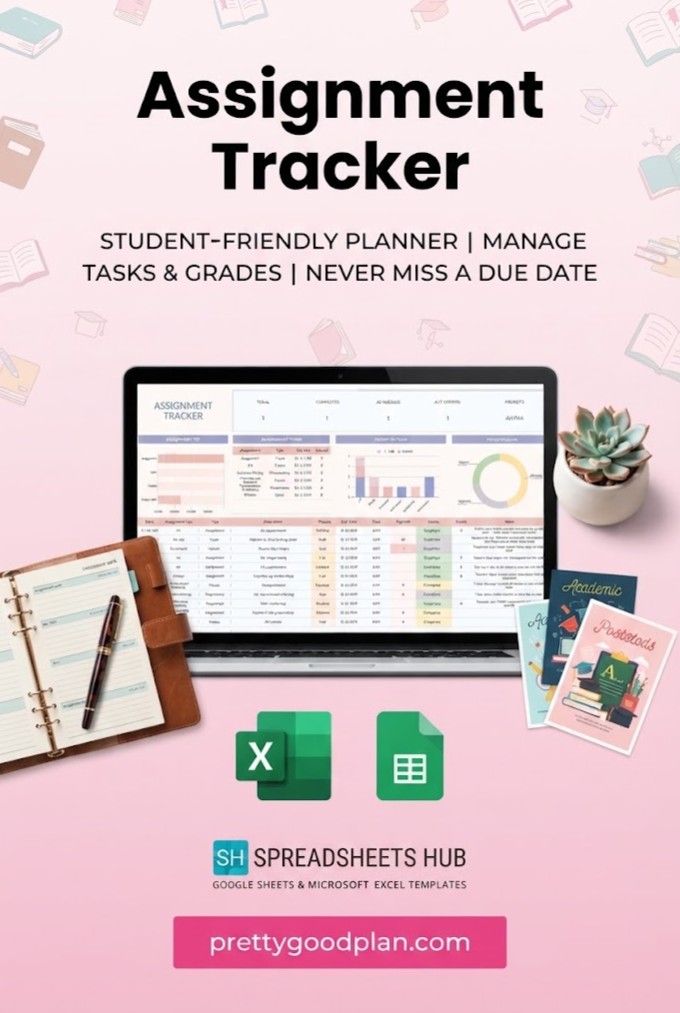
If you’re looking for a dedicated academic organizer, the Assignment Tracker Spreadsheet Template by SpreadsheetsHub is one of the most relevant options.
This template is designed for students who need to manage assignments, exams, presentations, and other academic responsibilities without creating a tracking system from scratch.
Key features:
- Assignment and coursework organization
- Due date and priority tracking
- Visual indicators for assignment progress
- Calendar-style planning overview
- Google Sheets and Microsoft Excel compatibility
- Sample and blank spreadsheet versions
One particularly useful feature is the ability to organize different types of academic tasks within the same system. You can keep track of a research essay, an upcoming mathematics exam, and a group presentation without maintaining separate lists.
The package includes instructions, example spreadsheets with sample data, and blank versions that you can customize.
Best for: High school and college students who want a dedicated assignment tracker with deadline management and progress monitoring.
2. Student Planner & Assignment Tracker — Best All-in-One Academic Planner
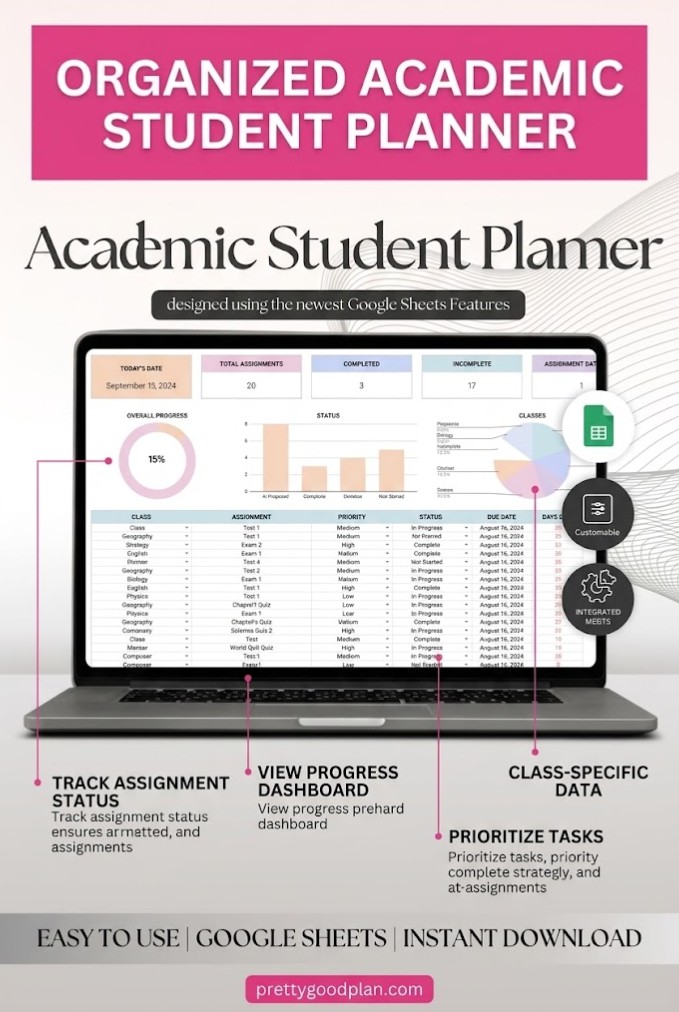
The Student Planner & Assignment Tracker by ThePlannersDelight goes beyond basic homework tracking.
Instead of focusing exclusively on assignments, this Google Sheets template combines several academic planning tools into a single spreadsheet.
Its eight tabs include a setup guide, assignment tracker, habit tracker, study planner, course tracker, book tracker, and dynamic calendar.
Key features:
- Assignment priority and status tracking
- Semester course organization
- Study schedules and personal goals
- Habit tracking with visual progress charts
- Reading and book management
- Dynamic calendar for academic deadlines
The course tracker is helpful for students taking several subjects simultaneously, while the study planner can provide structure for daily revision sessions.
Its habit tracker also makes it possible to monitor routines such as reading, studying, or completing regular practice sessions.
Rather than using one spreadsheet for homework and another for general study planning, you can manage several parts of academic life together.
Best for: College students, university students, and anyone who wants a complete academic productivity system.
3. To-Do List Tracker Template — Best for Simple Homework Organization
Not everyone needs a complex academic dashboard.
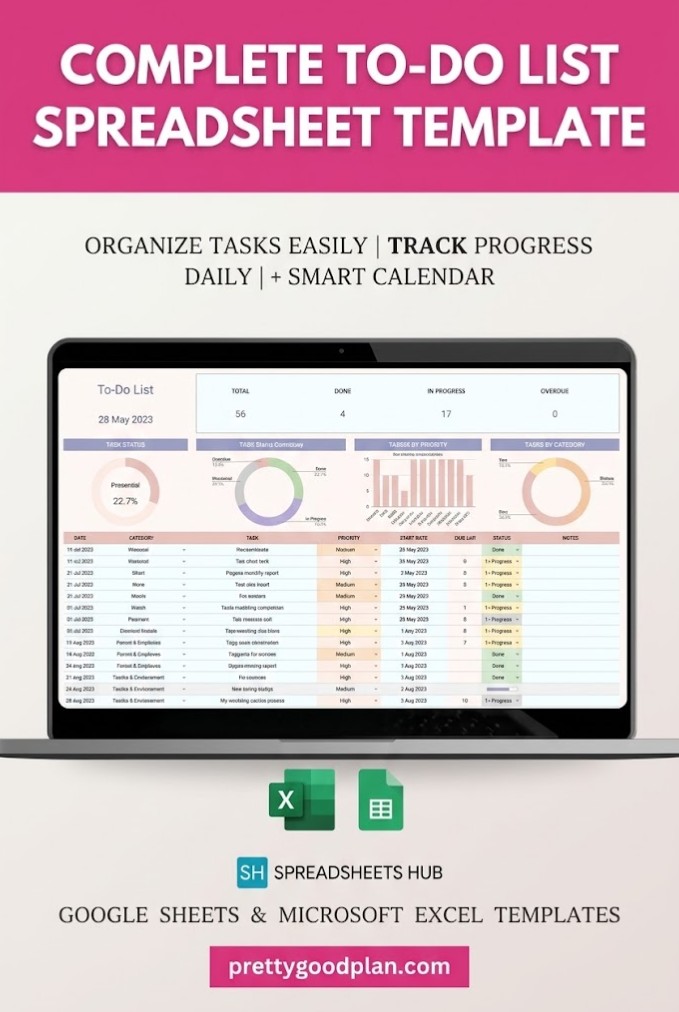
For students who prefer organizing their assignments into a straightforward task list, the To-Do List Tracker Template by SpreadsheetsHub offers a flexible alternative.
Although it is a general productivity tracker rather than a dedicated school planner, its categories and status features make it suitable for homework management.
Key features:
- Daily, weekly, and monthly task organization
- Customizable task categories
- High, medium, and low priority levels
- Task status tracking
- Monthly calendar view
- Filtering by categories and priorities
- Visual progress charts
You can create categories for subjects such as English, mathematics, biology, and history, then add every assignment to the appropriate section.
A task might include a title such as “Complete Biology Lab Report,” a due date, a priority level, and a short note describing the requirements.
This approach works particularly well for students who prefer a clean to-do list rather than an elaborate semester management system.
Best for: Students who want a simple, customizable homework checklist with useful visual features.
4. Task Tracker Template Spreadsheet — Best for Progress Monitoring
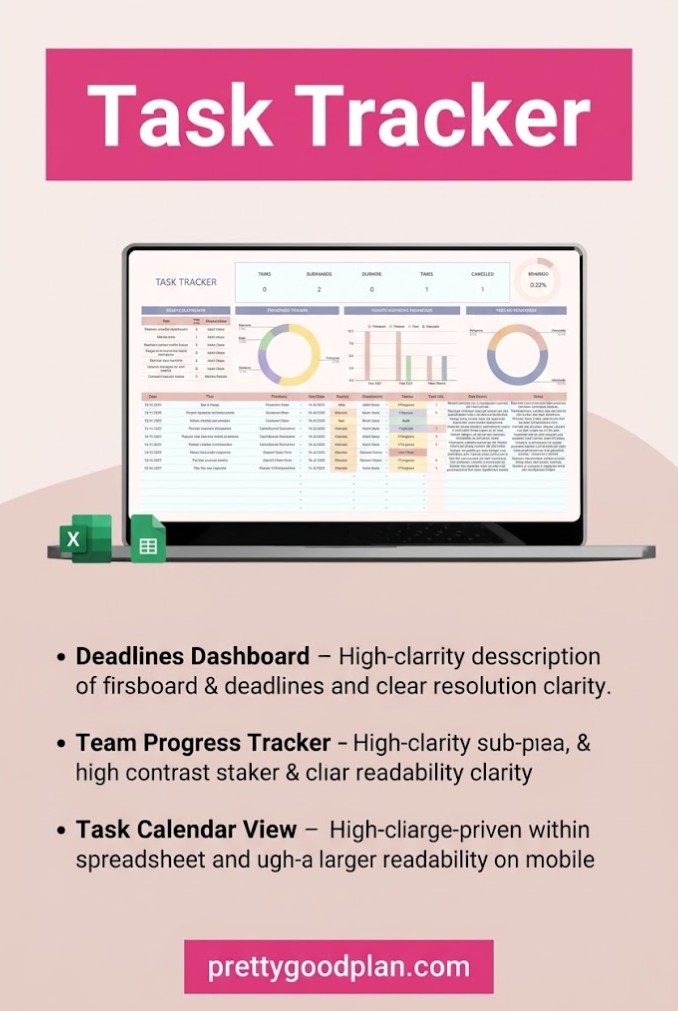
The Task Tracker Template Spreadsheet by SpreadsheetsHub is a useful option for students who want to see how much work they’ve completed.
While originally designed for general task management, it can be adapted for organizing class assignments and multi-stage academic projects.
Key features:
- Task overview dashboard
- Completion percentage tracking
- Status categories
- Integrated calendar
- Visual progress monitoring
- Google Sheets and Excel compatibility
The dashboard offers a convenient way to review your workload without inspecting every assignment individually.
For example, you could use separate rows for researching, outlining, drafting, and editing a major essay. Completing those tasks would make it easier to monitor your progress toward the final deadline.
Status categories such as In Progress, Under Review, and Completed can also help distinguish between assignments you’re actively working on and those awaiting feedback.
Best for: Students who enjoy visual progress dashboards and want to track longer assignments through several stages.
5. Weekly Planner Template Excel — Best for Weekly Study Schedules
A semester-long assignment list is useful, but sometimes the biggest challenge is deciding what to work on today.
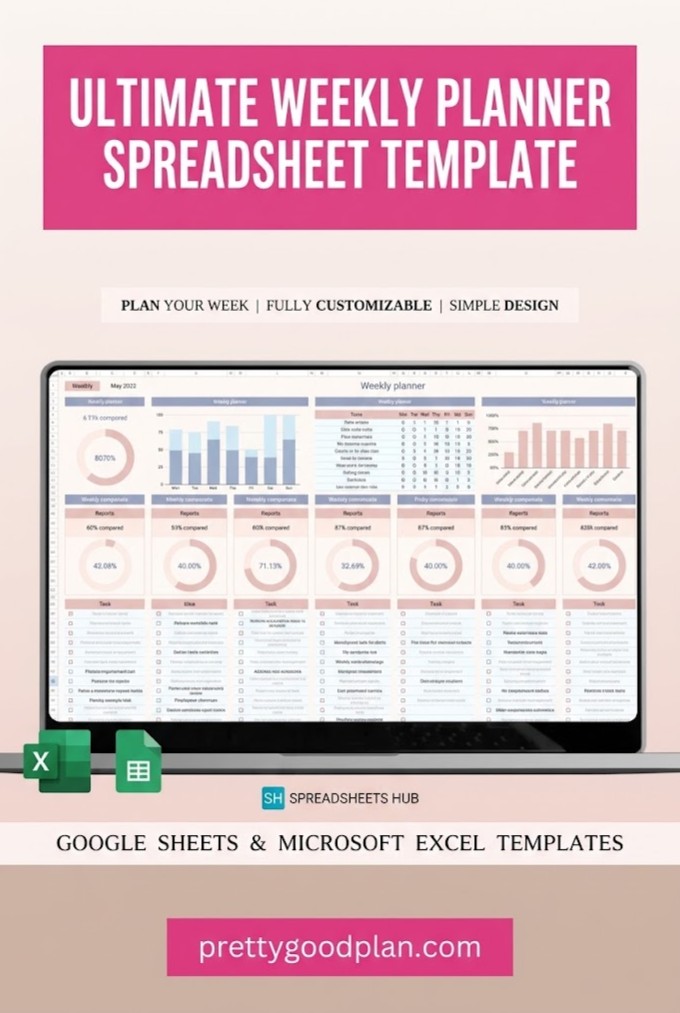
The Weekly Planner Template by SpreadsheetsHub focuses on organizing everyday activities and weekly priorities.
It can be used as a companion to a dedicated assignment tracker or adapted to manage your academic workload independently.
Key features:
- Weekly planning overview
- Daily task organization
- Habit monitoring
- Progress percentages
- Notes section
- Flexible weekly starting dates
You can use the planner to break down large assignments into manageable daily tasks.
For example, a research paper due on Friday might be divided into researching on Monday, outlining on Tuesday, drafting on Wednesday, and reviewing on Thursday.
This structure is especially helpful during busy school weeks when several deadlines are approaching.
The planner also provides space for notes, making it easy to record reading assignments, study goals, or preparation reminders.
Best for: Students who prefer weekly planning and need a structured schedule for completing assignments.
6. Student Productivity Sheet Bundle — Best for Multiple Academic Needs
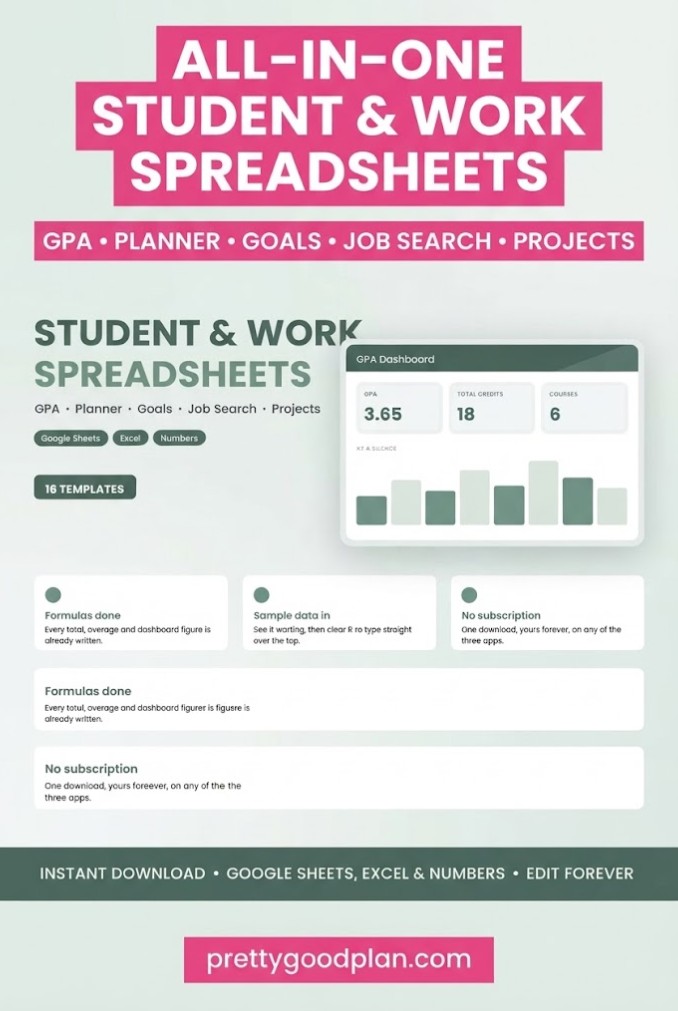
The Student Productivity Sheet Bundle by Realtor Templates includes 16 spreadsheet templates covering different areas of student life and personal productivity.
Rather than focusing on one specific assignment tracking layout, this bundle provides several tools that can work together.
Key features:
- Project and task tracking
- Weekly planning and time blocking
- GPA and grade calculations
- Annual goals and quarterly planning
- Student budget tracking
- Reading and gradebook tools
- Built-in formulas and selected visual dashboards
The Project & Task Tracker can serve as an academic assignment organizer, while the Weekly Planner & Time Blocking template helps you reserve time for studying.
Students who want to monitor academic performance can also use the GPA and grade calculator.
Because the package includes several different spreadsheets, it offers more flexibility than a single-purpose homework tracker.
However, students who only need an assignment list may find a smaller template easier to maintain.
Best for: College students who want assignment organization, academic planning, grade tracking, and personal productivity tools in one bundle.
7. Project Management Spreadsheet Template — Best for Large Assignments
Some academic assignments involve multiple milestones, deadlines, and group members.
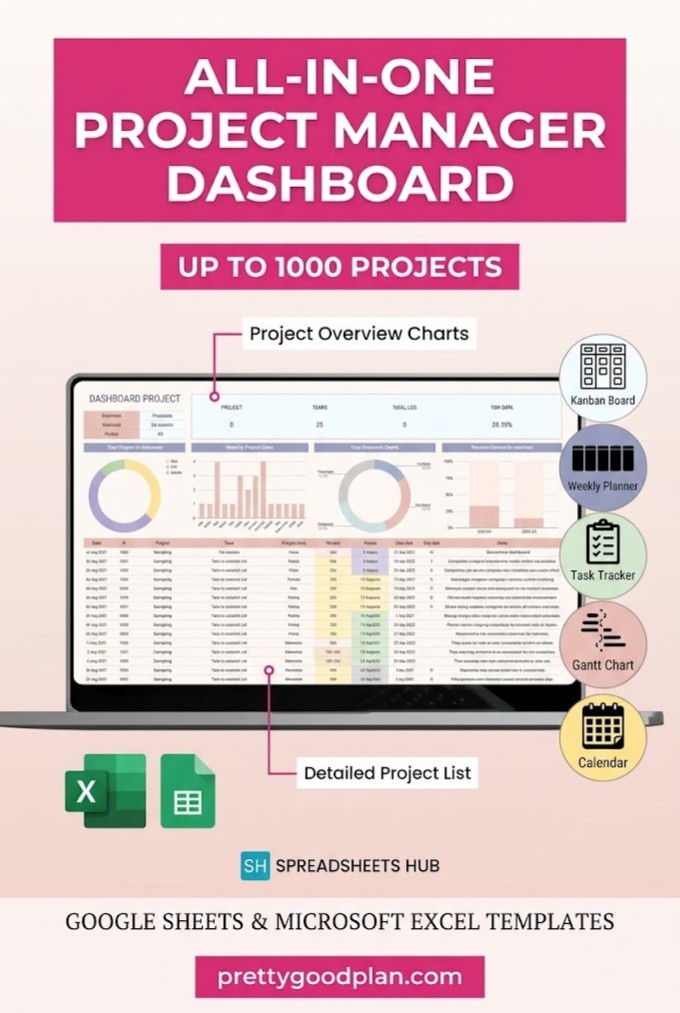
For research projects, final presentations, and collaborative coursework, the Project Management Spreadsheet Template by SpreadsheetsHub offers more advanced planning features.
Although designed for general project management, its structure can be adapted for substantial academic projects.
Key features:
- Task management dashboard
- Kanban workflow
- Gantt timeline
- Weekly task organization
- Dynamic calendar
- Progress analytics
- Task ownership and assignments
- Filtering by priorities and project stages
The Kanban workflow can help students distinguish between tasks that have not started, work currently in progress, and completed assignments.
Meanwhile, the Gantt timeline provides a visual representation of when individual stages should begin and finish.
For group assignments, you can assign responsibility for different tasks and track progress toward the presentation or submission date.
This template is more detailed than most basic homework organizers, so it may be unnecessary for students who only want to record due dates.
Best for: University students, group projects, research assignments, and complex coursework with multiple deadlines.
Comparison of the Best Google Sheets Assignment Trackers
| Template | Main Strength | Best For |
|---|---|---|
| Assignment Tracker Spreadsheet | Dedicated coursework tracking | Everyday assignments |
| Student Planner & Assignment Tracker | Multiple academic planning tabs | College organization |
| To-Do List Tracker | Simple task management | Homework checklists |
| Task Tracker Spreadsheet | Visual progress dashboard | Multi-stage assignments |
| Weekly Planner | Daily and weekly scheduling | Study routines |
| Student Productivity Sheet Bundle | Multiple productivity tools | All-around student planning |
| Project Management Spreadsheet | Kanban and Gantt planning | Large academic projects |
All seven options provide spreadsheet-based planning tools, but they differ in complexity.
For a straightforward assignment organizer, the dedicated Assignment Tracker Spreadsheet is the most relevant starting point. If you want to manage an entire semester, the Student Planner & Assignment Tracker offers a broader collection of academic features.
How to Choose the Right Assignment Tracker Template
Choosing the right Google Sheets assignment tracker depends on your study habits, schedule, and the complexity of your coursework.
Consider Your Academic Workload
If you take several classes with frequent homework, look for a tracker with subject categories, deadlines, and priority settings.
Students working on long-term research projects may benefit more from progress dashboards or project management features.
Look for Deadline Tracking
A good assignment tracker should make due dates easy to identify.
Useful features include calendar views, date sorting, visual status indicators, and highlighting for approaching deadlines.
Remember that a spreadsheet displaying deadlines does not necessarily send automatic phone notifications or email reminders. Check whether a template includes real notification functionality before relying on it.
Choose a Layout You Will Actually Use
An advanced dashboard may look impressive, but it won’t help if updating it becomes complicated.
A simple assignment list can be more practical when you only need to record tasks and completion statuses.
Choose a design that you can update consistently.
Check Compatibility and Included Files
Before selecting a template, review the product description carefully.
Some products provide direct Google Sheets access through a link, while others include Excel files that can be imported into Google Sheets.
Also check whether instructions, sample data, and blank versions are included.
How to Use a Google Sheets Assignment Tracker
Once you’ve selected a template, setting it up should become part of your regular academic routine.
Step 1: Open your template. Follow the instructions included with your digital download. If the template opens as a view-only Google Sheet, use File → Make a copy to create your editable version.
Step 2: Add your subjects. Create or customize categories for every course you’re taking this semester.
Step 3: Enter your assignments. Record homework, essays, projects, presentations, quizzes, and exams. Include due dates and any important notes.
Step 4: Assign priorities. Mark urgent or demanding assignments as high priority. Use medium and low priorities for less time-sensitive work.
Step 5: Update task statuses. Change assignments from Not Started to In Progress and then Completed as you work through them.
Step 6: Review your tracker regularly. Check upcoming deadlines at the beginning of each week and update completed tasks at the end of each study session.
Consistency matters more than having the most complicated spreadsheet.
Tips for Managing School Assignments More Effectively
A digital assignment tracker works best when combined with a realistic study routine.
Start by recording new assignments as soon as they are announced. Waiting until the end of the week increases the chance of forgetting details.
Break large assignments into smaller tasks with separate target dates. Instead of recording only “Finish Research Paper,” create individual steps for research, outlining, drafting, editing, and submission.
Review your deadlines at least once a week. When a particularly busy period is approaching, examine your tracker daily so you can adjust your schedule.
Use consistent subject names and task statuses. This makes sorting and filtering much easier, especially when your spreadsheet contains dozens of assignments.
Finally, avoid scheduling every available hour. Leave some flexibility for unexpected homework, difficult topics, and changes to your academic schedule.
Final Thoughts
The best Google Sheets assignment tracker templates can make schoolwork easier to organize by bringing assignments, deadlines, and progress updates into one convenient spreadsheet.
For simple academic organization, a dedicated assignment tracker provides the essential tools without unnecessary complexity. Students looking for more comprehensive planning may prefer an all-in-one student planner, while project management spreadsheets are better suited to demanding group assignments and research projects.
Ultimately, the right template is one that fits your workload and encourages regular use.
Choose a layout that feels manageable, enter your upcoming assignments, and make a habit of reviewing your academic priorities throughout the week.
Frequently Asked Questions
What is the best Google Sheets assignment tracker template?
The best template depends on your academic needs. A dedicated Assignment Tracker Spreadsheet is a practical choice for everyday coursework, while an all-in-one Student Planner can be better for managing subjects, study schedules, and additional academic activities.
Can I use Google Sheets to track homework?
Yes. Google Sheets can organize homework using columns for subject names, assignments, due dates, priorities, and completion statuses. You can also sort assignments by deadline and apply conditional formatting to highlight important tasks.
Are Google Sheets assignment trackers free?
Google Sheets can be used with a free Google account. You can build your own tracker without purchasing a template. Third-party templates may be free, paid, or available through a subscription, depending on the seller.
Can I track multiple classes in one spreadsheet?
Yes. Many assignment trackers allow you to organize coursework from multiple subjects in one file. You can separate classes using categories, filters, or individual spreadsheet tabs.
Can Google Sheets automatically highlight overdue assignments?
Yes. Conditional formatting can highlight assignments when their due dates have passed and their status is not marked as completed. Some templates provide this functionality, while others require manual setup.
Can I use an assignment tracker on my phone?
Yes. Google Sheets is accessible on supported mobile devices. However, complex dashboards and certain spreadsheet controls may be easier to use on a desktop or laptop.
Is Google Sheets better than a paper assignment planner?
Google Sheets is useful when you want editable tables, sorting, filtering, calculations, and access across devices. Paper planners may be preferable for students who enjoy handwriting or want fewer digital distractions.
Can I share my assignment tracker with classmates?
Yes. Google Sheets supports sharing and collaboration. You can give classmates viewing or editing access, depending on whether you’re working together or simply sharing a schedule.
Do assignment tracker templates send automatic reminders?
Not necessarily. Some spreadsheets provide visual warnings or countdown calculations, but automated notifications require additional functionality. Check the template’s features rather than assuming reminders are included.


