

ℹ️ Affiliate Disclosure: This article may contain affiliate links. If you book or purchase through these links, we may earn a commission at no additional cost to you.
How to Use a Google Sheets Monthly Budget Template
Managing your money doesn’t have to involve complicated financial software or endless calculations. With the best Google Sheets budget templates, you can organize income, track expenses, plan savings, and monitor your financial goals in one convenient spreadsheet.
Whether you’re building your first household budget, managing bills with a partner, or trying to reduce debt, a well-designed spreadsheet can make everyday money management easier.
Google Sheets budget planners are especially useful because they’re editable, accessible across devices, and easy to personalize. Many templates include automated calculations, financial dashboards, spending categories, and monthly summaries.

We’ve selected eight Google Sheets budget templates designed for different financial planning needs, from simple monthly expense tracking to comprehensive annual financial management.
Why Use Google Sheets for Budgeting?
Google Sheets offers a flexible way to manage personal finances without requiring specialized accounting software.
A budget template gives you a ready-made structure for organizing your financial information. Instead of building formulas and categories from scratch, you can start with a spreadsheet designed for budgeting.
Some key advantages include:
- Automatic calculations: Track income, expenses, and remaining balances without calculating every total manually.
- Customizable categories: Organize spending around your lifestyle and financial priorities.
- Monthly and annual tracking: Compare budgets over time and identify spending patterns.
- Cloud access: Open your spreadsheets on your computer, tablet, or smartphone.
- Visual dashboards: Understand your finances through charts, summaries, and progress indicators.
- Reusable layouts: Update your existing planner or create a fresh copy for each year.
Google Sheets also supports collaboration, making it useful for couples and families who want to work with a shared budget.
However, features such as automatic transaction imports, advanced financial charts, and specialized calculators depend on the individual template.
8 Best Google Sheets Budget Templates
The following templates cover different budgeting styles, including monthly planning, annual financial tracking, paycheck budgeting, and goal-based money management.
1. Budget Planner for Google Sheets – Best for Beginners
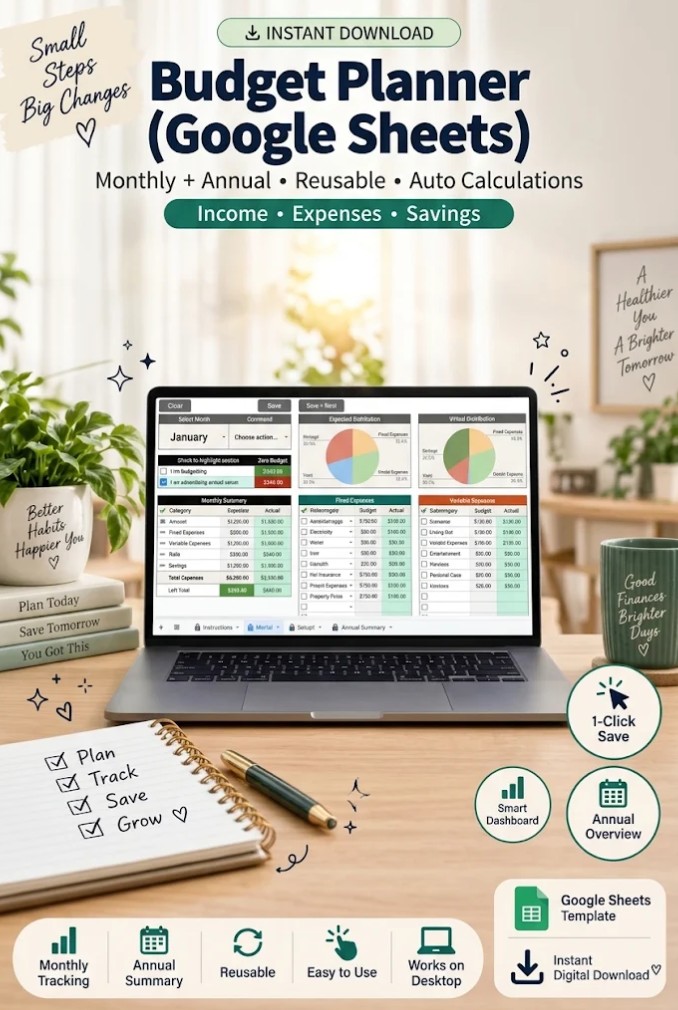
If you’re looking for a straightforward way to organize your finances, the Budget Planner for Google Sheets is an excellent starting point.
This template is designed around a central portal where you can enter your monthly financial information without constantly switching between spreadsheets.
It includes 12 monthly worksheets and an annual summary dashboard, giving you a convenient overview of your budget throughout the year.
Key features:
- Central portal for monthly budget entry.
- Twelve individual monthly budget sheets.
- Annual financial summary dashboard.
- Automatic calculations for monthly and yearly totals.
- Customizable expense categories.
- Dedicated instructions and setup pages.
The month-selection system allows you to move between different budget periods while keeping your financial information organized.
Best for: Beginners, students, and individuals who want a clean budgeting system with minimal complexity.
One consideration is that its action buttons work best on a desktop or laptop. Mobile users may need to use the alternative navigation controls.
2. Monthly Budget Google Sheets – Best for Everyday Expense Tracking
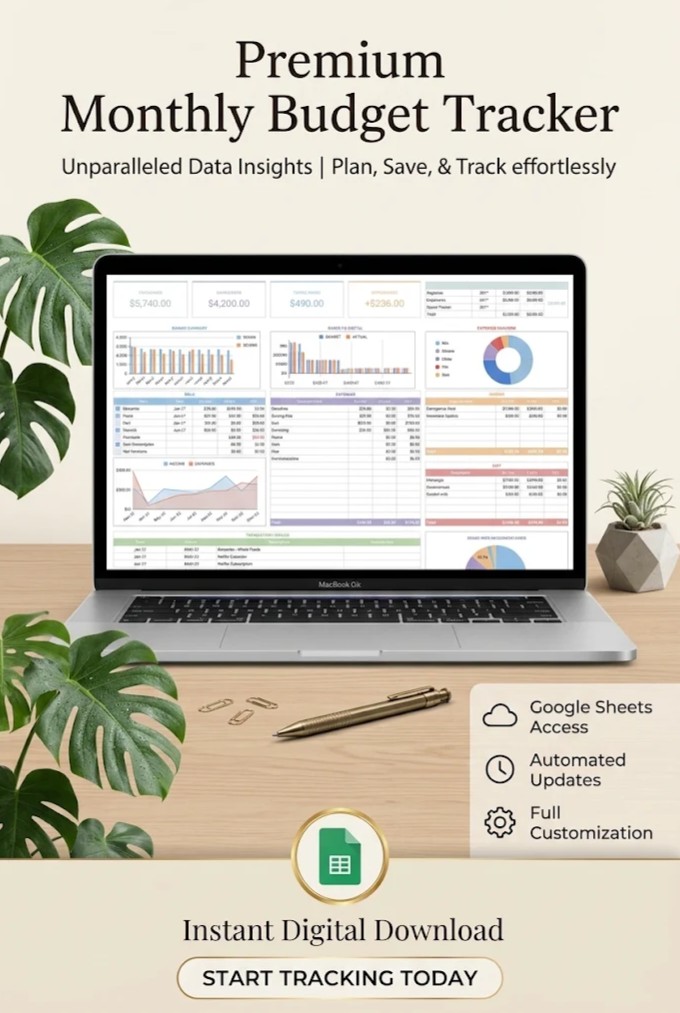
The Monthly Budget Google Sheets template focuses on managing your finances one month at a time.
It provides a budget dashboard, transaction tracker, charts, and expense categories to help you understand where your money goes.
This approach works well when your primary goal is controlling everyday spending rather than managing an elaborate financial system.
Key features:
- Monthly budget dashboard.
- Transaction tracking by spending category.
- Financial charts and graphs.
- Income and expense organization.
- Editable spreadsheet layout.
- Google Sheets compatibility.
You can use the transaction tracker to record groceries, transportation, utilities, shopping, and other regular purchases.
Reviewing these categories regularly can reveal opportunities to adjust your spending.
For example, if your dining expenses consistently exceed your planned budget, you can set a more realistic target for the following month.
Best for: Individuals who want to monitor monthly spending and review their budget regularly.
3. Ultimate Annual and Monthly Budget Planner – Best All-in-One Template
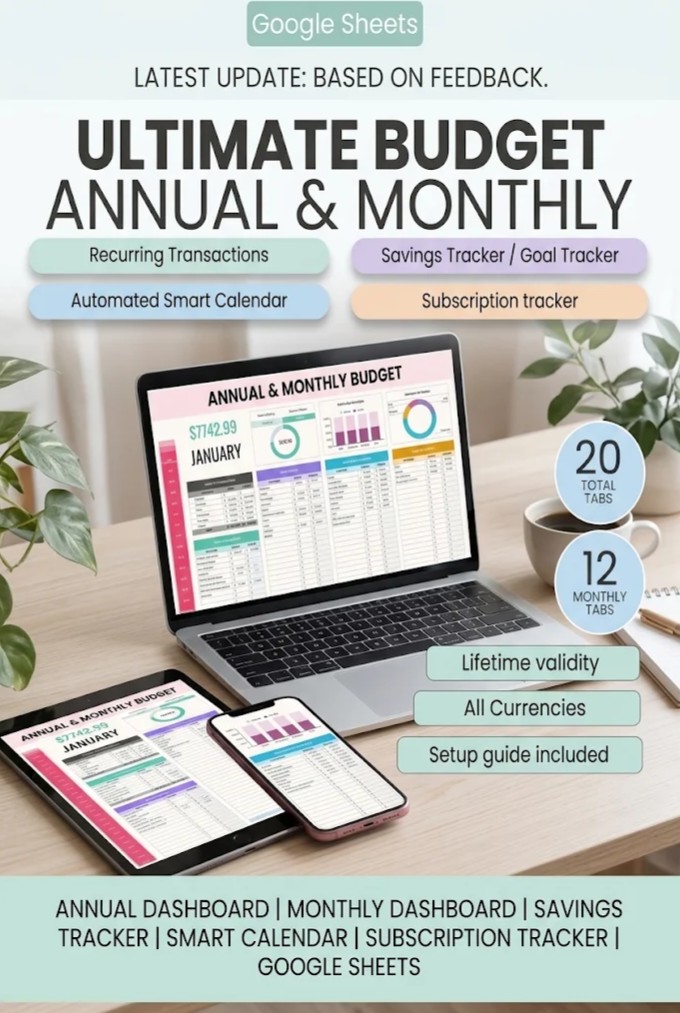
The Ultimate Annual and Monthly Budget Planner is a comprehensive solution for people who want to manage multiple areas of their finances in one spreadsheet.
Instead of focusing only on income and expenses, this template combines monthly budgets, yearly summaries, subscription management, sinking funds, and savings goals.
Its 20 organized tabs provide a more detailed approach to personal financial planning.
Key features:
- Annual financial dashboard.
- Twelve monthly budgeting dashboards.
- Budget versus actual spending comparison.
- Income and expense transaction logs.
- Savings goals and sinking funds trackers.
- Subscription management.
- Recurring transaction support.
- Automated financial calendar.
- Customizable categories and subcategories.
- Currency and year customization.
One particularly useful feature is the budget-versus-actual comparison. It helps you understand whether your spending matches your original plan.
The sinking funds section is also helpful for planning irregular expenses, such as holidays, vehicle maintenance, insurance, and annual subscriptions.
Best for: People who want a comprehensive budgeting system that combines everyday spending and long-term financial planning.
Because this template includes multiple trackers, expect a little more setup than you would with a basic monthly spreadsheet.
4. Premium Family Budget Planner – Best for Household Finances
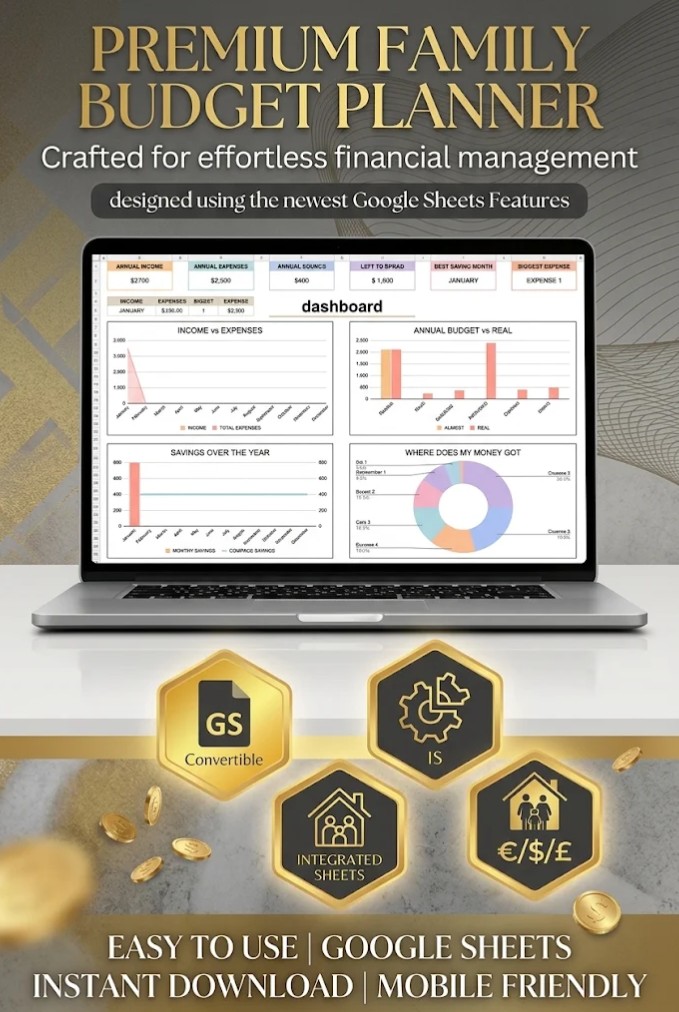
Managing a household budget often involves coordinating several financial responsibilities at once.
The Premium Family Budget Planner provides a detailed financial management system for families and couples who want better visibility into their shared finances.
Its features extend beyond regular spending tracking to include bank accounts, debt calculations, financial goals, and long-term planning.
Key features:
- Twelve monthly budget dashboards.
- Annual financial dashboard and totals.
- Bank account tracking.
- Customizable currency settings.
- Income and expense distribution.
- Calendar for financial planning.
- Sinking funds.
- Debt calculator.
- Net worth tracking.
- Investment forecast.
- Money challenges.
The bank account section can be particularly helpful for households managing several checking and savings accounts.
Meanwhile, the annual dashboard makes it easier to review household finances without manually combining information from each month.
The included debt and savings tools allow families to monitor financial priorities alongside regular household expenses.
Best for: Couples, families, and households with multiple accounts, financial commitments, and savings goals.
5. 50/30/20 Budget Template – Best for Simple Budgeting Rules
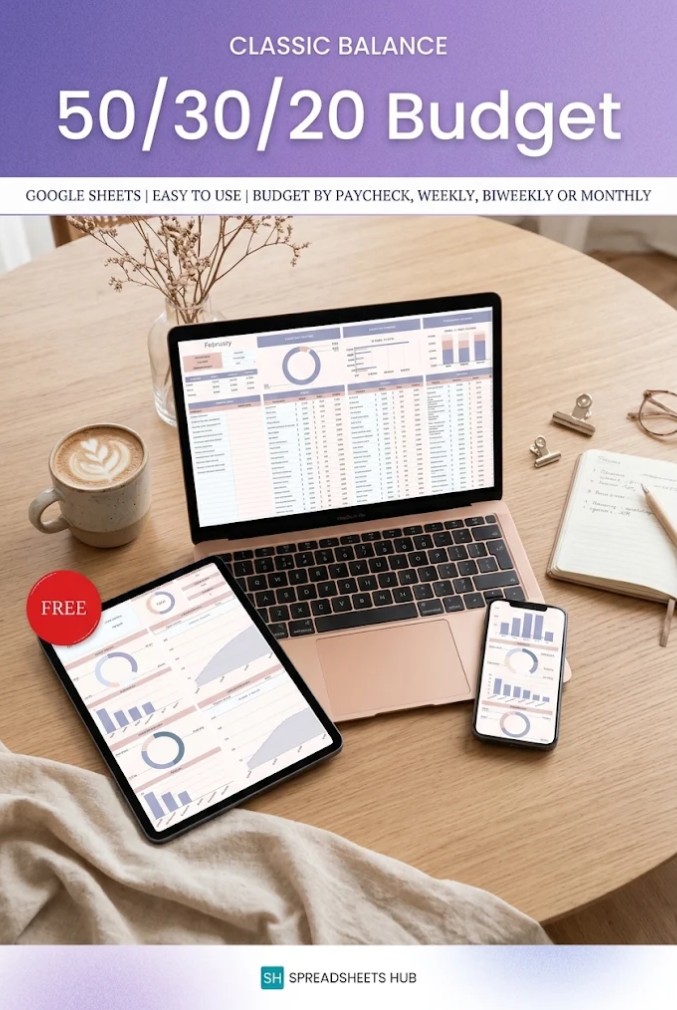
If traditional budgeting feels overwhelming, the 50/30/20 Budget Template offers a more structured way to organize your money.
The 50/30/20 method divides after-tax income into three broad categories:
- 50% for needs: Housing, groceries, utilities, insurance, and essential transportation.
- 30% for wants: Entertainment, dining out, shopping, and nonessential subscriptions.
- 20% for savings and debt repayment: Emergency savings, investments, and eligible debt repayments.
For example, someone earning $4,000 per month after taxes could use the following starting targets:
| Category | Percentage | Monthly Budget |
|---|---|---|
| Needs | 50% | $2,000 |
| Wants | 30% | $1,200 |
| Savings and debt repayment | 20% | $800 |
| Total | 100% | $4,000 |
These percentages are guidelines, not strict rules. Your actual allocation may differ depending on housing costs, income, and financial responsibilities.
Key features:
- Automated budget calculations.
- Expense tracking.
- Editable categories.
- Blank and example spreadsheet versions.
- Setup instructions.
- Support for different currencies.
The template is especially helpful when you want to understand the relationship between essential spending, lifestyle purchases, and financial goals.
Best for: Beginners and anyone who prefers a straightforward budgeting framework.
6. Budget Planner Excel & Google Sheets – Best for Flexible Pay Schedules
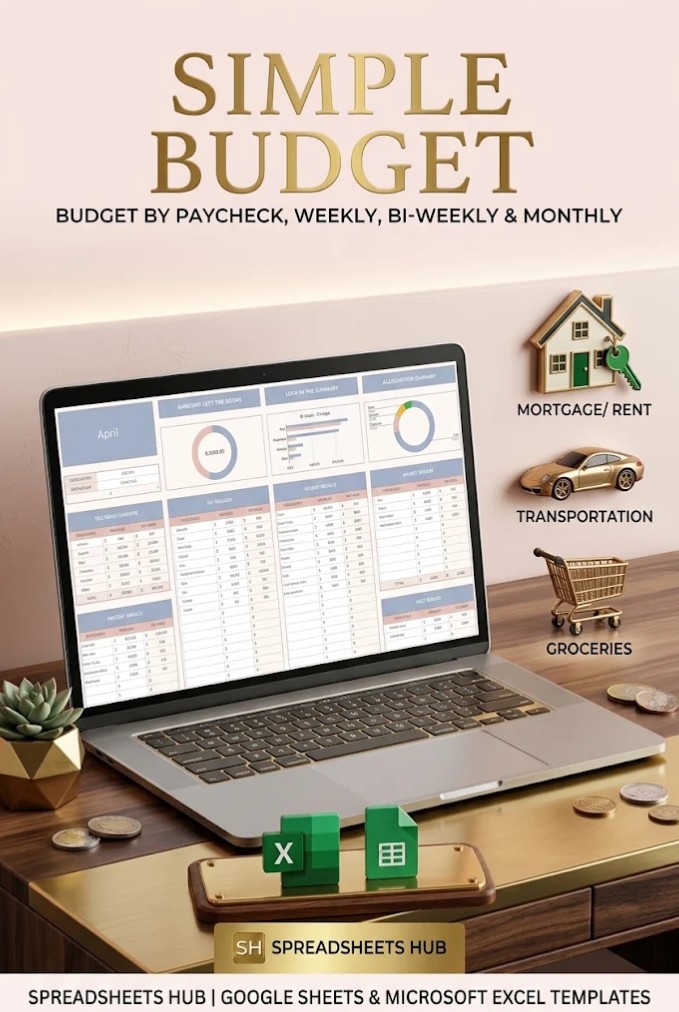
Not everyone receives a paycheck on the same day each month.
Freelancers, hourly workers, contractors, and employees paid weekly or biweekly may need a budgeting system that adapts to different income schedules.
The Budget Planner Excel & Google Sheets template provides a simple, one-tab approach to tracking income and expenses.
Key features:
- Compatible with Google Sheets and Excel.
- Single-tab budgeting layout.
- Automatic financial calculations.
- Customizable income and expense categories.
- Support for different currencies.
- Suitable for monthly, weekly, and biweekly budgeting.
The simplified layout is useful if you prefer entering transactions without navigating a large workbook.
For someone receiving two paychecks each month, the spreadsheet can help organize income and spending in a format that matches their budgeting routine.
It’s also a practical option for people who occasionally switch between Google Sheets and Excel.
Best for: Freelancers, hourly employees, and anyone who wants flexible budgeting without a complex dashboard.
7. 50/30/20 Annual Budget Planner – Best for Long-Term Spending Balance
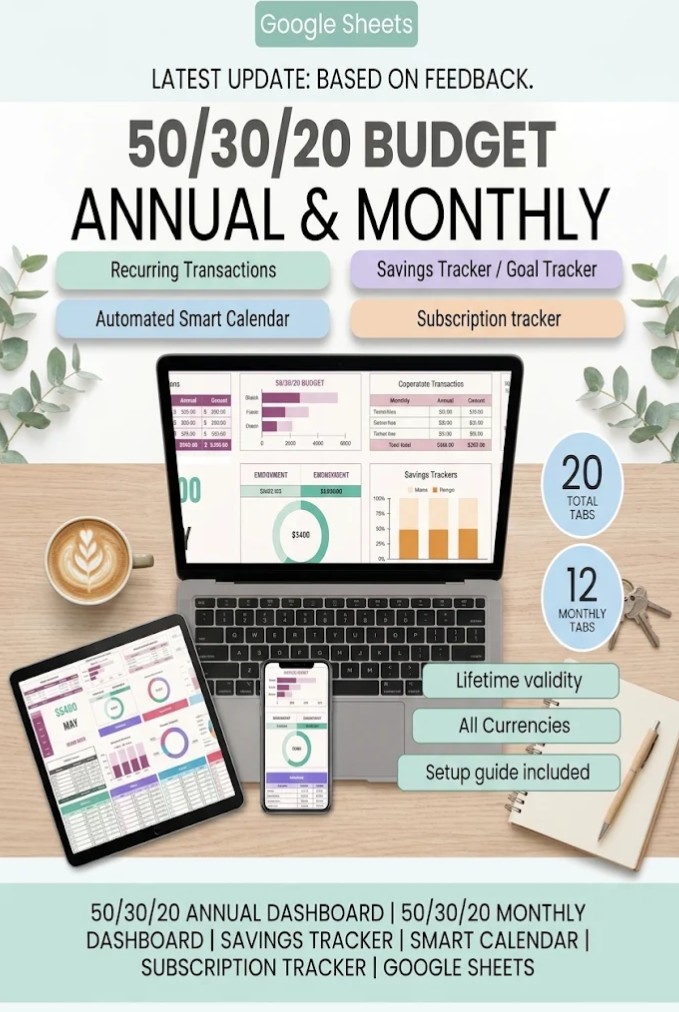
The 50/30/20 Annual Budget Planner combines percentage-based budgeting with a detailed yearly financial tracking system.
Unlike a basic 50/30/20 calculator, this template supports monthly planning, annual summaries, subscriptions, savings goals, and recurring transactions.
This makes it useful for people who like the simplicity of the 50/30/20 method but need more detailed tracking tools.
Key features:
- Twelve monthly 50/30/20 budget dashboards.
- Annual financial dashboard.
- Needs, wants, and savings tracking.
- Budget-versus-actual comparisons.
- Transactions log.
- Sinking funds and savings goals.
- Subscription tracking.
- Automated calendar.
- Recurring transaction management.
- Custom categories.
You can monitor whether your spending stays reasonably aligned with your chosen targets across the year.
For instance, an unusually expensive month may push your essential spending above 50%. Looking at several months together gives you more context than judging one month in isolation.
Best for: People who want structured budgeting rules combined with detailed annual financial tracking.
8. Premium Personal Finance Planners – Best Budgeting Bundle
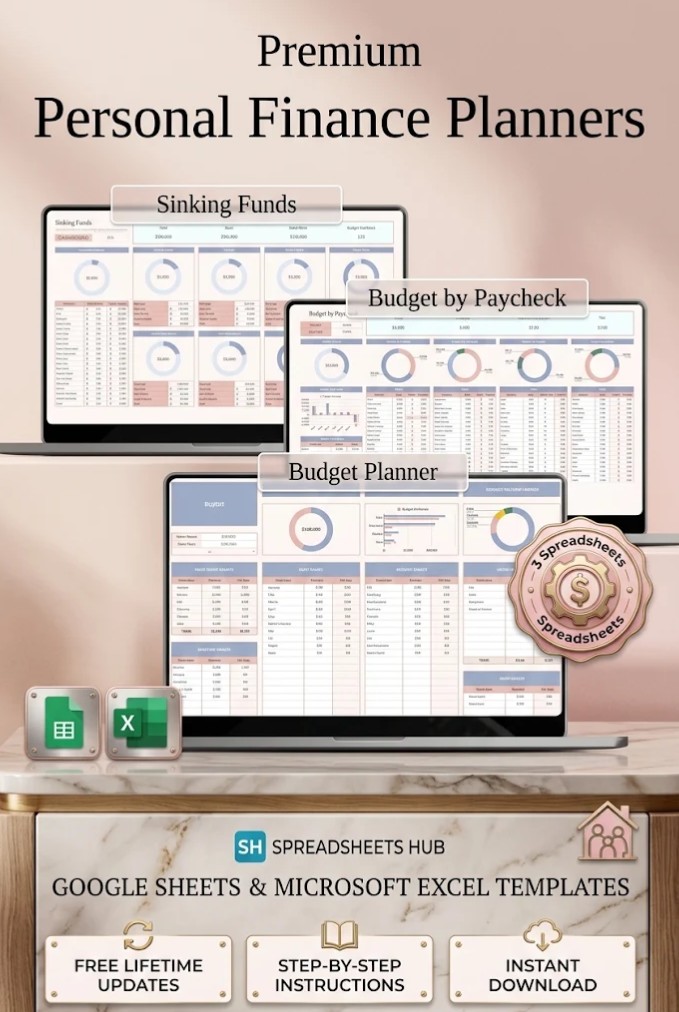
Sometimes a single spreadsheet isn’t enough to cover every financial planning need.
The Premium Personal Finance Planners bundle offers several spreadsheets designed for different budgeting situations.
Its included tools cover multiple money management approaches, including paycheck budgeting.
Key features:
- Twelve spreadsheet template files.
- Google Sheets and Excel versions.
- Blank and sample spreadsheets.
- Paycheck budgeting tools.
- Customizable financial planning layouts.
- Setup instructions.
- Reusable spreadsheet files.
The paycheck budgeting component can help you organize each payment as it arrives, which is particularly useful when you receive income at irregular intervals.
The bundle format also lets you experiment with different financial planning tools instead of committing to one large dashboard.
Best for: People who want several budgeting tools, households with varied financial planning needs, and anyone comparing different spreadsheet methods.
Google Sheets Budget Templates Comparison
Each template serves a slightly different purpose. Use this comparison to identify the spreadsheet that best matches your needs.
| Template | Best For | Main Advantage |
|---|---|---|
| Budget Planner for Google Sheets | Beginners | Simple monthly entry portal |
| Monthly Budget Google Sheets | Expense tracking | Monthly dashboard and transactions |
| Ultimate Annual and Monthly Budget | Comprehensive planning | All-in-one financial management |
| Premium Family Budget Planner | Families and couples | Household finances and account tracking |
| 50/30/20 Budget Template | Simple budgeting | Percentage-based spending targets |
| Budget Planner Excel & Google Sheets | Flexible income schedules | One-tab, flexible budgeting |
| 50/30/20 Annual Budget Planner | Annual percentage budgeting | Yearly 50/30/20 tracking |
| Premium Personal Finance Planners | Multiple budgeting needs | Bundle of spreadsheet tools |
There isn’t one perfect budget spreadsheet for everyone. The most useful template is the one you can maintain consistently.
If you are completely new to budgeting, a simple monthly planner may be more practical than a large financial dashboard.
On the other hand, households with numerous recurring bills, savings goals, and financial accounts may benefit from a more comprehensive template.
How to Choose the Best Google Sheets Budget Template
Before selecting a spreadsheet, consider the following factors.
Your Income Schedule
A traditional monthly budget works well for people receiving predictable monthly income.
If you are paid weekly, biweekly, or irregularly, a paycheck budgeting template may make it easier to plan upcoming expenses.
Your Financial Goals
Different templates support different goals.
If your priority is spending less, choose a spreadsheet with clear expense categories and budget-versus-actual comparisons.
If you’re working toward a large purchase, select a planner that includes savings goals and sinking funds.
For debt reduction, look for a budget that also provides a debt calculator or repayment tracking.
Ease of Use
A highly detailed spreadsheet is not automatically better.
Some people prefer a single-page budget. Others need separate sections for bills, subscriptions, savings, and annual expenses.
Choose a level of complexity that fits the amount of time you are willing to spend maintaining your budget.
Compatibility and Customization
Check whether the template is designed exclusively for Google Sheets or also supports Microsoft Excel.
It’s also worth reviewing currency settings, editable categories, included instructions, and mobile compatibility.
Not every template offers the same automated features.
How to Create a Monthly Budget in Google Sheets
Once you’ve chosen a template, setting up your first budget usually involves a few straightforward steps.
Step 1: Make your own copy. Open the template using the instructions provided with your download. If it opens as a shared Google spreadsheet, choose File → Make a copy to create your own editable version.
Step 2: Enter monthly income. Record your expected take-home income, including wages, freelance earnings, and other regular sources.
Step 3: Add fixed expenses. Include rent or mortgage payments, utilities, insurance, subscriptions, and other recurring bills.
Step 4: Set variable spending limits. Allocate money for groceries, transportation, dining, shopping, and entertainment.
Step 5: Plan savings. Include emergency savings, planned purchases, and other financial goals as part of your budget.
Step 6: Record transactions. Enter spending regularly so your dashboard reflects your actual financial activity.
Step 7: Review and adjust. At the end of each month, compare your planned budget with actual spending and make adjustments for the next month.
A useful budget should be realistic rather than restrictive. If your original spending limits consistently prove impractical, revise them using your actual financial history.
Common Google Sheets Budgeting Mistakes to Avoid
Even a well-designed budget spreadsheet can become less useful if you overlook important details.
Forgetting irregular expenses: Annual insurance, holiday purchases, vehicle maintenance, and similar costs can disrupt a monthly budget. Sinking funds help spread these expenses across several months.
Using too many categories: Detailed categories can be helpful, but excessive complexity may discourage regular updates. Start with broad categories and add detail only when necessary.
Ignoring actual transactions: Creating a budget is only the beginning. Recording what you spend provides the information needed to make meaningful adjustments.
Overestimating available income: Build your budget around money you reasonably expect to receive, preferably after taxes and required deductions.
Not reviewing your budget: A spreadsheet is most useful when you check it consistently and adjust your plans as circumstances change.
Final Thoughts
The best Google Sheets budget templates make personal finance management easier by turning income, expenses, and financial goals into organized, understandable information.
If you’re a beginner, start with a simple monthly budget spreadsheet. For shared household finances, consider a family budget planner. If you prefer clear spending guidelines, a 50/30/20 template can provide useful structure.
For more advanced financial planning, an all-in-one annual budget dashboard can help you monitor subscriptions, savings, irregular expenses, and long-term financial goals.
The most important part of budgeting isn’t having the most advanced spreadsheet. It’s choosing a practical system, keeping it updated, and using the information to make better everyday money decisions.
Explore the templates above and choose the budgeting approach that fits your lifestyle and financial priorities.
Frequently Asked Questions
What is the best Google Sheets budget template for beginners?
A simple monthly budget planner is usually the easiest option for beginners. Look for a spreadsheet with clearly labeled income and expense categories, automatic totals, and straightforward instructions. The Budget Planner for Google Sheets is one example designed around simple monthly data entry.
Are Google Sheets budget templates free?
Google Sheets itself is available with a standard Google account. Some budget templates are free, while others require a purchase, subscription, or specific download arrangement. Check the product page for current access conditions before downloading.
Can Google Sheets automatically calculate my monthly budget?
Yes. Google Sheets supports formulas that calculate totals, differences, percentages, and other financial information. Many budget templates already include these formulas, allowing totals and summaries to update as you enter data.
Can I use a Google Sheets budget template on my phone?
Yes, Google Sheets supports mobile access. However, some templates include desktop-oriented dashboards, scripts, buttons, or navigation features that may not function identically in the mobile application. Review the template’s compatibility notes.
What is the 50/30/20 budgeting rule?
The 50/30/20 rule is a budgeting guideline that allocates 50% of after-tax income to needs, 30% to wants, and 20% to savings and qualifying debt repayments. The percentages can be adjusted to match your financial circumstances.
How often should I update my budget spreadsheet?
Updating transactions several times a week can help keep spending records accurate. A weekly review is useful for identifying problems early, while a monthly review helps you evaluate broader financial progress.
Can couples share a Google Sheets budget?
Yes. Google Sheets supports sharing and collaborative editing. Couples can use a shared spreadsheet to organize household expenses, track contributions, and monitor joint financial goals. Be mindful of sharing permissions because financial spreadsheets may contain sensitive information.
Do Google Sheets budget templates connect to bank accounts?
Not automatically. Google Sheets does not provide universal built-in bank transaction synchronization. Some third-party services or add-ons offer bank integrations, but their availability, fees, and security arrangements vary. Many downloadable budget templates require manual transaction entry.


