
ℹ️ Affiliate Disclosure: This article may contain affiliate links. If you book or purchase through these links, we may earn a commission at no additional cost to you.
Find the Best Study Planner Template for Your Academic Routine
A good study planner template should do more than give you another place to write a to-do list. I looked for Creative Fabrica templates that help students organize actual academic work: class schedules, assignment deadlines, exam preparation, revision sessions, projects, grades, and weekly study time. The picks below range from comprehensive academic planners to focused trackers, so you can choose a system that matches how you study instead of filling pages you never need.
I also included printable PDFs, editable Canva templates, a digital iPad planner, and a spreadsheet-based assignment tracker. That makes this roundup useful for high school and college students as well as anyone who prefers a more specialized exam or homework organizer. For even more options, you can browse Creative Fabrica’s Academic Planner collection.

What are the best study planner templates? I’d start with an all-in-one student planner if you need classes, assignments, and exams together. Choose a weekly schedule for simple time blocking, a revision planner for exam season, or an assignment tracker when deadlines and project status are your biggest concern.
Quick Picks
- Best Overall: 2026 – 2027 Study Planner — a broad academic system covering study sessions, assignments, exams, courses, and progress tracking. See the planner.
- Best Editable Canva Pick: Student Planner – Canva Template — 39 editable templates for schedules, subjects, exams, projects, assignments, and grades. See the templates.
- Best for Digital Planning: Student Digital Academic Planner IPad — a hyperlinked 651-page option with more than 30 academic templates. See the digital planner.
- Best for Assignments: Assignment Tracker Spreadsheet Template — built around deadlines, priorities, progress, exams, presentations, and projects in Google Sheets or Excel. See the tracker.
- Best for Exam Revision: Subject Revision Planner Template Canva — a focused way to divide revision by subject, topic, goals, and deadlines. See the revision planner.
| Product | Best for | Style/Type | Project Fit |
|---|---|---|---|
| 2026 – 2027 Study Planner | Full academic planning | Editable Canva planner | Classes, assignments, exams, projects |
| 2026-2027 Student Planner | School-year organization | Dated Canva planner | Courses, schedules, deadlines |
| Student Planner – Canva Template | Canva customization | 39-template set | Assignments, subjects, exams |
| Printable Student Planner | Printable binders | Undated PDF | Semester and weekly planning |
| Student Planner Printable Study Planner | Simple study organization | 28-page printable | Exams, courses, projects |
| Study Planner Canva Templates | BRIGHT | Colorful planning | Canva templates | Classes, assignments, study trackers |
| Student Digital Academic Planner IPad | Tablet users | Hyperlinked digital planner | Schoolwork and productivity |
| 2026 College Student Planner Canva | College workloads | Editable Canva planner | Essays, projects, assignments |
| Assignment Tracker Spreadsheet Template | Deadline tracking | Sheets/Excel spreadsheet | Assignments and exams |
| Cute Weekly Study Schedule Planner | Weekly routines | Editable Canva sheet | Subjects, goals, tasks |
| Subject Revision Planner Template Canva | Exam preparation | Canva revision sheet | Subjects, topics, deadlines |
| Exam Tracker,Exam Revision Planner | Focused revision | Printable PDF/JPEG | Exam sessions and progress |
Best Study Planner Template Designs
1. 2026 – 2027 Study Planner
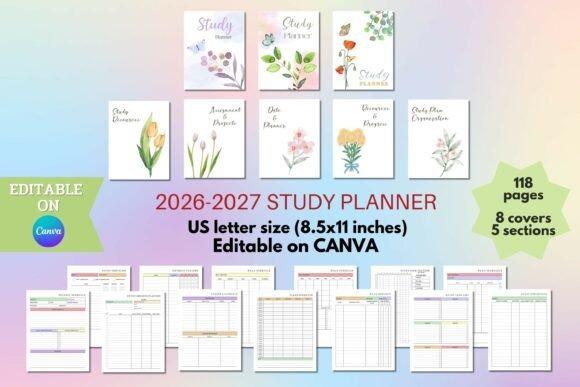
This is the broadest study planner template I found for students who want most of their academic planning in one system. Its 2026–2027 structure runs from July through June and includes calendars, course information, class schedules, study sessions, revision trackers, exam schedules, assignments, homework, essays, group projects, lecture notes, and progress pages.
I’d choose it over a simple weekly planner when several classes and deadlines need to be coordinated together. The Canva template contains 118 pages plus eight covers, so there is plenty of depth, but that size can also feel excessive if you only need one or two trackers.
- Best for: full academic organization, college classes, exam semesters
- Key features: 118 pages, 8 covers, July 2026–June 2027 calendars, editable Canva template
- Skip if: you want a minimal one-page study schedule.
2. 2026-2027 Student Planner
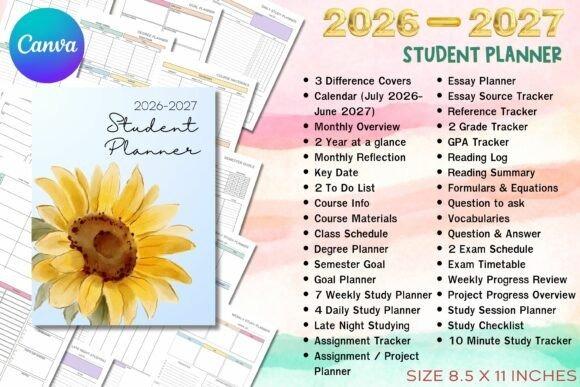
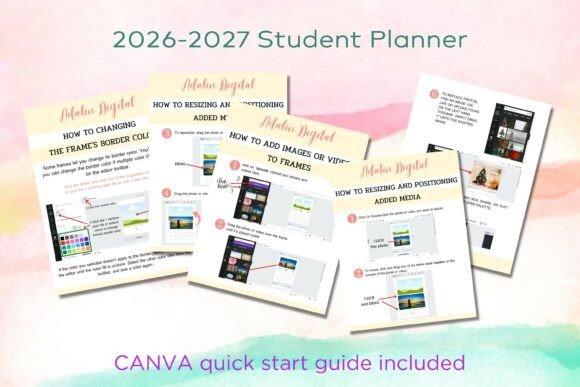
The 2026-2027 Student Planner is another comprehensive option, but I like it particularly for students who want a clearly dated academic-year framework. It covers July 2026 through June 2027 and brings together monthly planning, important dates, course information, materials, schedules, assignments, exams, goals, and study sessions.
It is fully editable in Canva, including fonts, colors, text, and design elements. I’d choose it when customization matters but you still want the calendar structure already established. Because it is tied to a specific academic year, an undated planner will offer better long-term reuse.
- Best for: academic-year planning, class schedules, deadline management
- Key features: July 2026–June 2027, Canva editing, Sunday and Monday-start calendars, 3 covers
- Skip if: you specifically need an undated reusable planner.
3. Student Planner – Canva Template
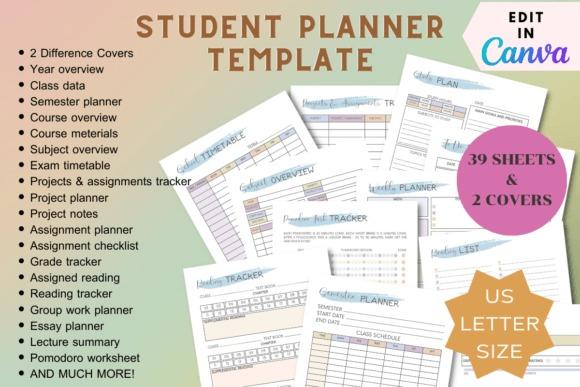
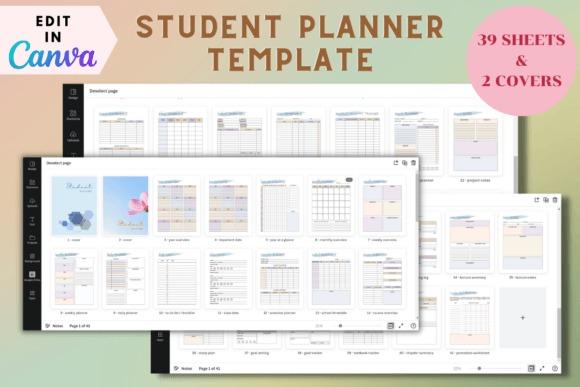
This Student Planner – Canva Template is a flexible 39-template set for students who want to build a personalized academic planner instead of working with a fixed PDF. The pages include yearly, monthly, weekly, and daily planning along with class data, semesters, timetables, subjects, exams, assignments, projects, grades, and assigned reading.
I prefer this pick for Canva users who expect to change labels, layouts, or visual styling. It gives you more academic structure than a basic schedule without becoming as extensive as a 100-plus-page planner. The supplied size is US Letter, although the creator states it can be resized in Canva.
- Best for: Canva customization, university organization, printable planner creation
- Key features: 39 Canva templates, 2 covers, US Letter layout, exam and assignment pages
- Skip if: you prefer a finished non-editable PDF with no setup.
4. Printable Student Planner
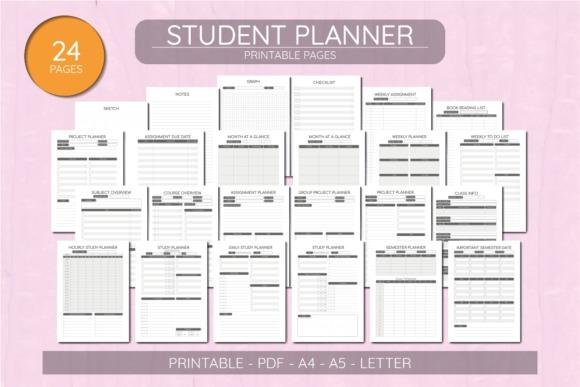
The Printable Student Planner is an undated 24-page PDF set with a practical mix of semester, course, project, assignment, and weekly planning pages. It also includes hourly and daily study planners, important semester dates, course and subject overviews, group project planning, reading lists, checklists, notes, graph paper, and sketch pages.
I’d choose this one for a physical binder because it comes in A4, A5, and US Letter sizes and lets you print only the pages you actually need. The tradeoff is straightforward: the PDFs are described as non-editable, so Canva-based picks are better if you want to redesign the layouts.
- Best for: student binders, semester planning, printable organization
- Key features: 24 pages, undated format, A4/A5/US Letter, semester and assignment layouts
- Skip if: editable text and colors are important to you.
5. Student Planner Printable Study Planner
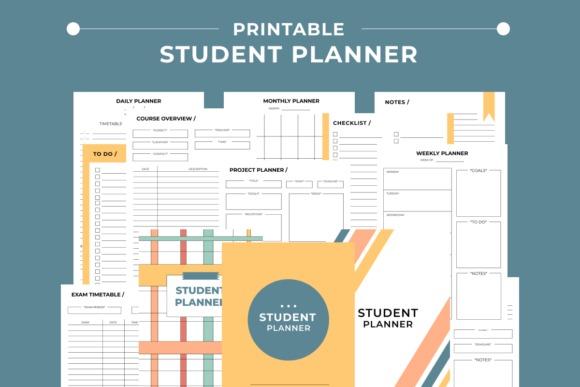
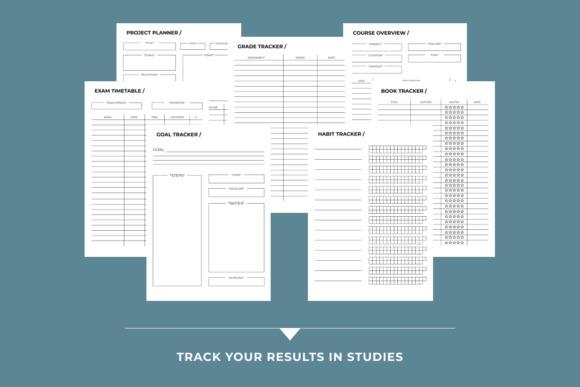
This 28-page printable study planner combines academic planning with a few useful personal productivity pages. It includes daily, weekly, and monthly planners plus a grade tracker, course overview, exam timetable, project planner, habit tracker, book tracker, goal tracker, notes, checklists, and to-do pages.
I’d pick it over a large academic system when you want enough variety for a semester without managing dozens of specialized sections. It comes as PDF and JPG files for A4 and Letter-size printing. Students who need detailed revision-by-topic or assignment-status tracking may prefer one of the specialized options later in this list.
- Best for: straightforward student planning, grades, exams, projects
- Key features: 28 pages, PDF/JPG files, A4 and Letter, 3 covers
- Skip if: you need deep exam-revision or deadline-management tools.
6. Study Planner Canva Templates | BRIGHT
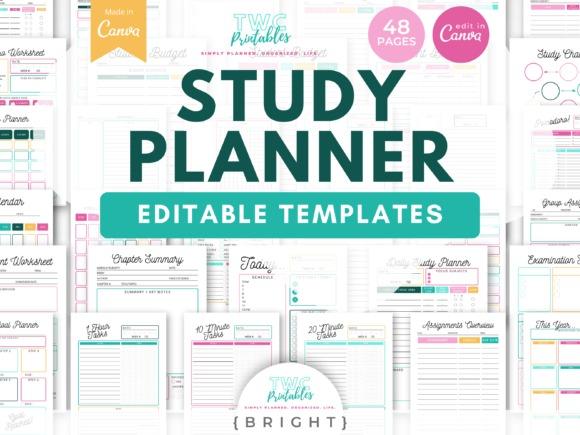
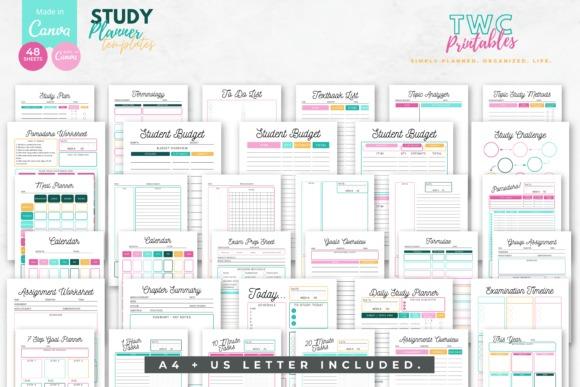
Study Planner Canva Templates | BRIGHT is the most visually energetic pick here. The template set is specifically described for organizing exams, assignments, classes, study trackers, checklists, and other study essentials, making it a good match for students who want their academic pages to feel less formal.
I’d choose the BRIGHT version when visual personality helps you stay engaged with a planner. It is also useful if you already work comfortably in Canva and want to adapt your study pages. Its colorful presentation is the obvious tradeoff: students who prefer restrained, ink-conscious printing should look at one of the minimalist printable templates instead.
- Best for: colorful study planners, Canva users, class organization
- Key features: Canva templates, study tracker pages, checklist layouts, exam and assignment focus
- Skip if: you mainly want a minimalist ink-friendly printable.
7. Student Digital Academic Planner IPad
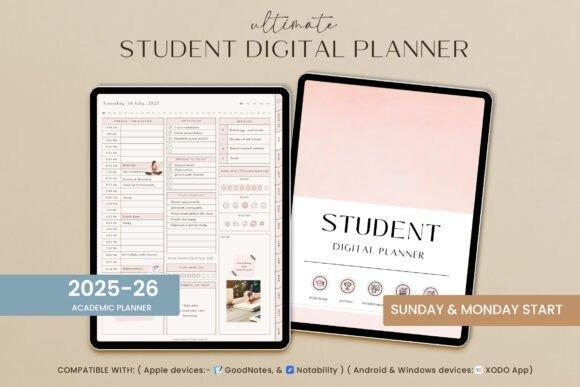
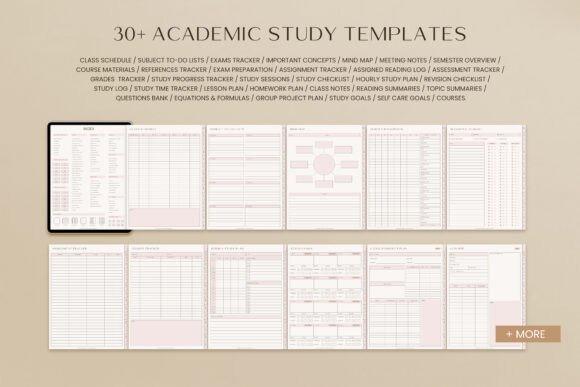
This is the strongest fit for students who want to keep planning on a tablet instead of printing pages. The hyperlinked digital academic planner contains 651 pages, more than 30 academic study templates, daily, weekly, and monthly planning, Sunday and Monday starts, note templates, and an index for navigating its sections.
I’d choose it for a digital-first workflow where moving quickly between sections matters. It also extends beyond academics into lifestyle, wellness, productivity, finance, and other areas. That breadth is useful for an all-in-one planner, but students who only want coursework may find a smaller academic-only template easier to maintain.
- Best for: iPad planning, digital note-taking, all-in-one student organization
- Key features: 651 pages, hyperlinked navigation, 30+ academic templates, Sunday/Monday starts
- Skip if: you want a compact printable planner focused only on schoolwork.
8. 2026 College Student Planner Canva
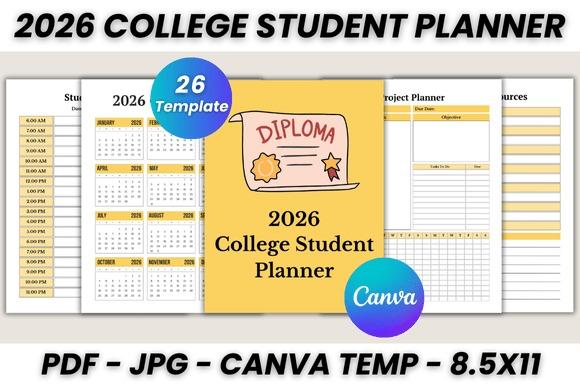
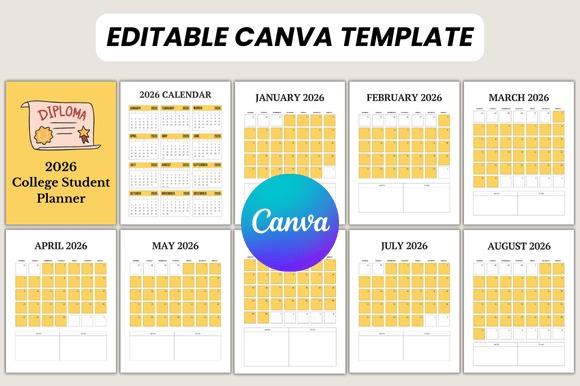
The 2026 College Student Planner Canva is a focused 26-page option built around the type of coursework college students regularly juggle. Alongside monthly planning, it includes an essay planner, assignment tracker, study planner, weekly study schedule, project planner, learning resources, feedback and revision pages, and notes.
I like this one for students who need coursework management without an enormous planner. The Canva files can be edited, and the supplied printable PDF uses US Letter size. It is specifically built around 2026, however, so an undated option will be more practical if you want to reuse the exact same planner over multiple years.
- Best for: college assignments, essays, weekly study planning
- Key features: 26 pages, Canva editing, US Letter PDF, project and revision pages
- Skip if: you want an undated multi-year template.
9. Assignment Tracker Spreadsheet Template
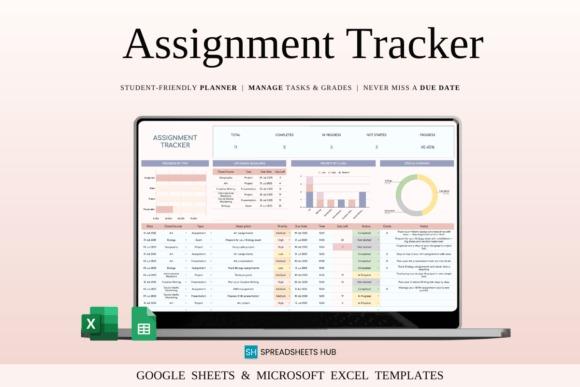
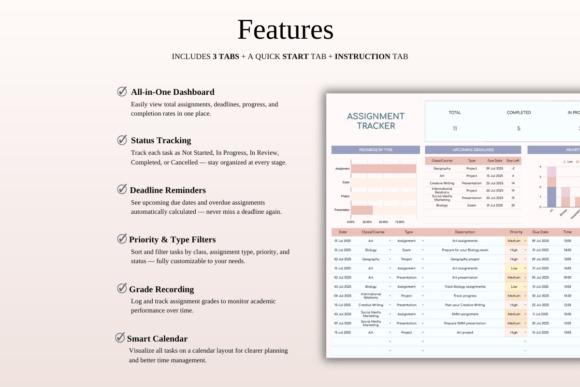
This Assignment Tracker Spreadsheet Template takes a completely different approach from printable planners. Designed for Google Sheets and Excel, it centralizes assignments, exams, projects, and presentations while letting students record priorities, due dates, and progress status in one spreadsheet-based system.
I’d choose this over a paper planner when the main problem is keeping deadlines visible across several courses. Spreadsheet organization also makes it a natural fit for laptop-based study routines. It is more utilitarian than a decorative student planner, though, and it will not replace daily journaling, handwritten notes, or a detailed hour-by-hour study schedule.
- Best for: assignment deadlines, college workloads, project status
- Key features: Google Sheets compatibility, Excel compatibility, priorities, due dates and progress tracking
- Skip if: you specifically want printable planner pages.
10. Cute Weekly Study Schedule Planner
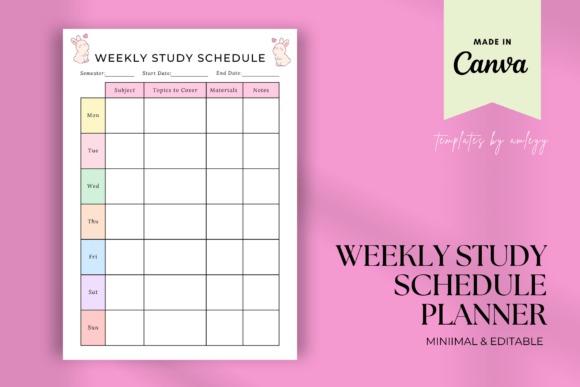
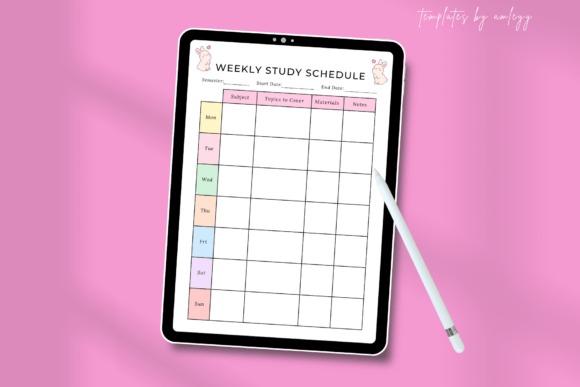
The Cute Weekly Study Schedule Planner narrows the planning process down to one manageable week. Its layout provides sections for individual days, subjects, goals, and tasks, wrapped in a cheerful minimalist-cute style. The A4 template is customizable in Canva and can also be used digitally or printed.
I’d choose it for students who find large planners intimidating and mainly need a repeatable weekly study routine. It can be reused each week and the creator states that Canva Pro is not required. Its simplicity is also its limitation: it will not replace a semester calendar, detailed grade tracker, or long-term assignment database.
- Best for: weekly study routines, subject planning, exam-week scheduling
- Key features: A4 layout, Canva customization, days/subjects/goals/tasks sections, reusable weekly format
- Skip if: you need semester-level planning and detailed academic records.
11. Subject Revision Planner Template Canva
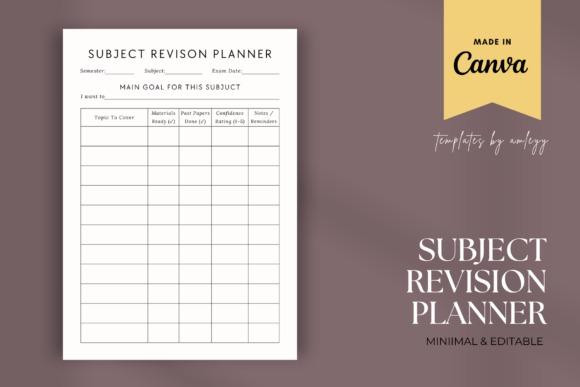
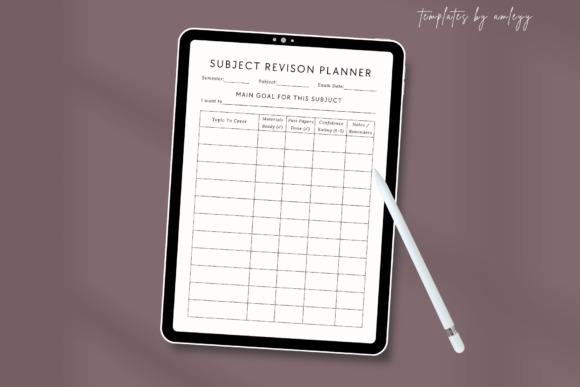
This Subject Revision Planner Template is designed for one of the hardest parts of exam preparation: breaking multiple subjects into manageable topics. Its clean layout is built around subjects, topics, goals, progress, time allocation, and deadlines, making it especially useful when revision needs more structure than a general weekly calendar provides.
I’d choose this over an all-in-one student planner during an intensive exam cycle. The A4 design is editable through a Canva template link and can be used digitally or printed. Because it is a specialized revision page rather than a complete academic planner, you will probably want another tool for assignments, semester dates, and everyday class scheduling.
- Best for: exam revision, multiple subjects, topic progress
- Key features: editable Canva template, A4 size, subject/topic tracking, goals and deadlines
- Skip if: you want one planner for your complete academic year.
12. Exam Tracker,Exam Revision Planner
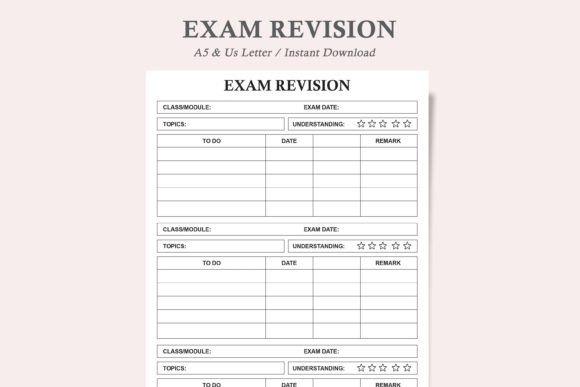
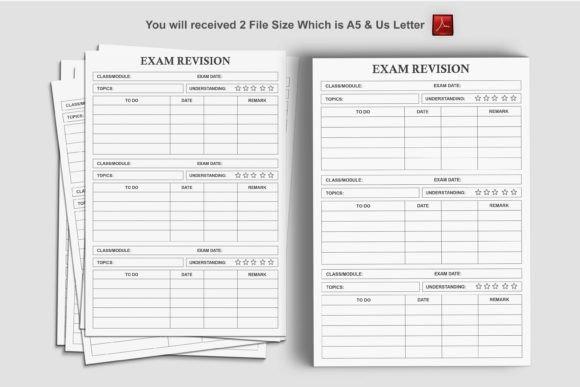
The Exam Tracker,Exam Revision Planner is a focused printable for keeping exam preparation visible without building a whole academic binder. The design is described as minimalist and ink-friendly, and the download contains the exam revision planner in PDF and JPEG formats for US Letter and A5 sizes.
I’d choose it for a dedicated revision folder or as an extra page added to an existing student planner. Its repeatable single-purpose approach can be easier to maintain during finals than a complex planner. On the other hand, it is deliberately narrower than the comprehensive options above and does not provide the same range of class, project, and semester-management pages.
- Best for: exam preparation, revision sessions, printable study binders
- Key features: PDF and JPEG files, US Letter and A5 sizes, minimalist layout, ink-friendly design
- Skip if: you need classes, projects, assignments, and exams in one planner.
How to Choose a Study Planner Template
Start With the Academic Problem You Need to Solve
The biggest planner is not automatically the most useful. If forgotten deadlines are the problem, I’d prioritize an assignment tracker with due dates and progress fields. If exams are causing the most pressure, a subject revision planner gives you a clearer way to break preparation into topics. Students juggling several courses, projects, and exams will usually get more value from an all-in-one academic planner.
Decide Between Dated and Undated Pages
A dated 2026–2027 planner saves setup time and makes semester planning straightforward. It is particularly convenient for academic calendars, monthly deadlines, and important dates. An undated planner is more reusable and forgiving. You can start whenever you need it, skip a week without wasting pages, and print fresh copies in future semesters.
Choose Printable, Canva, Digital, or Spreadsheet
Printable PDFs are the simplest option for students who like writing by hand or maintaining a binder. Canva templates make more sense when you want to change colors, labels, typography, or page layouts before printing. A hyperlinked digital planner suits tablet-based note-taking, while a spreadsheet is particularly efficient when assignments, priorities, due dates, and status tracking matter more than visual journaling.
Match the Planner to Your Study Routine
Think about how often you will realistically update it. A one-page weekly schedule is easier to keep current than a 100-page planner, but a comprehensive academic system becomes valuable when you regularly track courses, grades, essays, projects, readings, study sessions, and exams. I prefer choosing the smallest planner that still covers the recurring decisions a student needs to make.
Check Page Size Before Printing
US Letter is convenient for standard American home printers and binders. A5 works better when portability matters, while A4 offers generous writing space. Several products in this roundup provide more than one size, but others start with a single Canva or PDF layout. Check the individual product details before committing if a specific binder or paper format is important.
Which Study Planner Template Should You Choose?
For the widest academic coverage, my first choice is the 2026 – 2027 Study Planner because it combines classes, assignments, projects, revision, exams, and study tracking. If you want more control over the design, the Student Planner – Canva Template gives you 39 editable academic templates.
For digital planning, I’d choose the Student Digital Academic Planner IPad. Students who mainly struggle with deadlines should look at the Assignment Tracker Spreadsheet Template, while the Subject Revision Planner Template Canva is the strongest specialized choice for preparing across several exam subjects.
Frequently Asked Questions
What should a good study planner template include?
A good study planner template should cover the academic tasks you actually need to manage, such as class schedules, assignments, deadlines, study sessions, projects, and exams. Comprehensive planners may also include course information, grade trackers, revision pages, reading logs, goals, and semester overviews.
Is a digital or printable study planner better for students?
A digital study planner is usually better for students who work primarily on tablets or laptops and value quick navigation, while printable planners suit students who prefer handwriting and physical binders. The better choice depends on which format you are more likely to update consistently.
What type of study planner is best for exams?
A subject-based revision planner is usually the most practical choice for exams because it lets you divide preparation by subject, topic, deadline, and progress. A weekly study schedule can then help assign those revision topics to specific days and available study periods.
Should I choose a dated or undated student planner?
Choose a dated student planner when you want your academic calendar and monthly planning ready to use immediately. Choose an undated planner when flexibility and reuse matter more. Undated pages work particularly well for students who start mid-semester or do not plan consistently every week.