
ℹ️ Affiliate Disclosure: This article may contain affiliate links. If you book or purchase through these links, we may earn a commission at no additional cost to you.
Top Goodnotes Study Planner Template Options for Students
A Goodnotes study planner template is most useful when it reduces the number of places you need to check for classes, assignments, exams, notes, and weekly study sessions. The challenge is that student planners can look similar in previews while organizing academic work in very different ways. Some are built around semesters and individual classes, some prioritize daily scheduling, and others combine school planning with personal routines, goals, and budgeting.
For digital student organization, the differences that matter most are navigation, assignment tracking, semester structure, study-planning pages, writing space, and whether the layout fits the way you actually move through a school week. A student juggling eight classes needs a different system from someone who mainly wants a simple weekly study schedule and deadline tracker.
Many additional digital planner templates are available, but these picks focus on layouts that solve clearly different academic planning and study-management needs.

The strongest Goodnotes study planner templates combine quick PDF navigation with dedicated academic pages for classes, assignments, exams, and study sessions. Semester-based planners work well for course-heavy schedules, streamlined student planners suit straightforward deadline tracking, and larger all-in-one planners make more sense when you want academic planning alongside personal routines and long-term goals.
Quick Picks
- Best for a complete academic system: Student Digital Academic Planner IPad — combines extensive study templates with daily, weekly, and monthly planning.
- Best for semester organization: Digital Semester Planner for Goodnotes — structures classes, assignments, exam preparation, and two semesters.
- Best simple student setup: Simple Student Planner — keeps schedules, grades, assignments, and study tracking together without the scale of an all-in-one life planner.
- Best for 2026 college planning: Digital Planner for Students 2026 — combines the current-year calendar with assignments, weekly study planning, and academic notes.
- Best reusable academic layout: Undated Digital Planner — pairs reusable planning pages with a substantial academic section.
Goodnotes Study Planner Templates for Different Student Needs
1. Student Digital Academic Planner IPad
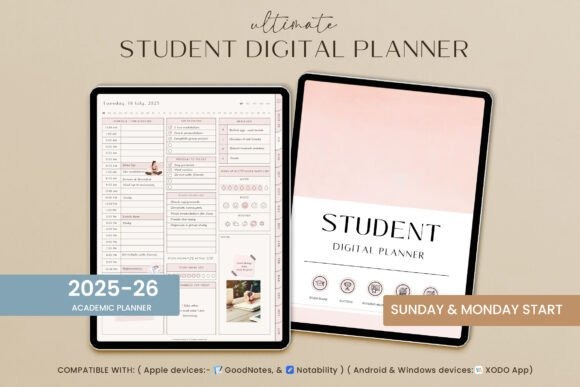
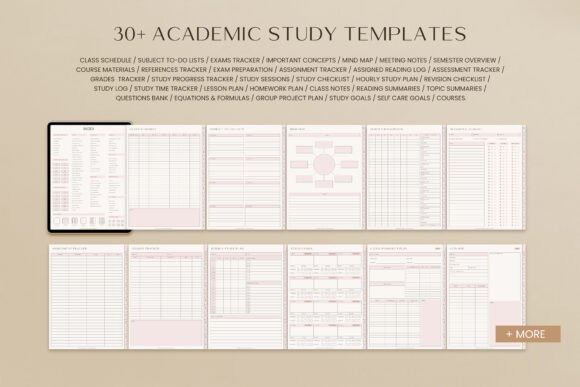
Student Digital Academic Planner IPad is a large hyperlinked student planner for learners who want school planning, study management, and everyday organization inside one digital system. Its academic side includes more than 30 study templates alongside daily, weekly, and monthly planning pages, giving it enough structure for classes, projects, presentations, exams, and recurring study routines.
The planner also extends into productivity, wellness, fitness, nutrition, and finance, so it makes the most sense for a student who prefers one comprehensive digital hub rather than separate planners. With 651 pages, the breadth is a benefit only if you will use several of those sections. For a lighter academic workflow, Simple Student Planner is easier to approach.
2. STUDENT DIGITAL PLANNER for Goodnotes
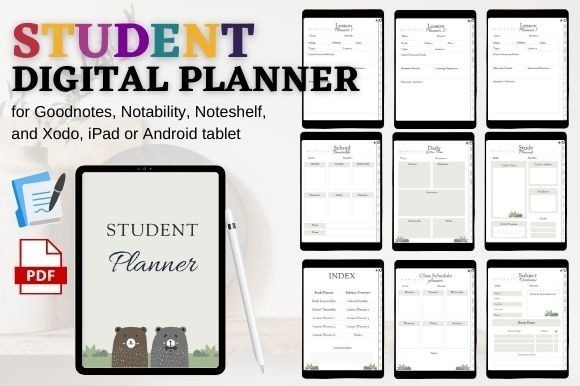
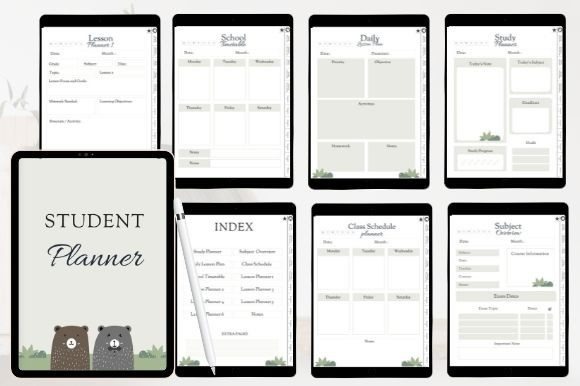
STUDENT DIGITAL PLANNER for Goodnotes is a focused academic organizer built around clickable navigation, study planning, subjects, class schedules, and lesson pages. It suits students who want the planner to stay centered on school rather than mixing academic work with a large collection of lifestyle trackers.
The included index, hyperlinked tabs, subject overview, study planner, school timetable, daily lesson planning, and multiple lesson-planner layouts create a clear path from course organization to day-to-day class work. Extra note pages give it more flexibility for semester use. Choose this over a broad all-in-one planner when academic planning is the priority; choose Digital Semester Planner for Goodnotes when organizing several classes by semester is more important.
3. All in One Digital Academic Planner
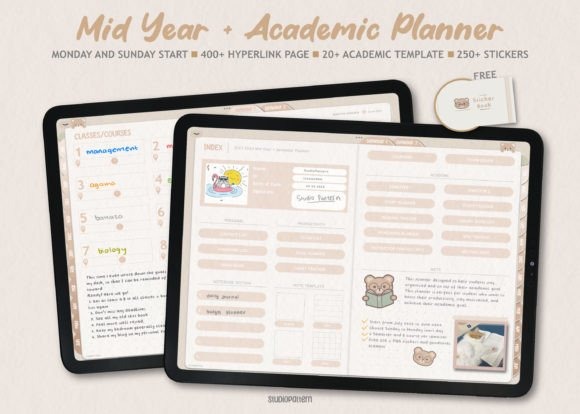
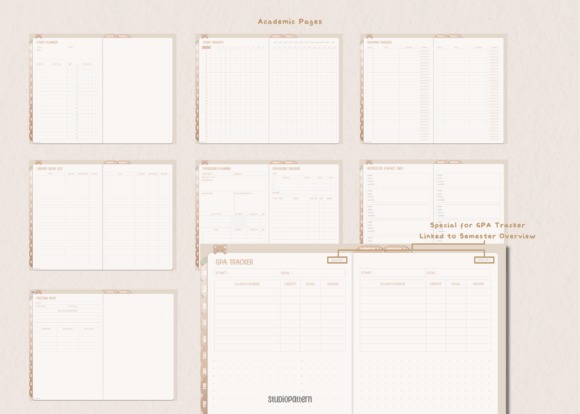
All in One Digital Academic Planner is a hyperlinked student system designed to combine academic goals, productivity planning, class organization, and notes. It works well for students whose semester planning needs extend beyond a basic assignment list and into goals, routines, and broader personal organization.
The package provides separate Monday- and Sunday-start hyperlinked PDFs, plus pre-cropped sticky notes for Goodnotes and a large set of individual stickers. That makes it more customizable than a plain academic worksheet collection. The tradeoff is scope: students who mainly need a class dashboard and exam preparation may find the semester-focused option below more direct. Choose this when you want an academic planner that can also function as a more personalized digital workspace.
4. Digital Semester Planner for Goodnotes
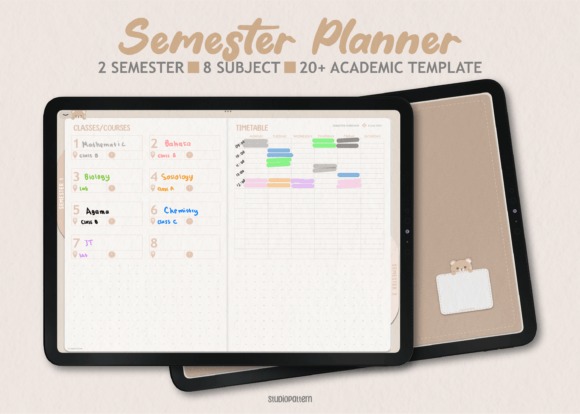
Digital Semester Planner for Goodnotes is designed around two semesters with space for up to eight classes per semester, making it one of the more academically specific options here. It is a practical fit for college or university students who think about their workload by courses, terms, exams, and assignments rather than by general daily productivity.
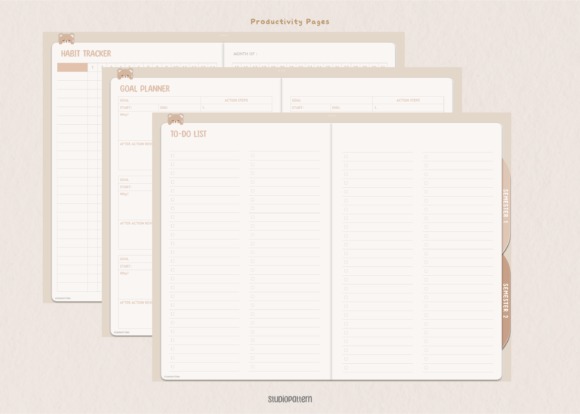
Semester dashboards, timetables, academic pages, exam preparation, productivity pages, and reusable paper templates create a compact course-management system. Goodnotes-specific calendar elements add another way to customize the setup. This planner is less suited to someone looking for extensive life, budget, wellness, or habit planning. For academic organization across several subjects, that narrower focus is exactly its advantage.
5. Digital Planner for Students 2026
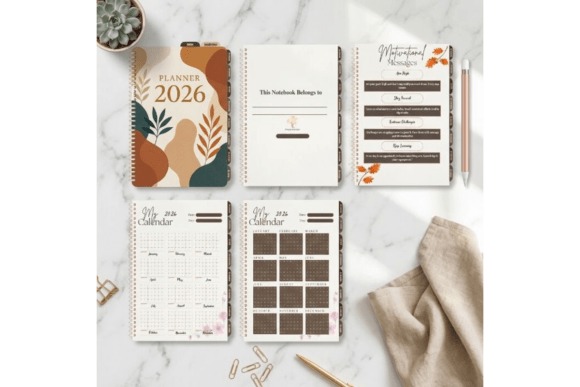
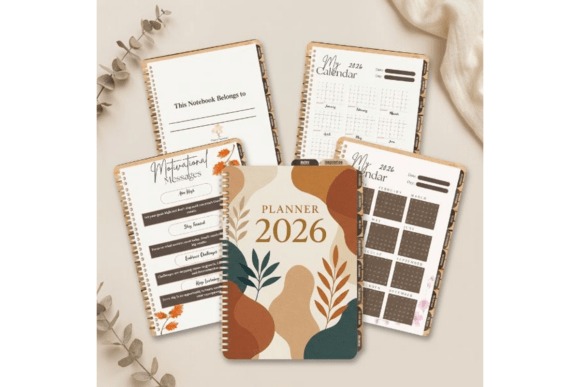
Digital Planner for Students 2026 is a dated academic planner aimed at university, college, high-school, and other digital learners who want the current calendar year already mapped out. It combines yearly and monthly scheduling with assignments, daily planning, weekly study sessions, notes, to-do lists, and mind-mapping space.
The assignment tracker and weekly study planner are the strongest fit for students coordinating deadlines with regular study blocks. Mind maps also give project planning and exam preparation a little more room than a simple calendar-style planner. Because the core calendar is tied to 2026, it is less flexible than an undated planner for future school years. Choose it when immediate setup matters more than long-term reuse.
6. Simple Student Planner
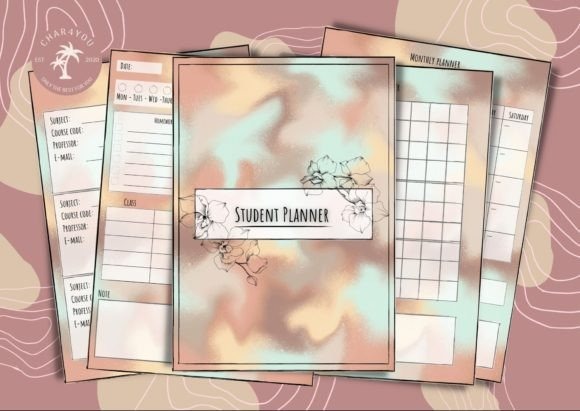
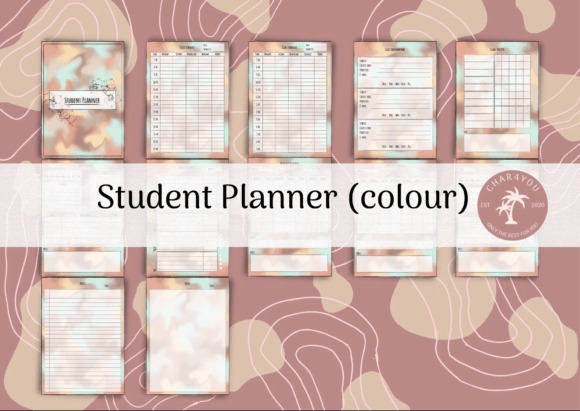
Simple Student Planner is a straightforward PDF planner for students who need classes, assignments, grades, and study sessions organized without thousands of extra pages. Dedicated class schedules, class information, grade tracking, daily planning, weekly overviews, and monthly calendars cover the core pieces of an academic routine.
A study tracker helps separate deliberate study time from the rest of the weekly schedule, while lined and blank note pages provide space for lecture notes or quick ideas. The planner also offers 12-hour and 24-hour time formats and Monday- or Sunday-start monthly layouts. It lacks the depth of a large semester or all-in-one system, but that makes it easier to maintain if complicated planners usually go unused after a few weeks.
7. Study Planner Printable
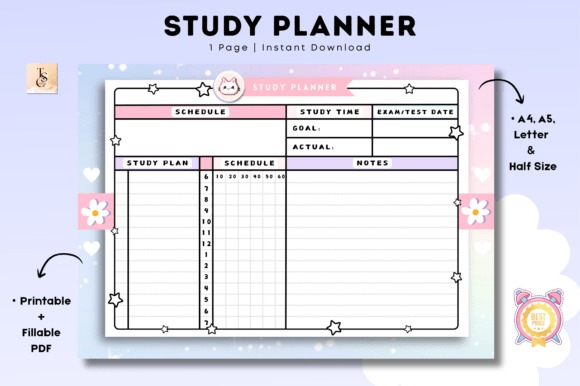
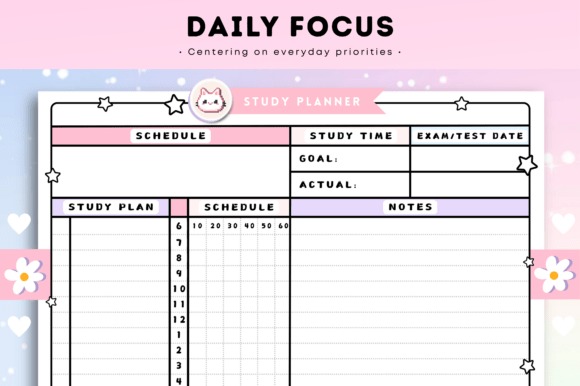
Study Planner Printable is a PDF-based study planner that can be used digitally in Goodnotes and several other PDF annotation apps while retaining a printable option. It is suited to students who want a study-focused layout without committing to a complex app-specific planning ecosystem.
The main advantage is format flexibility: the same planner concept can fit a tablet-centered workflow or a student who occasionally prefers working from paper. That makes it useful for mixed study routines, such as digital weekly planning combined with printed desk pages during exam periods. Its product information is less detailed about specialized semester dashboards than several academic planners in this list, so students who need extensive course-by-course management should favor the semester or student-specific options instead.
8. Student Planner, Study Planner
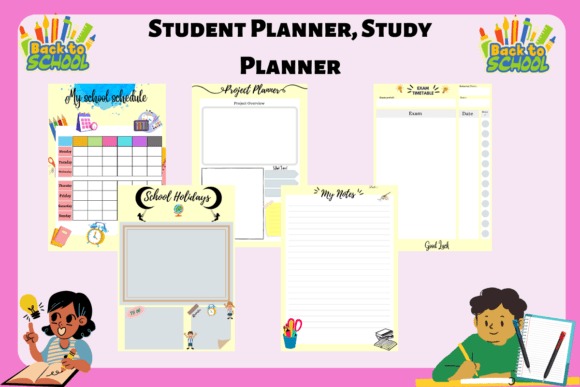
Student Planner, Study Planner is a PDF academic organizer built around assignments, projects, grades, calendars, and weekly planning. It suits students who want the familiar structure of a school agenda while still being able to work with the planner in a Goodnotes-oriented digital workflow.
The planner focuses on keeping upcoming school responsibilities visible instead of surrounding them with unrelated lifestyle sections. That can be helpful for younger students or anyone who prefers an agenda-style approach over a large productivity system. Its printable orientation makes it more conventional than the deeply hyperlinked Goodnotes planners elsewhere in the roundup. If rapid tab-based digital navigation is your main priority, STUDENT DIGITAL PLANNER for Goodnotes is the stronger fit.
9. All in One Digital Planner for Students
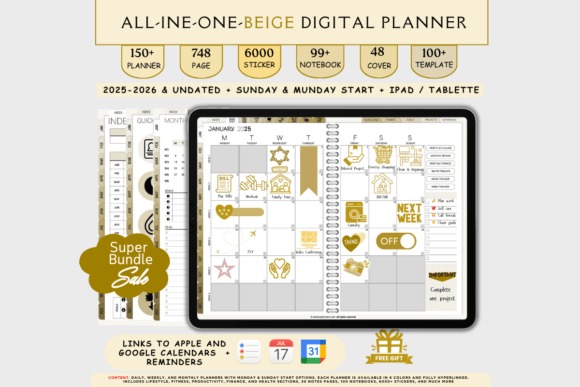
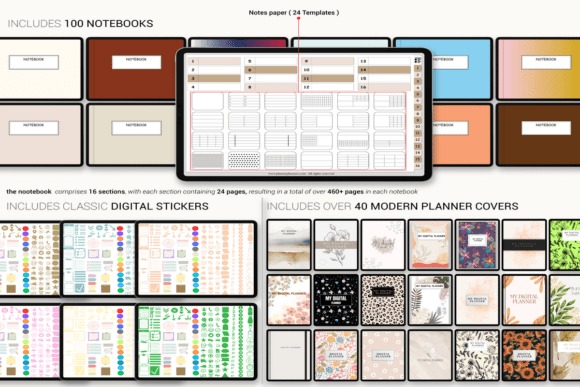
All in One Digital Planner for Students is a broad digital organizer for students who want school scheduling to sit inside the same system as personal tasks, projects, finances, wellness, and everyday routines. It includes dated and undated versions, multiple daily and weekly layouts, hyperlinked navigation, and compatibility with Goodnotes and other major PDF annotation apps.
Calendar integration, flexible start days, numerous planner layouts, stickers, and covers make this the most lifestyle-oriented student option in the roundup. That breadth is useful when school is only one part of a busy schedule, but it can be excessive for someone who wants a planner devoted to assignments and exams. Academic-first students should consider Digital Semester Planner for Goodnotes instead.
See All-in-One Student Planner
10. Undated Digital Planner
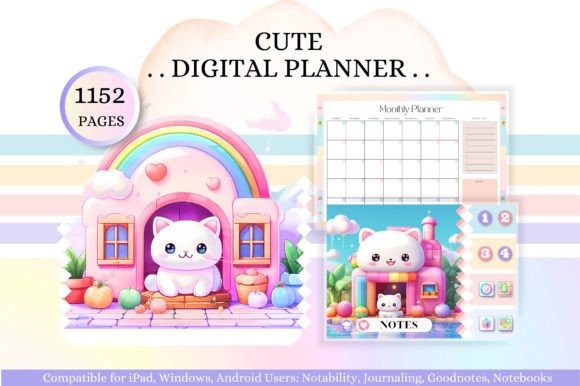
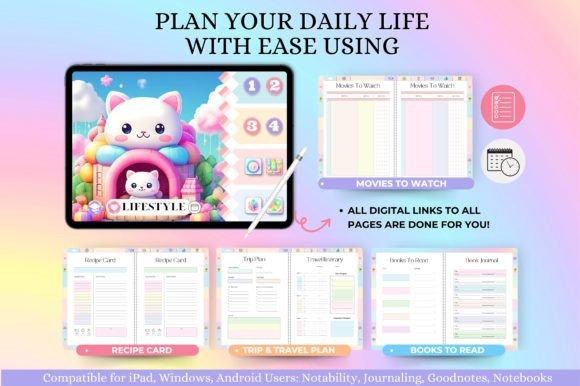
Undated Digital Planner is a reusable hyperlinked planner with a particularly substantial academic section, making it suitable for students who want course planning alongside general productivity and personal organization. Academic templates include semester planning, assignments, class overviews, lecture notes, study sessions, study plans, Cornell notes, exam schedules, grade tracking, and project planning.
The horizontal layout offers a different workspace from portrait-style planners, and the undated structure means it can be restarted for a new semester rather than tied to one calendar year. It also includes health, productivity, lifestyle, and finance sections, so the file is broader than a dedicated study planner. Choose it when reusability and academic template variety matter more than a stripped-down interface.
| Product | Best for | Style / Type | Project Fit |
|---|---|---|---|
| Student Digital Academic Planner IPad | Complete student planning | Large hyperlinked academic planner | Classes, study, life organization |
| STUDENT DIGITAL PLANNER for Goodnotes | School-focused planning | Hyperlinked student planner | Subjects, lessons, schedules |
| All in One Digital Academic Planner | Academic goals and productivity | Hyperlinked academic system | School plus personal planning |
| Digital Semester Planner for Goodnotes | Multiple classes | Two-semester planner | Courses, assignments, exams |
| Digital Planner for Students 2026 | Current-year planning | Dated 2026 student planner | Assignments and weekly study |
| Simple Student Planner | Minimal academic organization | Simple PDF student planner | Grades, classes, study tracking |
| Study Planner Printable | Digital and paper use | Printable / digital PDF | Flexible study planning |
| Student Planner, Study Planner | Agenda-style organization | Student study planner PDF | Assignments, projects, grades |
| All in One Digital Planner for Students | School and personal life | Broad digital planner | Student plus lifestyle planning |
| Undated Digital Planner | Reusable academic planning | Horizontal undated planner | Semester, notes, exams, projects |
How to Build a Goodnotes Study Planning System That You Will Actually Use
A planner can contain hundreds of pages and still fail if the pages you need every day are difficult to reach. Start by deciding which three levels of planning you actually use: semester, week, and day. For many students, that is enough to create a workable hierarchy.
Use the semester view for fixed academic commitments. Add course names, recurring class times, known exam dates, large projects, and major submission deadlines. This page should show the shape of the term rather than every small task.
Move assignments into a weekly view before they become urgent. A deadline tracker tells you what is due, but a study schedule tells you when the work will happen. Breaking an essay, presentation, or exam into several study sessions is usually more useful than writing the final due date repeatedly across different pages.
Keep daily pages selective. A daily planner does not need to duplicate your entire semester dashboard. Use it for today’s classes, a short priority list, time blocks, and the study tasks that can realistically be finished. If every assignment is copied onto every page, the planner becomes another place to maintain rather than a tool that clarifies what to do.
Choose navigation before decoration. Hyperlinked indexes and tabs matter more in a large planner than a long collection of covers or stickers. Goodnotes supports hyperlinks embedded in imported PDFs, but the way you activate those links can vary by device and mode. On Android, Windows, and Web, Goodnotes currently directs users to Read Only Mode for one-tap PDF hyperlink navigation; links can also be opened from the contextual menu while editing.
Use notes where they support a class workflow. Cornell notes, lecture pages, project outlines, and mind maps are most useful when they sit near the related class or study section. If your planner has dozens of note styles, pick one or two rather than changing formats every week.
Finally, decide whether you want the planner to manage only school or your whole life. A dedicated semester planner keeps academic priorities visible. An all-in-one planner can be more efficient when classes, work shifts, appointments, budgeting, and personal routines regularly compete for the same hours.
Before Downloading a Digital Student Planner
- Confirm that the planner is a PDF or other format you can import into your version of Goodnotes. PDF is supported across current Goodnotes platforms.
- Look for embedded hyperlinks if fast navigation matters. A planner can work as a normal PDF without them, but moving through hundreds of pages will feel different.
- Check the weekly start day. Some planners offer both Monday and Sunday versions, while others provide only one.
- Compare portrait and landscape layouts. Landscape can give study tables and class dashboards more horizontal room, while portrait may feel more natural for handwriting and note pages.
- Do not choose by page count alone. More pages are useful only when they cover sections you will actually open.
- Keep the original downloaded file. It gives you a clean copy if you later want to restart the planner for another semester.
Which Goodnotes Study Planner Should You Choose?
If your main problem is coordinating several classes, assignments, exams, and semester schedules, Digital Semester Planner for Goodnotes provides the clearest academic structure.
If you want a much broader student system with extensive study templates plus daily and personal planning, Student Digital Academic Planner IPad makes more sense.
For students who abandon complicated planning systems, Simple Student Planner keeps the core workflow centered on classes, assignments, grades, and study time. Students who want dates already prepared for the current year can choose Digital Planner for Students 2026.
If reusing the same structure for future semesters matters more than having a dated calendar, Undated Digital Planner provides a large academic toolkit without tying the system to one school year.
Frequently Asked Questions
What should a Goodnotes study planner include for college?
A useful Goodnotes study planner for college should include class schedules, assignment tracking, exam planning, weekly study scheduling, and enough note space for the way you manage courses. Semester dashboards are especially helpful when several classes run at the same time. Extra lifestyle pages can be useful, but they should not make core academic pages harder to reach.
Do hyperlinked PDF planners work in Goodnotes?
Hyperlinks already embedded in an imported PDF can work in Goodnotes and can link to other pages inside a digital planner. The method for opening a link can differ by platform and editing mode. On Android, Windows, and Web, Goodnotes directs users to Read Only Mode for direct tapping, while links can also be opened from a contextual menu while editing.
Is a dated or undated student planner better?
A dated student planner is more convenient when you want to start immediately with calendars already matched to the current year. An undated planner takes more initial setup but can be reused for another semester or year. Students who frequently change planning systems may prefer undated layouts, while students who value quick setup may prefer a current dated planner.
Can I import a PDF study planner into Goodnotes?
Goodnotes supports importing PDF files, so a PDF study planner can be added to the app and annotated like another document. PDF is supported on iOS as well as Android, Windows, and Web. Planner-specific features such as tabs and navigation still depend on how the original PDF was created, so check that required hyperlinks are actually included before choosing a template.