

ℹ️ Affiliate Disclosure: This article may contain affiliate links. If you book or purchase through these links, we may earn a commission at no additional cost to you.
What the Bill Payment Tracker Bundle Covers
Keeping track of monthly bills can become surprisingly complicated. Rent, utilities, insurance, subscriptions, credit cards, and other recurring payments often have different due dates. Without a clear system, it is easy to overlook a payment or lose track of what has already been paid.
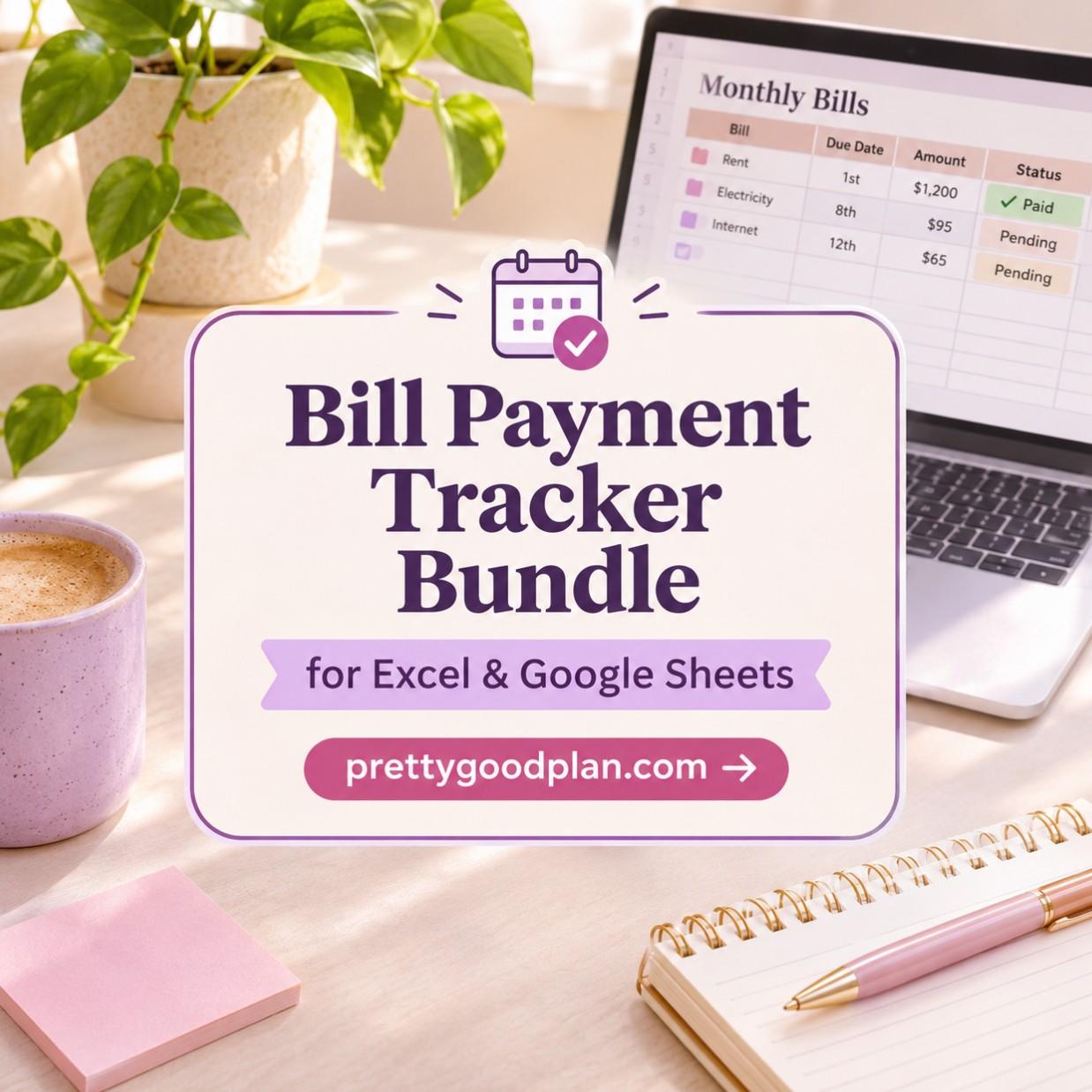
The Bill Payment Tracker Bundle for Excel & Google Sheets offers a simple way to organize these responsibilities in one place. Instead of relying on scattered notes or checking multiple accounts, you can maintain a dedicated spreadsheet for your regular bills.
The bundle includes five different bill-tracking designs, with editable versions for both Microsoft Excel and Google Sheets. From colorful calendars to minimalist layouts and dark-mode designs, it provides several ways to organize monthly payment information.

In this review, we will explore what is included, how the templates work, their main advantages and limitations, and who might benefit most from using them.
What Is the Bill Payment Tracker Bundle?
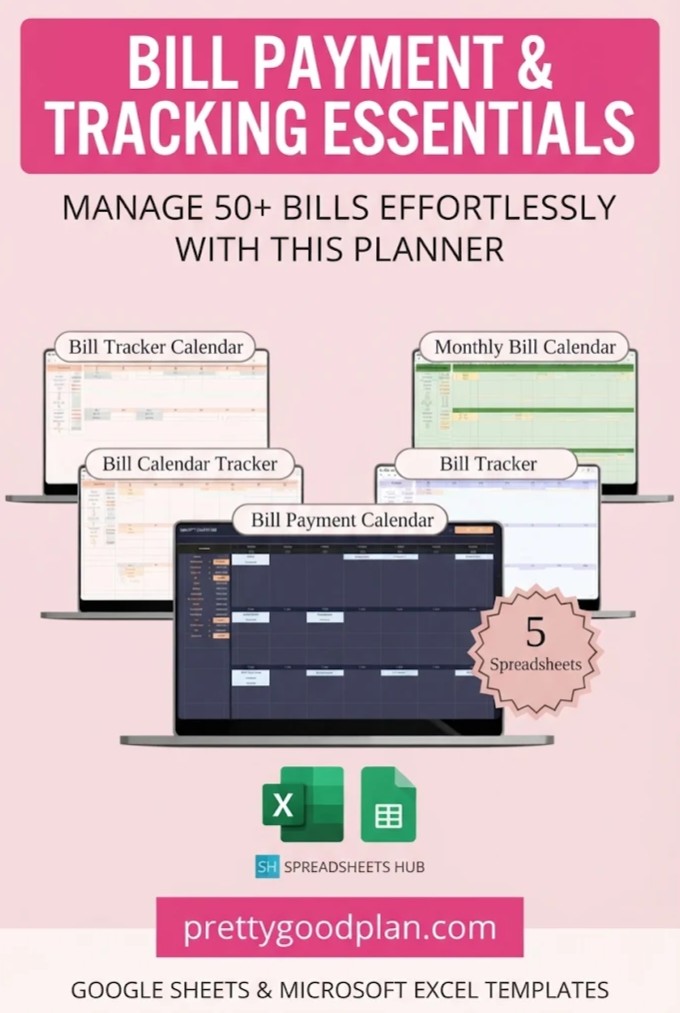
The Bill Payment Tracker Bundle is a collection of editable spreadsheets designed to help individuals and households organize recurring bills, payment amounts, and due dates.
Rather than functioning as a complete financial management application, the bundle focuses on one essential part of personal budgeting: knowing what needs to be paid, when it is due, and whether the payment has been completed.
It is particularly useful for anyone who prefers spreadsheets over dedicated finance apps.
Bill Payment Tracker Bundle at a Glance
| Feature | Details |
|---|---|
| Product type | Digital bill payment planner |
| Supported software | Microsoft Excel and Google Sheets |
| Unique designs | 5 |
| Included spreadsheet versions | 20 |
| Sample spreadsheets | 10 |
| Blank spreadsheets | 10 |
| Main purpose | Monthly bill and payment tracking |
| Customization | Editable spreadsheet layouts |
| Devices | PC, Mac, smartphone, tablet |
| Instructions | Included |
| Format | Digital download |
The 20 spreadsheet versions represent five designs supplied in sample and blank formats for both supported platforms. They are not 20 completely different planning systems.
One of the bundle’s biggest advantages is that users can choose a design that feels comfortable without changing the basic purpose of their tracking system.
What’s Included in the Bill Payment Tracker Bundle?
The collection features five distinct spreadsheet designs, each with its own visual style.
All five focus on organizing bills and payment information, but their different appearances make them suitable for different preferences and planning routines.
1. Rainbow Bill Tracker
The Rainbow Bill Tracker offers a colorful approach to monthly financial organization.
Its bright appearance makes it appealing to people who enjoy visually engaging planners rather than traditional spreadsheets with neutral formatting.
A colorful layout can also make routine financial administration feel less monotonous.
Best for: Students, visual planners, and anyone who enjoys colorful digital organization tools.
This design is worth considering if you want your monthly bill tracker to feel more like a personal planner.
2. Green Monthly Bill Calendar
The Green Monthly Bill Calendar features a softer, nature-inspired visual theme.
Its calmer appearance makes it a good alternative for users who find highly saturated spreadsheets distracting.
A calendar-oriented bill tracker is particularly useful when you want to focus on upcoming payment dates.
Best for: Household budgeting, monthly planning, and users who prefer gentle colors.
For someone managing several recurring household expenses, a visually simple calendar can make regular reviews easier.
3. Elegant Bill Tracker Calendar
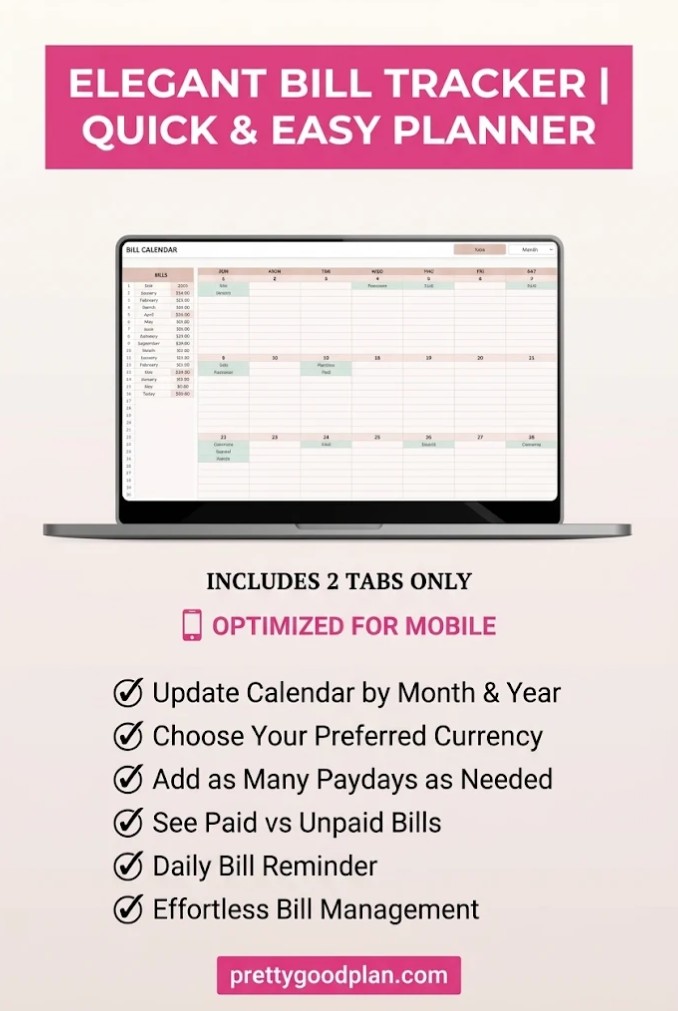
The Elegant Bill Tracker Calendar is designed around a minimalist appearance.
Instead of emphasizing decorative colors, it offers a cleaner visual style for organizing bill information.
This makes it appealing to users who primarily want to review their payment schedule without unnecessary visual distractions.
Best for: Minimalist planners, professionals, and users who prefer a straightforward interface.
If you already enjoy simple spreadsheet templates, this design may be the most natural starting point.
4. Dark Mode Bill Payment Calendar
The Dark Mode Bill Payment Calendar offers a modern alternative to traditional light-background spreadsheets.
Its darker appearance may appeal to people who frequently work with digital planners during evening hours or simply prefer dark interfaces.
Dark-mode styling also gives the spreadsheet a different visual identity without requiring a separate budgeting application.
Best for: Dark-mode enthusiasts and people who prefer modern digital spreadsheet designs.
It is an especially interesting choice if you normally use dark themes in your productivity tools.
5. Classic Bill Calendar Tracker
The Classic Bill Calendar Tracker takes a traditional approach to bill organization.
Its clean design is intended for users who value familiarity and practical organization over visual decoration.
For beginners, this is a sensible place to start because it focuses on the core purpose of tracking monthly bills.
Best for: Beginners, straightforward household finances, and traditional spreadsheet users.
If you are uncertain which layout to choose, starting with the classic design can help you establish a consistent routine.
Key Features of the Bill Payment Tracker Templates
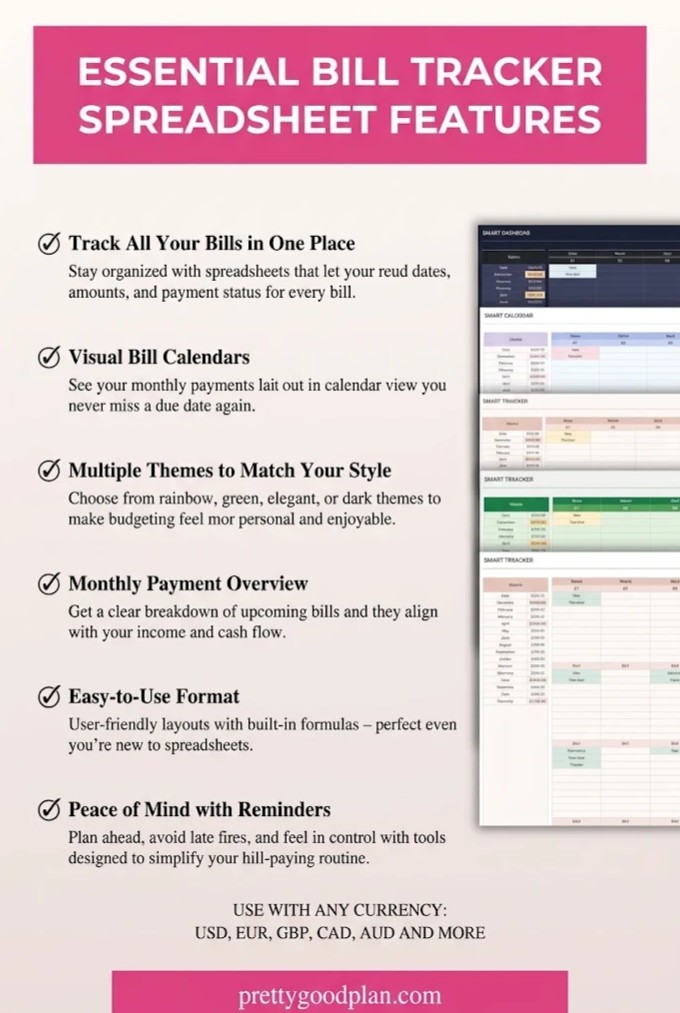
Organize Monthly Bills in One Place
The bundle’s main benefit is the ability to bring recurring payment information into a single spreadsheet.
Instead of remembering which bills are due, you can create a central record for expenses such as:
- Rent or mortgage payments
- Electricity, water, and gas
- Internet and mobile phone plans
- Insurance premiums
- Credit card payments
- Streaming and software subscriptions
- Loan installments
- Other recurring household expenses
Keeping this information together can make it easier to understand your monthly financial commitments.
Keep Track of Payment Due Dates
Different bills often have different payment deadlines.
A monthly bill calendar helps you review upcoming obligations and plan payments around your available income.
For example, you might have rent due on the first day of the month, a phone bill on the tenth, and insurance on the twentieth.
Recording these dates gives you a practical overview of what needs attention.
However, a spreadsheet does not automatically guarantee that a payment will be made on time. You still need to review and update it regularly.
Record Payment Amounts and Status
Tracking bill amounts is useful for understanding how much money is committed to recurring expenses.
Recording payment status can also help you distinguish between bills you have already handled and those that still require attention.
This is particularly helpful when several household members share financial responsibilities or when your bills vary from month to month.
The templates are intended to support tracking of amounts, statuses, and recurring expenses.
Editable Spreadsheet Layouts
Another advantage is the ability to work with editable files.
You can enter your own bill information and adapt the spreadsheet to your needs.
Depending on the design and its existing structure, you may also be able to adjust formatting and other spreadsheet elements.
If you make substantial changes, it is sensible to preserve an untouched copy of the original template.
This gives you a backup if you accidentally delete formulas, formatting, or other important elements.
Works With Excel and Google Sheets
Supporting both spreadsheet platforms gives the bundle more flexibility than a format-specific planner.
Excel is often convenient for people who prefer working with local files, while Google Sheets is useful for accessing and sharing spreadsheets across devices.
The right option depends on your existing workflow.
Google Sheets vs. Excel: Which Should You Use?
Both programs can handle monthly bill tracking, but they offer different practical advantages.
| Feature | Google Sheets | Microsoft Excel |
|---|---|---|
| Google account required | Yes | No |
| Standard browser editing | Yes | Available with supported Excel versions |
| Offline use | Requires offline setup | Available with desktop Excel |
| Sharing | Convenient cloud sharing | Sharing options depend on setup |
| Mobile editing | Google Sheets app | Excel mobile app |
| Best suited for | Cloud-based planning | Desktop spreadsheet workflows |
Choose Google Sheets If You Want Cloud Access
Google Sheets is a practical option if you frequently switch between a laptop, smartphone, and tablet.
It can also be useful for households where more than one person needs access to bill information.
You can store the spreadsheet in Google Drive and control who can view or edit it.
For a shared household budget, this can simplify coordination.
Choose Excel If You Prefer Desktop Planning
Microsoft Excel may be a better fit if you already use it for budgeting, accounting, or personal recordkeeping.
A locally saved Excel workbook can also suit users who prefer maintaining financial information on their own computer.
Just remember to maintain backups.
Neither program makes payments automatically simply because a bill appears in the spreadsheet.
How to Use the Bill Payment Tracker Bundle
Getting started does not require advanced spreadsheet knowledge.
The product includes instructions and sample spreadsheets, which can make the initial setup more approachable.
Step 1: Access Your Template Files
After obtaining the digital bundle, download the included files.
The package provides access to the Google Sheets templates through a PDF containing the relevant links, as well as Excel spreadsheet versions.
Review the included instructions before editing.
Step 2: Choose Your Preferred Design
Look through the five available styles and select the one that best matches your preferences.
You do not need to use all five.
In most cases, choosing one layout and keeping it updated is more practical than maintaining several duplicate trackers.
Step 3: Start With a Blank Spreadsheet
The bundle contains sample versions with mock data and blank versions.
Sample files are helpful for understanding how a template is intended to be used.
Once you are comfortable with its structure, switch to a blank version for your actual financial information.
Step 4: Enter Your Monthly Bills
Add the recurring expenses that apply to your household.
A basic example might look like this:
| Bill | Due Date | Amount | Status |
|---|---|---|---|
| Rent | 1st | $1,200 | Paid |
| Electricity | 8th | $95 | Pending |
| Internet | 12th | $65 | Pending |
| Car Insurance | 18th | $110 | Paid |
| Phone | 25th | $45 | Pending |
This table is an illustrative example, not an exact reproduction of the template.
Start with essential bills, then add optional subscriptions and other recurring payments.
Step 5: Review Your Spreadsheet Regularly
A simple weekly review can make the tracker more useful.
Check upcoming due dates, update completed payments, and review any bill amounts that have changed.
At the end of the month, you can use the completed record to prepare for the next month.
The key is consistency rather than spending a long time organizing the spreadsheet.
Who Is This Bill Payment Bundle Best For?
Students and First-Time Budgeters
Students often manage several recurring expenses while working with limited or irregular income.
A simple bill tracking spreadsheet can help them understand upcoming financial obligations.
The colorful and classic designs may be particularly appealing to beginners.
Families and Shared Households
Households often have many recurring expenses, including housing, utilities, insurance, transportation, and subscriptions.
Keeping payment information together can help family members coordinate responsibilities.
Google Sheets may be particularly convenient when more than one person needs access.
Freelancers and Remote Workers
Freelancers may have changing income alongside relatively fixed monthly bills.
A bill tracker can help identify upcoming obligations, even when monthly earnings are unpredictable.
However, this bundle should not be mistaken for a complete business accounting or tax management solution.
Anyone Who Dislikes Budgeting Apps
Some people prefer not to install another application or maintain a dedicated finance subscription.
A spreadsheet-based tracker offers a familiar alternative.
You control what information you enter and how frequently you update it.
Advantages and Limitations
Before choosing this bundle, it helps to understand what it does well and where it may not be sufficient.
What We Like
- Five different visual styles provide meaningful choice.
- Both Excel and Google Sheets formats are included.
- Blank and sample files support different experience levels.
- The templates focus on a specific everyday financial task.
- The digital format avoids the need for a physical planner.
- Spreadsheet editing makes the system reusable and adaptable.
- The included instructions help with initial setup.
What to Consider
- Payments and statuses still require user attention.
- The product is not a bank-connected bill payment service.
- Automatic reminders are not promised in the product description.
- Extensive budgeting, investment, and tax features are not established.
- Editing complex formatting may require basic spreadsheet knowledge.
- Small screens can be less comfortable for detailed editing.
Our assessment: The bundle is most attractive as a focused bill organization tool, not as a replacement for comprehensive personal finance software.
Bill Payment Tracker vs. a Complete Budget Planner
A bill tracker and a budget planner serve related but different purposes.
A bill payment tracker concentrates on recurring financial obligations, due dates, and payment completion.
A complete budget planner generally covers a wider range of activities, such as income, everyday spending, savings goals, and debt management.
| Planning Need | Bill Tracker | Full Budget Planner |
|---|---|---|
| Recurring bills | Primary focus | Usually included |
| Payment due dates | Primary focus | Varies |
| Paid or pending status | Primary focus | Varies |
| Everyday spending | Limited focus | Often included |
| Savings goals | Not the main purpose | Often included |
| Complete income analysis | Not the main purpose | Often included |
If your biggest challenge is remembering payment deadlines, a dedicated bill tracker may be sufficient.
If you need to understand your entire financial situation, pairing it with a broader budget planner can provide a more complete picture.
For additional options, explore our budget planner template comparison.
Tips for Getting More Value From Your Bill Tracker
A good template is only part of an effective financial organization routine.
To make your spreadsheet genuinely useful, keep the process simple and repeatable.
First, enter all your regular expenses, even small subscriptions. Small payments can be easy to overlook when reviewing monthly commitments.
Next, make sure the due dates reflect your actual billing schedule. Some companies change payment amounts or dates, so check your statements periodically.
It also helps to compare your upcoming bills with your paydays. This makes it easier to identify weeks when several payments may fall close together.
Consider setting separate calendar reminders for important deadlines. Since the bundle does not promise automatic notifications, your phone or calendar can provide an additional safeguard.
Finally, keep a backup of your spreadsheet and restrict access to sensitive financial information. A bill tracker generally does not need passwords, full account credentials, or other highly sensitive details.
Final Verdict: Is the Bill Payment Tracker Bundle Worth Using?
The Bill Payment Tracker Bundle for Excel & Google Sheets is a practical choice for anyone who wants a more organized way to manage monthly bills without adopting a complicated finance system.
Its strongest feature is the combination of five visual designs with support for both major spreadsheet platforms. The sample and blank versions also make it easier to understand the layouts before entering real financial information.
The main limitation is its focused scope. It is designed to organize recurring payments, not automate transactions or manage every part of your finances.
If your goal is to maintain a clear monthly payment schedule, monitor upcoming due dates, and keep completed bills organized, this bundle is worth considering.
Best for: Individuals, students, freelancers, and households seeking an editable monthly bill tracker.
Less suitable for: Users who need automated bank synchronization, payment processing, or comprehensive financial reporting.
A consistent bill-tracking habit can make monthly financial planning easier to manage. The right spreadsheet is one you find clear, comfortable, and simple enough to update regularly.
Is the Bill Payment Tracker Bundle compatible with Google Sheets?
Yes. The collection includes editable Google Sheets versions of all five designs. A Google account is needed to access and work with them.
Can I use the templates in Microsoft Excel?
Yes. Excel versions are included alongside the Google Sheets files. You will need access to compatible Microsoft Excel software.
How many templates are included?
The bundle includes five unique designs supplied in blank and sample formats for both Google Sheets and Excel, making 20 spreadsheet versions altogether.
Are the bill payment templates customizable?
Yes. The spreadsheets are editable, allowing you to enter your own payment information and personalize the organization process. The extent of more advanced customization depends on the workbook structure.
Can I use the bill tracker on my phone?
The product is listed as compatible with phones and tablets. However, a computer is recommended for more comfortable editing, particularly when working with larger spreadsheets.
Does the bundle include automatic payment reminders?
Automatic reminders are not confirmed in the product description. For reliable notifications, consider using a separate calendar or reminder application.
Can I use the tracker for household bills?
Yes. The bundle is suitable for organizing rent, utilities, insurance, subscriptions, and other regular household expenses.
Is this a complete personal finance planner?
No. Its main purpose is bill and payment organization. For detailed income tracking, spending analysis, or savings planning, you may want additional spreadsheet templates.
Do I need advanced Excel skills?
No advanced spreadsheet experience is specified. Basic computer skills are recommended, and the collection includes step-by-step instructions and example files.
Is this a physical planner?
No. It is a digital product containing spreadsheet templates. No physical planner is shipped


