

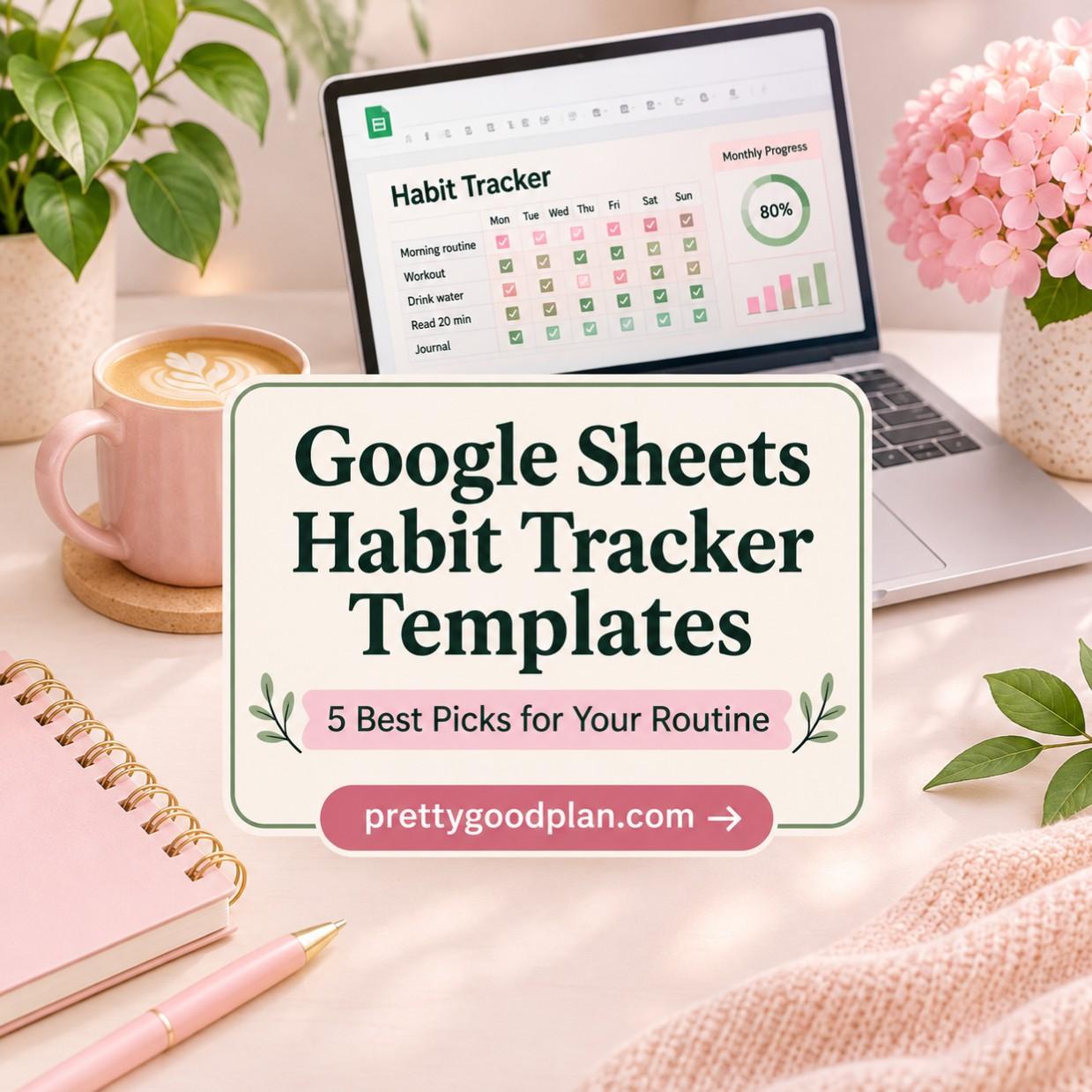
How Google Sheets habit tracker templates support consistent routines
Building better habits doesn’t have to mean downloading another app, setting up complicated reminders, or buying an expensive productivity system. Sometimes, a simple spreadsheet is all you need to organize your routines and see how far you’ve come.
Google Sheets habit tracker templates make it easy to record daily activities, monitor your consistency, and turn personal goals into measurable progress. Whether you’re developing a morning routine, reading more books, exercising regularly, or improving your work-life balance, these customizable spreadsheets can help you stay organized.
The best templates go beyond basic checklists. They may include automatic completion percentages, streak counters, colorful charts, monthly calendars, and visual rewards that make tracking your progress more enjoyable.

In this guide, we’ll explore some of the best habit tracker templates for Google Sheets, compare their features, and explain how to choose one that fits your lifestyle.
Why Use Google Sheets for Habit Tracking?
Google Sheets is a practical choice for habit tracking because it combines the flexibility of spreadsheets with convenient cloud-based access.
Unlike some dedicated productivity apps, Google Sheets gives you direct control over how your information is organized. You can add custom habits, adjust your tracking schedule, and review completed activities without depending on a fixed app layout.
Here are several reasons to consider it.
Easy Access Across Devices
Google Sheets works in a web browser and through its mobile apps. You can update your habit tracker from your laptop, tablet, or smartphone using the same Google account.
This is especially useful if you prefer planning your week on a computer but want to mark habits as completed throughout the day.
Customizable Tracking
Different habits require different schedules.
You might want to drink water every day, exercise four times a week, and review your budget once a month. A flexible habit tracker allows you to organize these goals without treating every activity the same.
Some templates provide separate daily, weekly, and monthly sections to make this easier.
Automatic Progress Calculations
Many spreadsheet templates contain formulas that calculate your completion rate, total activities, or consecutive successful days.
Instead of manually counting checkmarks, you can focus on understanding your progress.
Visual Motivation
Charts, color-coded calendars, and progress indicators can make consistency easier to recognize.
Some trackers even use playful visual rewards, such as growing virtual sunflowers when you complete habits.
These elements can make an ordinary spreadsheet feel more engaging.
Best Google Sheets Habit Tracker Templates at a Glance
Before exploring individual options, here’s a quick comparison of the templates featured in this collection.
| Template | Standout Feature | Best For |
|---|---|---|
| Habit Tracker for Google Sheets & Excel | Up to 30 daily habits | Detailed tracking |
| Habit Tracker Template by veritastemplates | Daily, weekly, and monthly sections | Multiple goal frequencies |
| Google Sheets Sunflower Habit Tracker | Growing sunflower visuals | Gamified motivation |
| Blush Pink Google Sheets Habit Tracker | Automatic streak calculations | Aesthetic planning |
| Monthly Habit Tracker Spreadsheet | Reusable monthly layouts and charts | Simple routines |
These are actual digital template listings, although some come from the same designer and share similar features. Availability and download terms may change.
Top Google Sheets Habit Tracker Templates
1. Habit Tracker for Google Sheets & Excel — Best for Detailed Tracking
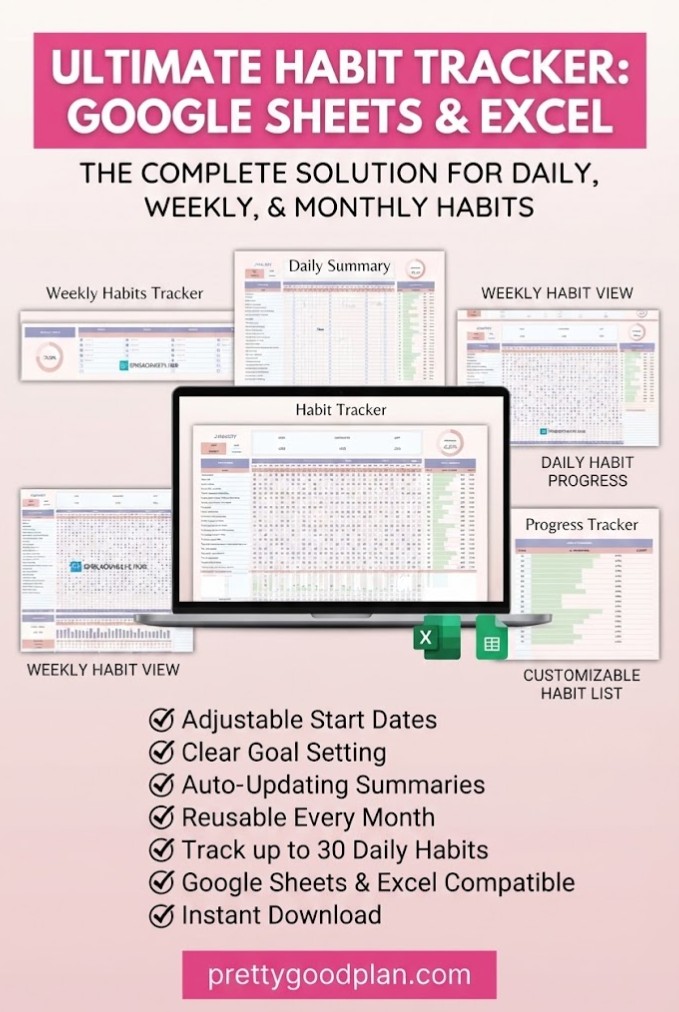
Designer: SpreadsheetsHub
If you want to track several routines without switching between multiple spreadsheets, this habit tracker offers a particularly comprehensive approach.
It supports up to 30 daily habits, making it suitable for anyone monitoring several areas of personal development.
You can use it to track reading, exercise, hydration, meditation, learning, and other recurring activities in one organized workspace.
The template includes automatic completion percentages and visual charts that help you understand how frequently you complete your habits.
It also provides a dedicated area for weekly habits and notes, allowing you to record more than simple daily checkmarks.
Key features:
- Track up to 30 daily habits.
- Automatically calculate completion percentages.
- Monitor daily, weekly, and monthly progress.
- Use checkboxes for daily tracking.
- View progress through charts.
- Add weekly habits and notes.
- Access separate versions for Google Sheets and Microsoft Excel.
The download includes sample spreadsheets with example data alongside blank versions, which may make the initial setup easier.
Best for: Students, productivity enthusiasts, busy professionals, and anyone who wants to monitor numerous habits in one spreadsheet.
Why choose it: Its combination of habit capacity, automatic calculations, and spreadsheet compatibility offers flexibility for more detailed tracking.
2. Habit Tracker Template — Best for Daily, Weekly, and Monthly Goals
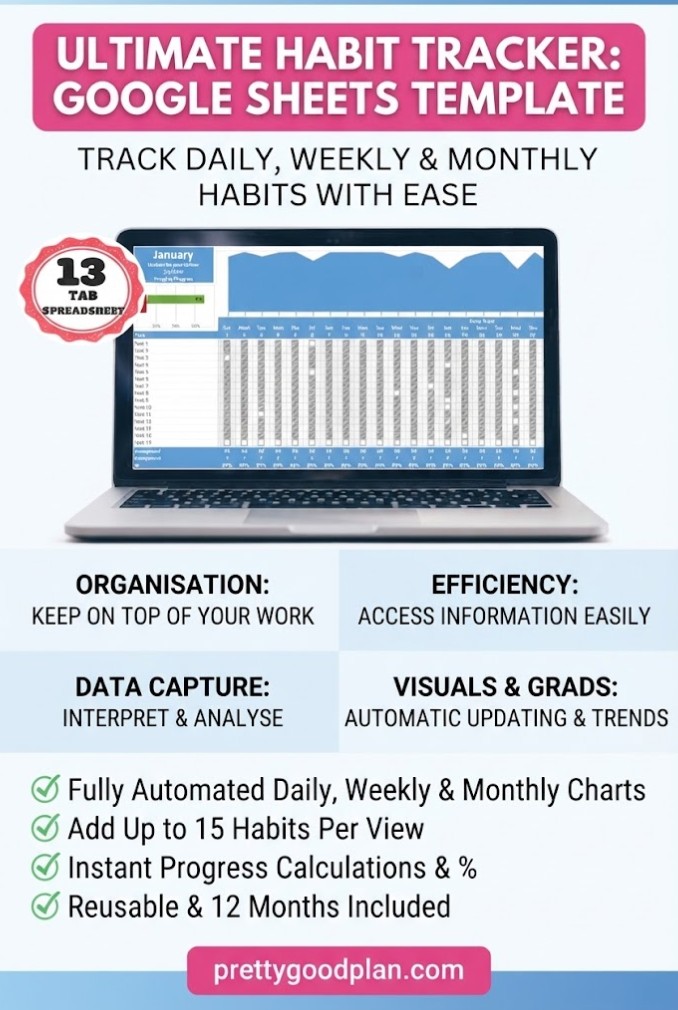
Designer: veritastemplates
Not every goal needs daily attention. Some activities are better completed weekly or monthly.
This template addresses that difference by providing separate tracking sections for different frequencies.
According to the product description, it accommodates up to 15 habits in each of its daily, weekly, and monthly sections, allowing up to 45 habit entries across those categories.
That structure makes it useful for building routines that extend beyond everyday tasks.
For example, you could track drinking water daily, exercising several times per week, and reviewing your finances monthly.
The spreadsheet also contains four graphs for each month, giving you several ways to visualize your progress.
Key features:
- Separate daily, weekly, and monthly tracking sections.
- Up to 15 habits per frequency category.
- Monthly progress graphs.
- Longest-streak tracking.
- Twelve monthly tabs and an instructions tab.
- Mobile access through Google Sheets.
- Editable habit names and goals.
Best for: People who want one system for daily routines, weekly commitments, and monthly personal goals.
Why choose it: The frequency-based layout makes it easier to monitor different kinds of habits without creating separate trackers.
3. Google Sheets Sunflower Habit Tracker — Best for Visual Motivation
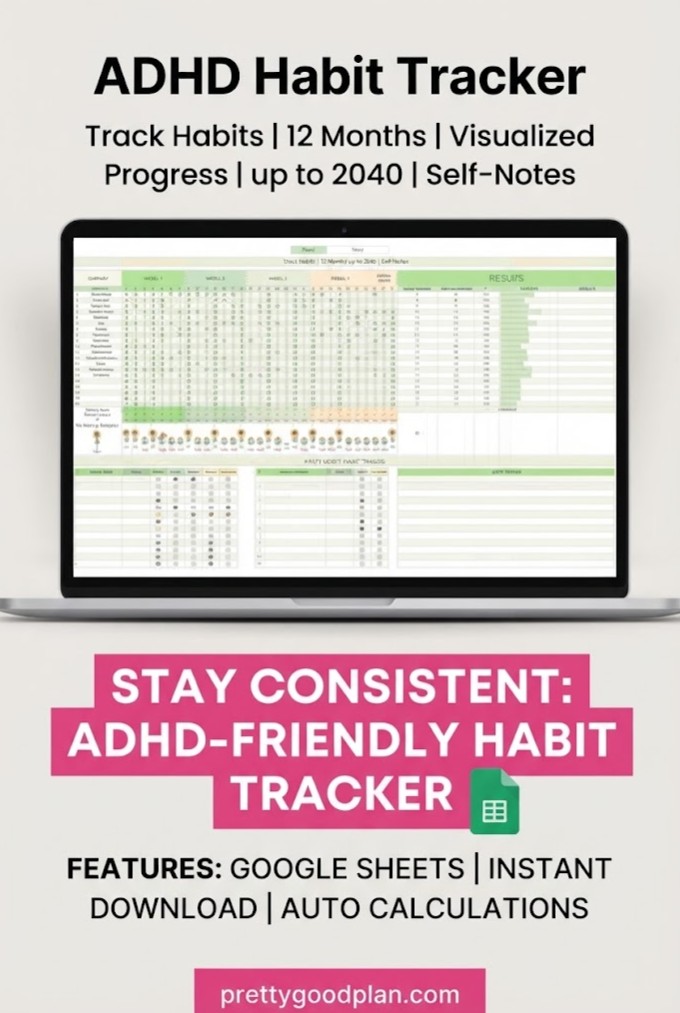
Designer: ThePlannersDelight
If traditional spreadsheets feel a little boring, a more playful design might make habit tracking enjoyable.
This sunflower-themed habit tracker introduces a visual reward system that changes as you complete activities.
As you mark habits as finished, sunflower graphics grow within the spreadsheet.
It’s a creative alternative to looking at endless rows of checkboxes.
The template features a green color palette and includes automatic calculations for your current and longest habit streaks.
It also offers twelve reusable monthly layouts, charts, and daily, weekly, monthly, and annual planning features.
Key features:
- Automated sunflower-growing visuals.
- Current and longest streak calculations.
- Twelve reusable monthly templates.
- Daily, weekly, monthly, and annual planning.
- Progress charts and graphs.
- Soft green aesthetic.
- Editable Google Sheets format.
Best for: Visual learners, creative planners, and anyone who enjoys interactive progress indicators.
Why choose it: The sunflower design adds a sense of visible achievement to ordinary habit tracking.
This template is particularly appealing if colorful visual feedback motivates you more than numbers alone.
4. Blush Pink Google Sheets Habit Tracker — Best for Aesthetic Planning
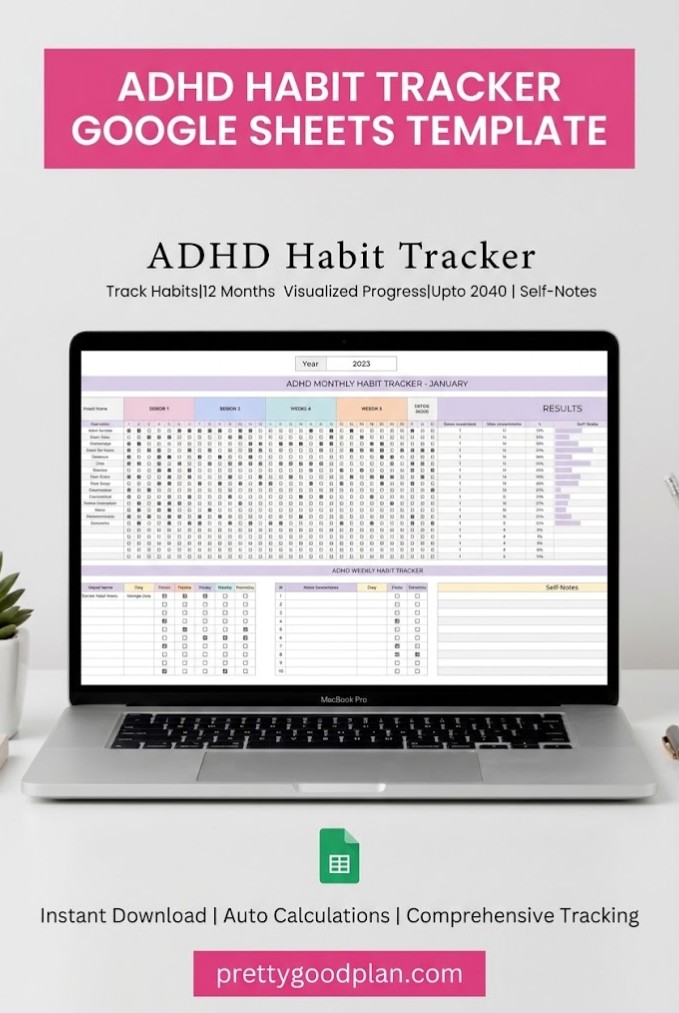
Designer: ThePlannersDelight
A spreadsheet doesn’t need to look like a traditional business document.
This habit tracker uses a blush pink color palette to create a softer, more personal planning experience.
Its design is well suited to users who enjoy aesthetic digital planners but prefer the flexibility of Google Sheets.
Beyond its appearance, the template includes automatic current and longest streak calculations.
It also provides reusable monthly layouts and visual progress charts.
You can use the spreadsheet to organize habits throughout the year, reviewing your routine as your goals change.
Key features:
- Blush pink aesthetic design.
- Automatic habit-streak calculations.
- Twelve reusable monthly layouts.
- Daily, weekly, monthly, and annual planning.
- Progress charts and graphs.
- Editable Google Sheets format.
- Digital access using a Google account.
Best for: Aesthetic planner enthusiasts, students, and anyone who wants a visually pleasing digital habit tracker.
Why choose it: It combines attractive formatting with useful calculations, so you don’t have to sacrifice functionality for appearance.
5. Monthly Habit Tracker Spreadsheet — Best for Simple Routine Planning
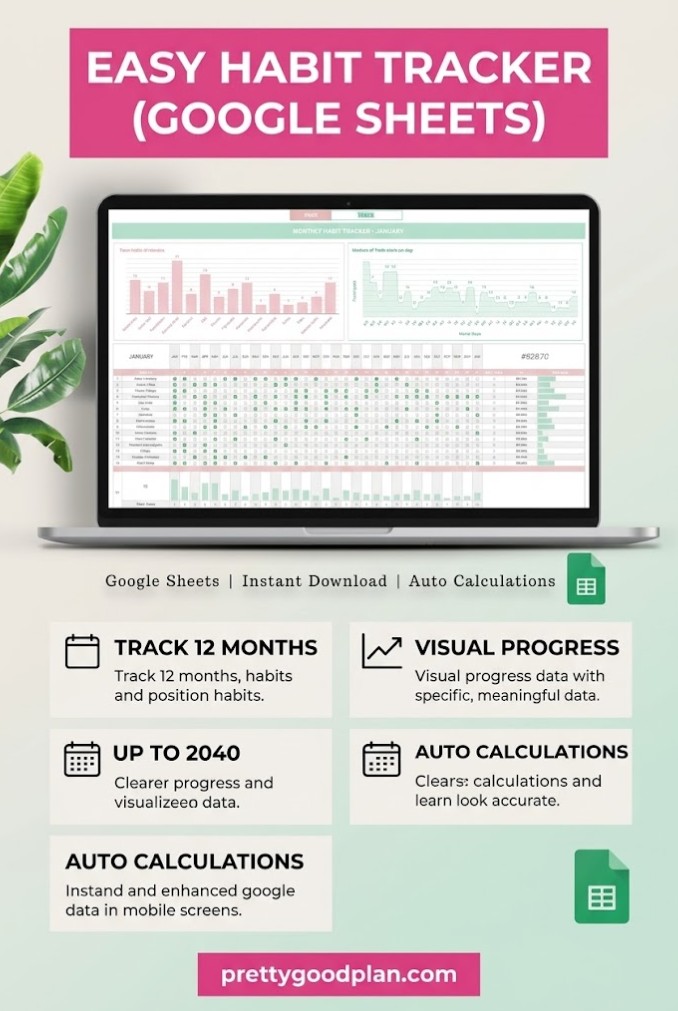
Designer: ThePlannersDelight
If your main goal is consistency rather than detailed analysis, this monthly habit tracker is worth considering.
It provides a straightforward structure for planning and monitoring recurring habits without overwhelming you with additional features.
The template includes twelve reusable monthly layouts, allowing you to organize your routine across the year.
It also offers charts and graphs to help visualize your progress.
You can plan daily activities while using the weekly and monthly views to understand your overall consistency.
Key features:
- Twelve reusable monthly layouts.
- Daily, weekly, and monthly habit planning.
- Progress charts and graphs.
- Editable Google Sheets template.
- Digital delivery through a spreadsheet access link.
- Access with a free Google account.
Best for: Beginners, minimalist planners, and anyone who prefers a straightforward monthly tracking system.
Why choose it: The emphasis on reusable layouts and basic progress visualization makes it a practical option for getting started.
How to Choose the Right Google Sheets Habit Tracker Template
The best habit tracker isn’t necessarily the one with the most features. It’s the one you can comfortably use every day.
Before choosing a spreadsheet, consider the following factors.
1. Number of Habits
Think about how many activities you want to track.
If you’re starting with three or four habits, a simple monthly spreadsheet may be enough.
If you’re monitoring 20 or more activities, a larger template with automatic calculations can provide a more organized experience.
2. Tracking Frequency
Ask yourself whether your goals are daily, weekly, or monthly.
A daily checkbox grid works well for reading, journaling, and hydration.
However, activities such as meal planning, financial reviews, or household organization may require weekly or monthly tracking.
Choose a template that matches your actual schedule.
3. Progress Visualization
Different people respond to different types of feedback.
Some prefer numerical completion percentages. Others like colorful charts, streak counters, or visual rewards.
Look for features that make your progress easy to understand without adding unnecessary complexity.
4. Spreadsheet Compatibility
Not every Google Sheets template works in Excel.
Some products include separate files for both applications, while others are designed specifically for Google Sheets.
Check compatibility before downloading, especially if you expect to switch between spreadsheet programs.
5. Mobile Usability
A spreadsheet with dozens of columns may be easy to edit on a laptop but less convenient on a phone.
If you plan to update habits while traveling or commuting, check the product previews for a layout you can comfortably navigate on a smaller screen.
How to Use a Habit Tracker in Google Sheets
Getting started with a digital habit tracker usually requires only a few steps.
Step 1: Download Your Template
Choose a design that fits your goals and complete the download process.
Many digital template products provide a PDF containing a link to the Google Sheets file.
Read the included instructions before editing the spreadsheet.
Step 2: Make Your Own Copy
Open the Google Sheets link and create an editable personal copy if the original is shared as a view-only template.
When appropriate, use File → Make a copy to save the spreadsheet in your own Google Drive.
This helps preserve the original template.
Step 3: Add Your Habits
Replace example activities with your own goals.
For instance:
- Read for 20 minutes.
- Take a daily walk.
- Practice a new language.
- Write in a journal.
- Prepare meals at home.
- Review tomorrow’s priorities.
Start with a manageable number of habits rather than filling every available row.
Step 4: Set Realistic Targets
Decide how often each habit should happen.
A goal such as reading three evenings per week may be more realistic than immediately committing to reading every single day.
If your chosen template supports custom frequencies, adjust them to reflect your schedule.
Step 5: Record Your Progress
Check off activities as you complete them.
Try updating your spreadsheet at approximately the same time each day, such as after breakfast or before bed.
A consistent tracking routine makes it easier to keep the spreadsheet useful.
Step 6: Review Your Results
At the end of the week or month, look at your totals, streaks, and completion rates.
Identify which habits fit comfortably into your schedule and which might need smaller targets.
Use the data to improve your routine rather than treating missed days as personal failures.
Habit Tracking Ideas for Everyday Life
A flexible Google Sheets habit tracker can support many kinds of personal goals.
Here are some ideas to include in your spreadsheet.
| Category | Habit Ideas |
|---|---|
| Health & Wellness | Daily walk, stretching, regular bedtime |
| Productivity | Plan tomorrow, clear inbox, focus session |
| Learning | Read 20 minutes, study vocabulary, take notes |
| Personal Finance | Record expenses, no-spend day, review budget |
| Self-Care | Journal, take a screen break, practice mindfulness |
| Home Organization | Tidy desk, laundry routine, weekly cleaning |
| Creativity | Sketch, practice photography, write creatively |
You can also combine categories to create a balanced personal development system.
For example, a morning routine tracker might include stretching, reading, journaling, and reviewing priorities.
A weekly tracker could focus on exercise, meal preparation, budgeting, and household tasks.
The important part is choosing habits that support your actual goals.
How to Stay Consistent With Habit Tracking
A well-designed template is helpful, but the tracking process still needs to fit your everyday life.
Start small. Choose two or three meaningful habits before expanding your list.
Make your targets specific. Instead of writing “exercise more,” create a measurable action such as “walk for 15 minutes.”
Keep the spreadsheet accessible. Bookmark the file or add a shortcut so you can open it quickly.
Review your progress regularly. A short weekly review can reveal patterns that aren’t obvious from individual days.
Allow flexibility. Missing an activity occasionally doesn’t erase the progress you’ve already made.
Adjust your routine. If a habit repeatedly feels unrealistic, reduce the frequency or make the activity easier to complete.
Your habit tracker should help you understand your behavior, not create another stressful obligation.
Frequently Asked Questions
Can I make a habit tracker in Google Sheets for free?
Yes. You can create a basic habit tracker using a free Google account. Add habit names, dates, and checkboxes to a spreadsheet. You can also use a pre-designed template, although individual template downloads may require payment or a subscription.
What is the best Google Sheets habit tracker for beginners?
A simple monthly template with checkboxes and clear progress indicators is a good starting point. Beginners generally benefit from a layout that requires minimal setup and daily maintenance.
Can Google Sheets automatically calculate habit streaks?
Yes. Habit streaks can be calculated using spreadsheet formulas. Many pre-designed templates include automatic current-streak and longest-streak calculations, saving you the effort of building these formulas yourself.
Can I track multiple habits in one spreadsheet?
Yes. Google Sheets supports multiple habit rows, tracking categories, and separate worksheets. Some dedicated templates support up to 30 daily habits or include different sections for daily, weekly, and monthly goals.
Can I use a Google Sheets habit tracker on my phone?
Yes. You can open and update compatible spreadsheets using the Google Sheets mobile app. However, spreadsheets with complex dashboards or wide tables may be easier to configure on a laptop or desktop computer.
Are Google Sheets habit trackers better than printable planners?
It depends on your preferences. Google Sheets templates are useful for automatic calculations, digital access, and ongoing customization. Printable planners may be preferable if you enjoy handwriting, offline planning, or keeping a physical record.
Do Google Sheets habit tracker templates work with Excel?
Some do, but not all. Certain products provide separate Google Sheets and Excel versions, while others support only Google Sheets. Always check the product description before downloading.
How often should I update my habit tracker?
Daily updates work well for daily habits, while weekly or monthly activities can be recorded at their scheduled intervals. Consistency matters more than checking the spreadsheet repeatedly throughout the day.
What should I do if I miss several days?
Return to your normal tracking routine without trying to make the spreadsheet look perfect. Review why the habit was difficult to maintain, then consider adjusting your target or schedule.
Final Thoughts
The best Google Sheets habit tracker templates make personal growth easier to organize, measure, and review.
Whether you prefer a detailed dashboard, a simple monthly checklist, or a creative spreadsheet with visual rewards, there’s a tracking style to match different routines.
For extensive tracking, the SpreadsheetsHub Habit Tracker for Google Sheets & Excel offers room for numerous habits and useful automatic calculations.
If you want separate daily, weekly, and monthly sections, the veritastemplates Habit Tracker provides a flexible structure.
For a more playful experience, the Sunflower Habit Tracker adds visual motivation, while the blush pink and minimalist monthly alternatives offer different planning styles.
Choose a template that feels comfortable to use, start with a few realistic goals, and let your progress guide your next steps.
The purpose of a habit tracker isn’t to create a perfect record. It’s to help you build routines that are worth repeating.


