
ℹ️ Affiliate Disclosure: This article may contain affiliate links. If you book or purchase through these links, we may earn a commission at no additional cost to you.
Discover the Best Content Planner Template Designs
A good content planner template should do more than give you another calendar to fill in. It should help turn ideas into publishable blog posts, social campaigns, videos, newsletters, and branded content without making the planning process more complicated. I compared Creative Fabrica options with different workflows in mind, from bloggers who need editorial schedules to creators juggling Instagram and video content and brands coordinating campaigns across several platforms.
I selected templates that approach content planning differently rather than filling the list with nearly identical calendars. Some emphasize strategy and goals, some provide detailed platform-specific pages, and others work better as broad creator-business systems. That makes it easier to choose based on how you actually create and publish.
If you want to compare even more layouts, Creative Fabrica’s Content Planner collection is a useful place to browse additional options.

The best content planner templates depend on your workflow. I’d choose a creator-focused planner for managing several content types, a dedicated blog planner for editorial publishing, a strategy planner for campaigns and goals, or a platform-specific template when Instagram or another social channel drives most of your content.
Quick Picks
- Best Overall: 2026 Content Creator Planner Template — combines content calendars, ideas, goals, campaigns, and workflow planning. See the template.
- Best for Bloggers: Editable 2026 Blog Planner — includes posting schedules, blog worksheets, blogging goals, and review pages. See the blog planner.
- Best for Brand Strategy: 2026 Content Strategy Planner Template — a strong fit for goals, content ideas, marketing campaigns, and structured planning. See the strategy planner.
- Best Digital Option: Digital 2026 Social Media Content — a hyperlinked PDF designed for tablet and desktop planning. See the digital planner.
Content Planner Template Comparison
| Product | Best for | Style/Type | Project Fit |
|---|---|---|---|
| 2026 Content Creator Planner Template | Multi-channel creators | Editable yearly planner | Blogs, social media, campaigns |
| Editable 2026 Blog Planner | Bloggers | 66-page Canva planner | Editorial schedules, blog goals |
| Social Media Content Canva Template | Visual brands | Canva content system | Feeds, brand planning, social content |
| 2026 Content Strategy Planner Template | Strategy planning | Editable print/digital planner | Campaigns, blogs, marketing |
| 2026 Social Media Post Planner Canva | Multi-platform publishing | 64-page Canva planner | Social posts, blogs, video |
| 2026 Content Planner for Instagram Canva Template | Instagram creators | 56-page Canva planner | Posts, Stories, content schedules |
| 2026 Influencer Planner Template | Influencers | Editable creator planner | Ideas, goals, tasks |
| 2026 Social Media Marketing Canva | Marketing workflows | 42-page Canva template | Ads, newsletters, social campaigns |
| 2026-27 Content Planner | Tracking performance | 70-page editable planner | Content, collaborations, statistics |
| Content Creator Business Planner | Creator businesses | Business-focused planner | Content, monetization, branding |
| Digital 2026 Social Media Content | Tablet users | 65-page hyperlinked PDF | Digital planning, campaigns, growth |
11 Best Content Planner Template Designs
1. 2026 Content Creator Planner Template
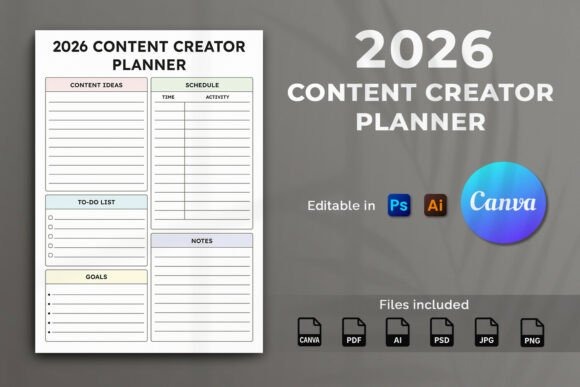
This is the most balanced content planner template in the group for creators who publish in several formats. It is designed around a full-year workflow with pages for content calendars, ideas, goals, campaigns, brainstorming, scheduling, and progress. I’d consider it for bloggers, YouTubers, influencers, social media managers, or small brands that do not want separate planning systems for every channel.
I prefer this option when breadth matters more than highly specialized platform pages. It is editable in Canva, Adobe Illustrator, and Photoshop and includes multiple source and export formats. The tradeoff is that someone who only manages one simple blog or one social account may not need such a broad system.
- Best for: multi-channel creators, annual content planning, campaign organization
- Key features: A4 size; editable Canva template; AI and PSD source files; PDF, JPG, and PNG files
- Skip if: you want a very lightweight weekly content calendar.
2. Editable 2026 Blog Planner
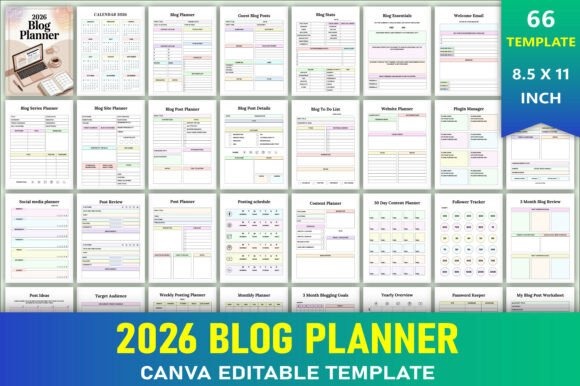
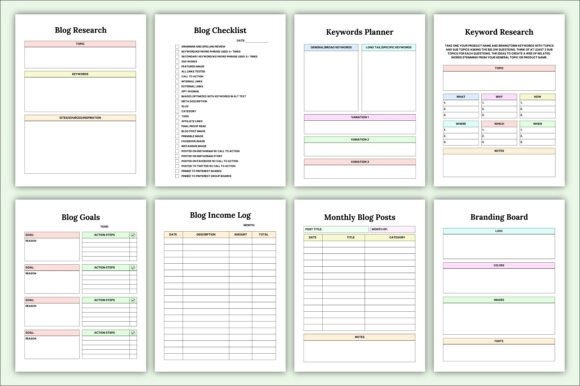
The Editable 2026 Blog Planner is the clearest match for writers and site owners who want their planner centered on publishing articles rather than general social media management. Its 66 pages include a posting schedule, content planner, 30-day content planner, blogging goals, blog review pages, a yearly overview, and a dedicated blog post worksheet.
I’d choose this over a social-first planner when your website is the main content hub and social channels mainly support it. The editable Canva link is useful for adjusting the layout, while JPG, PNG, and PDF files give you several output options. Its limitation is that platform-specific social planning is less central than in several alternatives below.
- Best for: blogs, editorial calendars, article planning
- Key features: 66 pages; editable Canva link; 8.5 × 11-inch size; PDF, JPG, and PNG files
- Skip if: social media campaigns are your main content channel.
See Editable 2026 Blog Planner
3. Social Media Content Canva Template
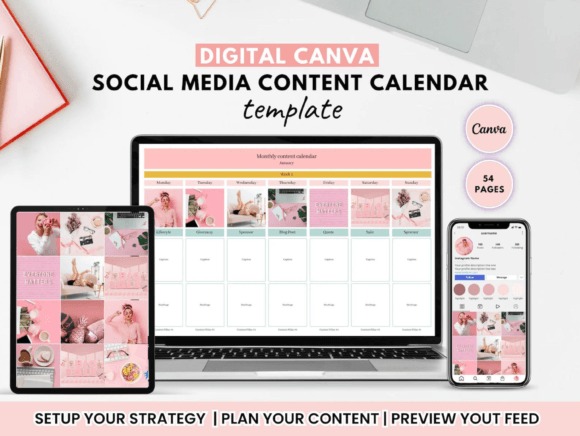
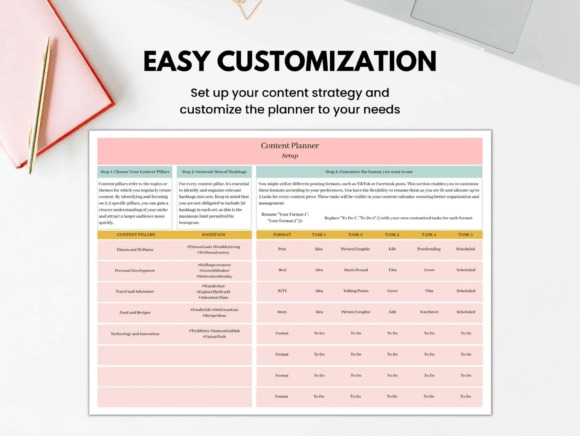
This Canva-based content planning system stands out for brands and creators who care about the visual side of publishing as much as scheduling. It includes a setup section for defining content strategy, a feed planner for arranging posts, and a brand board for keeping visual identity references together. That makes it particularly relevant to Instagram-oriented businesses and design-led brands.
I’d pick this over a conventional printable calendar if you regularly plan visual sequences and want branding decisions visible while organizing content. Its focus is more creative and brand-oriented than a plain editorial spreadsheet. On the other hand, bloggers who mostly need article deadlines, keywords, and long-form outlines may prefer the dedicated blog option.
- Best for: visual brands, Instagram feeds, brand consistency
- Key features: customizable Canva template; feed planner; brand board; content strategy setup pages
- Skip if: your workflow is almost entirely long-form blogging.
4. 2026 Content Strategy Planner Template
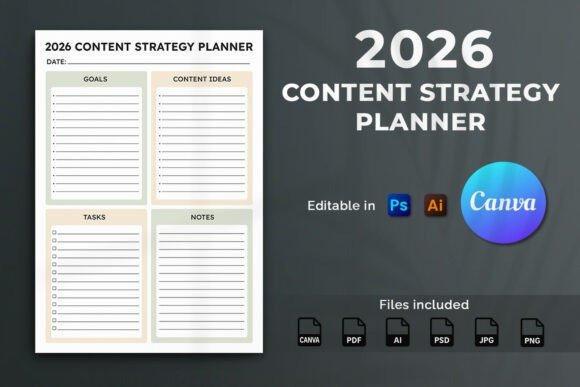
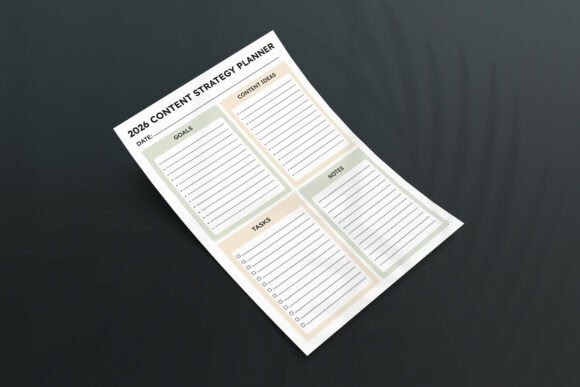
This content strategy planner is aimed at creators, entrepreneurs, designers, and marketers who want planning tied to goals rather than just posting dates. Its sections cover goals, content ideas, tasks, notes, blog schedules, social posts, and marketing campaigns. I like its broad positioning for a small brand that needs one place to connect planning with campaign direction.
Compared with the first creator planner, this one puts a little more emphasis on strategy and structured marketing use. It is editable in Canva, Illustrator, and Photoshop and includes an instruction PDF. The cautious point is that its general-purpose structure may be less convenient than a platform-specific planner if most of your work happens on Instagram alone.
- Best for: content strategy, campaigns, small brands
- Key features: A4 format; Canva editing; AI and PSD source files; PDF, JPG, and PNG exports
- Skip if: you need deep platform-specific tracking.
5. 2026 Social Media Post Planner Canva
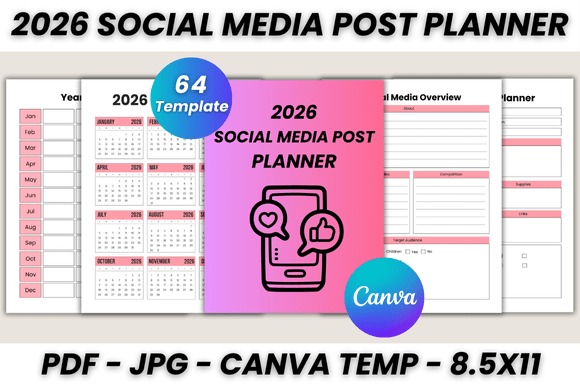
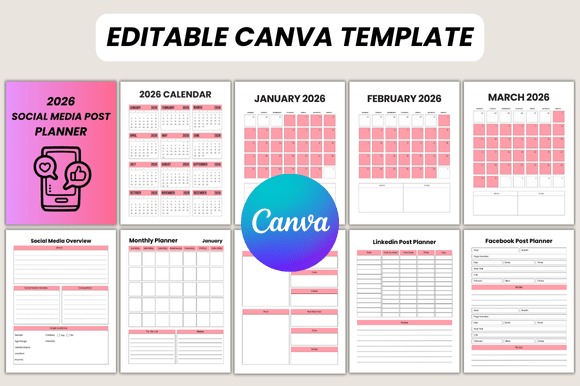
This 64-page Canva planner is one of the more detailed choices for publishers working across many platforms. It includes dedicated planning pages for Instagram, LinkedIn, Twitter, Facebook, Pinterest, blogs, and YouTube along with post ideas, trends, reviews, hashtag management, statistics, goals, and follower tracking.
I’d choose this when content distribution is just as important as content creation. A blogger repurposing one article into Pinterest pins, LinkedIn posts, Instagram content, and video could keep those pieces in one system. The disadvantage is density: if you only publish to two channels, many of the specialized pages may remain unused.
- Best for: multi-platform publishing, content repurposing, social media teams
- Key features: 64 printable pages; Canva template; platform-specific planners; statistics and hashtag pages
- Skip if: you prefer a small planner with only essential pages.
6. 2026 Content Planner for Instagram Canva Template
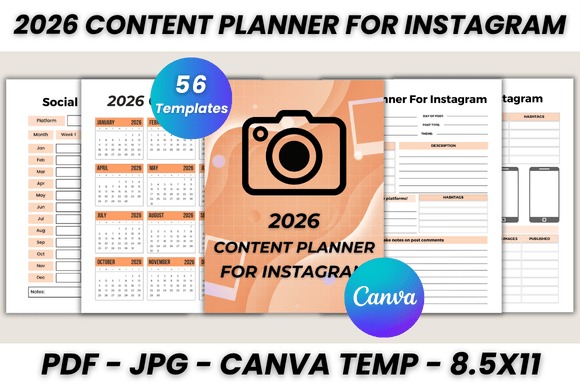
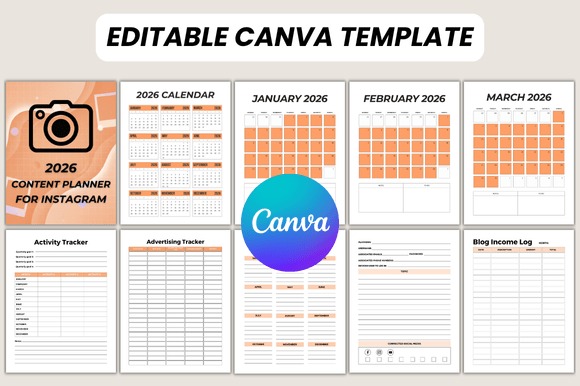
This 56-page template narrows the workflow to Instagram and related creator tasks. Pages include post planning, Stories, content schedules, video planning, content ideas, posting timetables, follower growth, influencer lists, hashtags, advertising, seasonal promotions, monthly goals, and post reviews. It suits creators whose audience growth is strongly tied to Instagram.
I’d choose it over the broader social media planners if you want fewer generic platform pages and more Instagram-specific organization. There is still room for broader planning, but Instagram clearly drives the structure. That specialization is also the tradeoff: a blogger or Pinterest-heavy brand may find another option more balanced.
- Best for: Instagram creators, influencers, visual content schedules
- Key features: 56 printable pages; Canva template; Stories and post planners; hashtag and follower sections
- Skip if: Instagram is only a minor part of your content strategy.
7. 2026 Influencer Planner Template
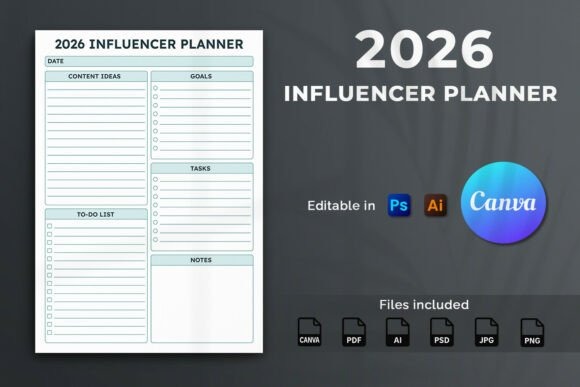
The 2026 Influencer Planner Template is designed for influencers, social creators, digital entrepreneurs, and similar creator-led businesses. Its planning structure includes content ideas, goals, tasks, to-do lists, and notes and can support daily, weekly, or monthly organization. The layout makes more sense for personal creator workflows than for a traditional editorial department.
I’d pick this when you want flexible creator planning without the extensive platform-by-platform sections of the 64-page social planner. It is editable in Canva, Illustrator, and Photoshop, which provides more customization flexibility than a fixed printable PDF. The limitation is that its broader creator focus gives you fewer dedicated blog-management tools.
- Best for: influencers, solo creators, flexible content planning
- Key features: content idea pages; goal and task planning; Canva editing; Illustrator and Photoshop compatibility
- Skip if: detailed blog editorial planning is your priority.
See Influencer Planner Template
8. 2026 Social Media Marketing Canva
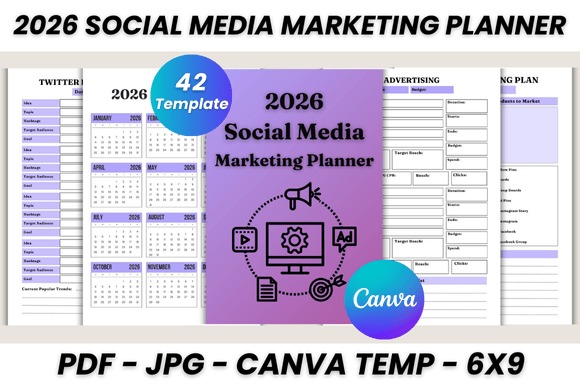
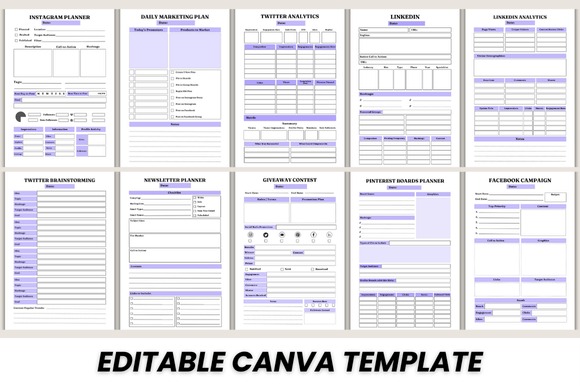
This 42-page Canva planner shifts from pure content scheduling toward marketing execution. Its pages cover advertising, blog series, blog post ideas, social media research, goals, posting schedules, Instagram planning, LinkedIn and Twitter sections, newsletter planning, giveaways, video, Pinterest boards, email series, Facebook campaigns, and monthly assessment.
I’d choose it for a small business or creator who thinks of content as part of a larger marketing funnel. It covers email and campaign planning more explicitly than many of the creator-focused alternatives. However, its wide scope may feel excessive if you simply need an editorial calendar and a place to store post ideas.
- Best for: marketers, small businesses, cross-channel campaigns
- Key features: 42 printable pages; Canva template; newsletter and email planning; advertising and campaign pages
- Skip if: you only need simple content scheduling.
9. 2026-27 Content Planner
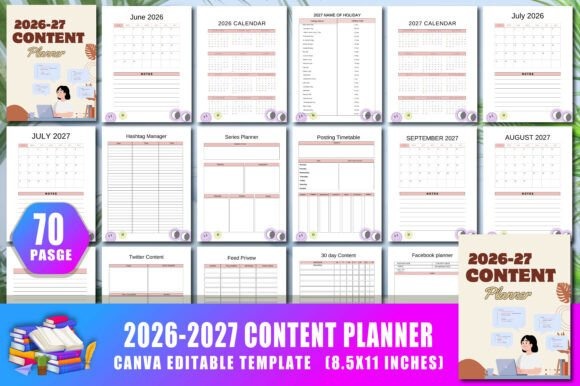
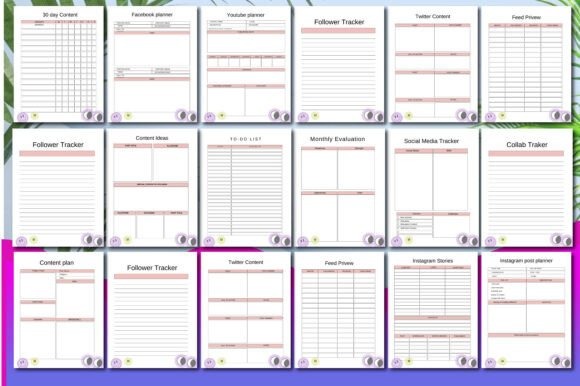
The 2026-27 Content Planner is a 70-page design that combines content scheduling with tracking. Its listed sections include collaboration tracking, social media tracking, weekly content planning, monthly statistics, monthly evaluation, to-do lists, and notes. I see it as a useful fit for creators who want to review results instead of stopping once a post is published.
This would be my choice over a basic calendar when collaborations and recurring performance reviews are part of the workflow. It includes an editable Canva link plus high-resolution JPG and PNG files and a print PDF. The 8.5 × 11-inch format is practical for printing, but people seeking a compact pocket-size layout should look elsewhere.
- Best for: performance tracking, collaborations, monthly reviews
- Key features: 70 pages; editable Canva link; 8.5 × 11-inch size; PDF, JPG, and PNG files
- Skip if: you want a minimal idea-and-calendar planner.
10. Content Creator Business Planner
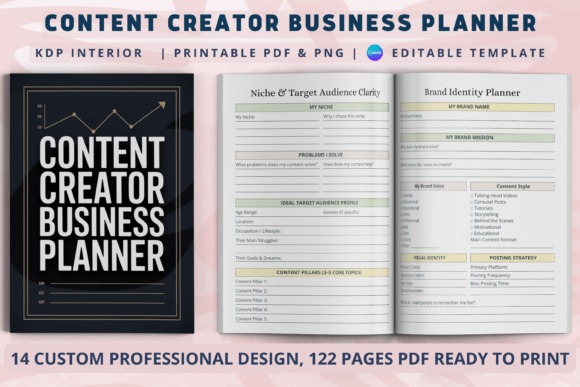
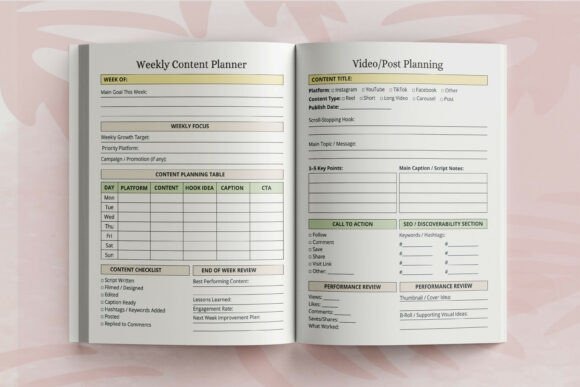
This planner is aimed at creators who treat publishing as a business rather than only a creative habit. Creative Fabrica identifies it around areas such as content calendars, content ideas, brand strategy, creator growth, analytics tracking, brand collaborations, affiliate income, monetization, and social media planning. That combination makes it relevant to bloggers, influencers, and creator-led businesses.
I’d choose this over a standard social media calendar if income, partnerships, growth, and brand development need to sit beside your content plans. It gives the roundup a more business-oriented option without requiring a traditional company marketing workflow. The tradeoff is that someone focused purely on writing or posting may not need the broader business sections.
- Best for: creator businesses, monetization planning, brand collaborations
- Key features: content planning; brand strategy sections; analytics tracking; monetization and collaboration planning
- Skip if: you want only publishing dates and content ideas.
11. Digital 2026 Social Media Content
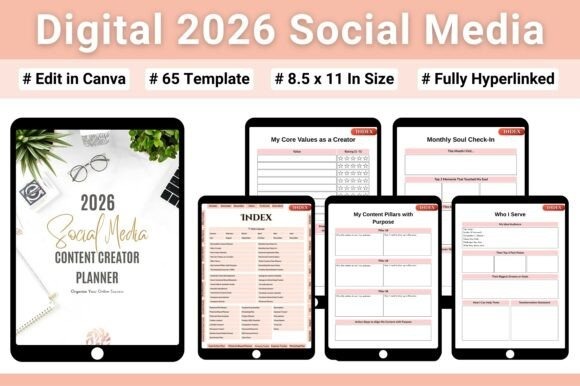
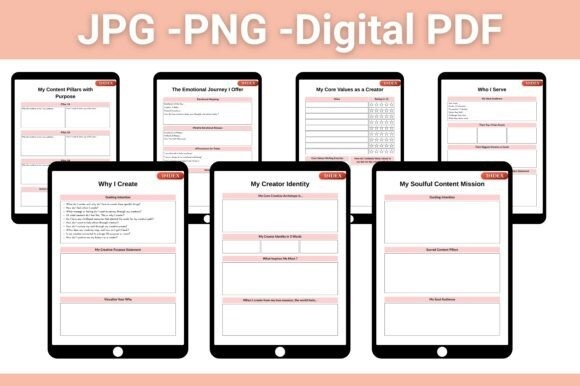
This 65-page digital planner is the strongest option here for people who prefer navigating a planner on an iPad, tablet, or desktop. The PDF uses hyperlinks and includes a clickable index, monthly navigation, content planning, idea mapping, campaign organization, growth tracking, marketing planning, and sections for defining a creator’s direction.
I’d choose it over the printable-first planners when fast digital navigation matters. The hyperlinks help reduce the friction of moving through a larger document, and the product is designed for PDF apps including Goodnotes and Notability. Its main limitation is obvious: creators who prefer handwriting on loose printed pages may get more flexibility from a printable Canva option.
- Best for: iPad planning, digital creators, hyperlinked workflows
- Key features: 65 pages; hyperlinked PDF; clickable index; 2026 calendar
- Skip if: you primarily want a printable paper planner.
See Digital Social Media Planner
How to Choose a Content Planner Template
Start With Your Main Publishing Channel
The easiest way to narrow the list is to identify where most of your content begins. For a blogger, I’d prioritize editorial schedules, blog post worksheets, idea banks, publishing dates, and review pages. A creator who starts with Instagram needs a different system: post planning, Stories, video ideas, hashtags, campaigns, and visual sequencing can matter more than traditional article planning.
If you publish everywhere, look for a multi-platform planner rather than forcing an Instagram planner to manage Pinterest, newsletters, blogs, and YouTube. The goal is to reduce duplicated planning.
Decide Between Planning and Strategy
Some templates primarily answer “What am I publishing this week?” Others help answer “Why am I creating this content?” The second type usually adds goals, campaigns, audience research, monthly assessments, marketing plans, or performance tracking.
I’d choose the simpler format for a solo creator with a stable routine. For a brand launching products, coordinating promotions, or building several content funnels, a strategy-oriented planner is more useful because campaigns and goals stay connected to the publishing schedule.
Choose the Right Level of Detail
A planner with 60 or 70 pages is not automatically better. More pages usually mean more specialized trackers, review sheets, and platform layouts. That can be helpful when you actively use them, but it can also create unnecessary maintenance.
Before choosing, I’d identify the five or six sections you expect to use every week or month. Content ideas, a calendar, post planning, goals, and review pages are enough for many creators. Add statistics, ad planning, follower tracking, collaborations, and monetization only when those areas already matter to your workflow.
Printable, Canva, or Hyperlinked Digital Planner?
Printable planners work well if you like handwriting or keeping individual planning sheets visible beside your computer. Editable Canva templates provide more control over fonts, colors, labels, and branding before you print or export them.
A hyperlinked digital planner makes more sense if you already organize work on an iPad or tablet. Navigation becomes especially useful in longer planners because you can jump between sections instead of scrolling through dozens of pages. Choose the format you are most likely to open consistently rather than the one with the longest feature list.
Which Content Planner Template Should You Choose?
For the widest creator workflow, my first pick is the 2026 Content Creator Planner Template because it combines ideas, calendars, campaigns, goals, and scheduling without being tied to one platform. Bloggers should look first at the Editable 2026 Blog Planner, which has dedicated blogging worksheets and editorial planning pages.
For brands connecting content to marketing goals, I prefer the 2026 Content Strategy Planner Template. Instagram-first creators have a more focused option in the 2026 Content Planner for Instagram Canva Template, while tablet users who want fast navigation should consider Digital 2026 Social Media Content. The right choice is the one that matches the workflow you already use rather than the planner with the most pages.
Frequently Asked Questions
What is a content planner template?
A content planner template is a reusable layout for organizing what you plan to publish, when it should go live, and where it will appear. Depending on the design, it can also include idea banks, campaign goals, blog worksheets, social media schedules, analytics, and review pages.
What should a content planner include?
A useful content planner should include at least a content calendar, space for ideas, publishing dates, and individual content or post planning. Creators with more complex workflows may also benefit from campaign pages, goals, platform-specific schedules, analytics tracking, collaboration records, and monthly reviews.
Can I use the same content planner for a blog and social media?
Yes, a multi-platform content planner can organize both blog posts and supporting social media content. Look for separate planning areas for articles, Instagram, Pinterest, video, newsletters, or other channels so you can coordinate one core topic across several formats without maintaining separate calendars.
Is a digital or printable content planner better?
A digital planner is usually better for people who work primarily on tablets or want hyperlinked navigation, while a printable planner suits people who prefer handwriting and visible planning sheets. Editable Canva templates offer a middle ground because you can customize them digitally and then print or export them.