

ℹ️ Affiliate Disclosure: This article may contain affiliate links. If you book or purchase through these links, we may earn a commission at no additional cost to you.
Maximize Efficiency with the All in One Digital Planner
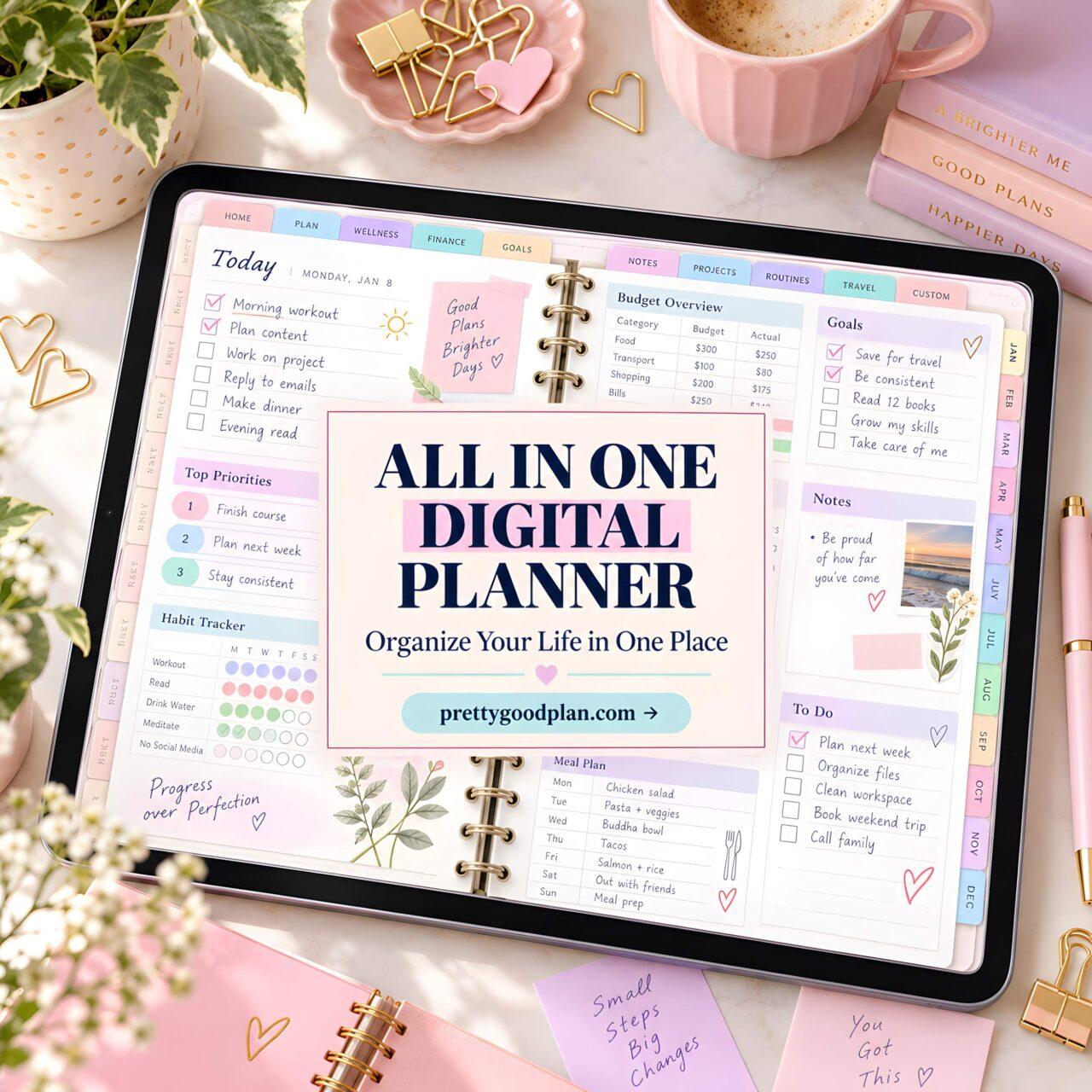
Some weeks, the problem isn’t a lack of planning. It’s having work deadlines in one app, household reminders in another, and personal goals buried somewhere in your notes. An all in one digital planner offers a way to bring those separate routines into a more consistent system.
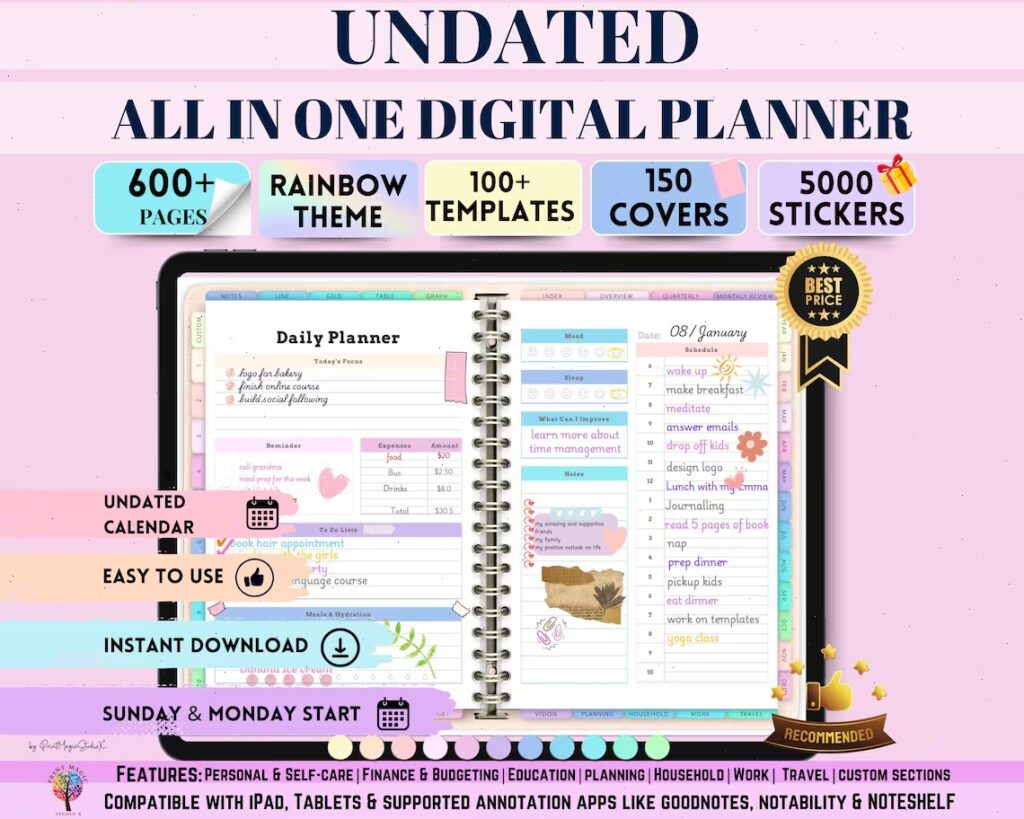
The All-in-One Digital Planner by Print Magic StudioX takes a particularly broad approach. Its rainbow-themed collection covers 86 templates across personal planning, self-care, education, finances, household management, work, and travel. That’s plenty of material to work with, although having so many options also raises a practical question: which pages will you actually use?

One Planner for the Parts of Life That Overlap
A work deadline rarely exists in isolation. It might affect when you shop for groceries, schedule an appointment, or find time to study. Keeping these commitments in entirely separate systems can make the week harder to judge.
This planner includes a weekly overview, daily timeline, priority planner, task lists, and project planning templates. Those are the pages I’d pay attention to first. The weekly overview can hold your major commitments, while the daily timeline gives individual tasks a more specific place.
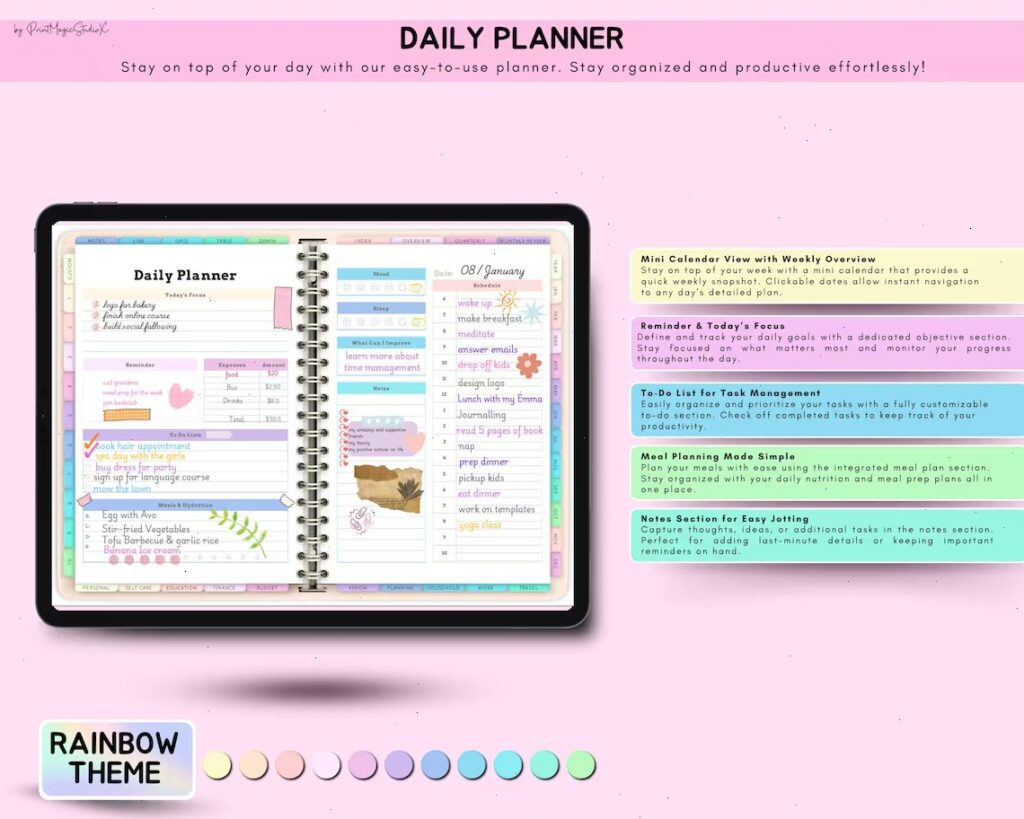
For example, someone balancing a full-time job with evening classes could use the weekly overview to identify busy days, the assignment planner to record academic deadlines, and the daily timeline to reserve study periods. The benefit comes from connecting the information, not from filling out the maximum number of pages.
Start With a Weekly Routine, Not All 86 Templates
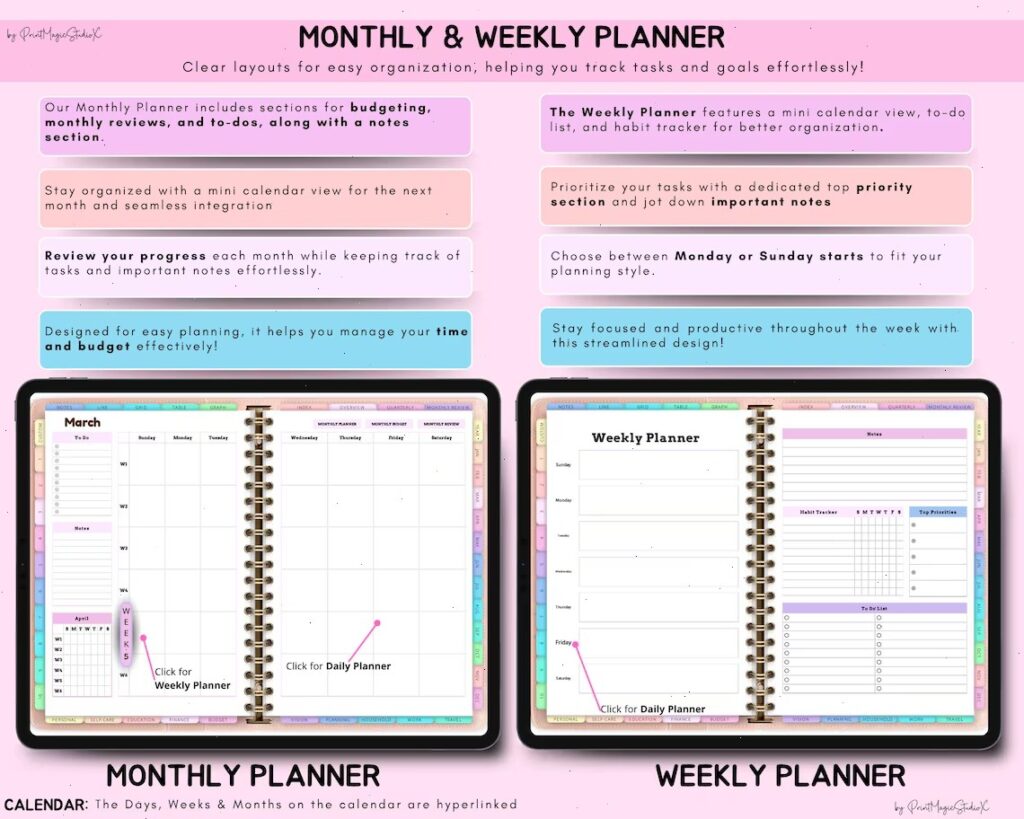
The easiest way to abandon a detailed planner is to spend more time setting it up than following it. With a collection this large, I’d begin with one ordinary week before exploring the specialized sections.
- List fixed commitments. Record appointments, meetings, classes, and deadlines that cannot easily move.
- Choose weekly priorities. Use the priority planner to identify the tasks that need attention before the weekend.
- Assign realistic daily work. Move only the relevant tasks into the daily timeline instead of copying your entire task list every morning.
- Add one useful tracker. A habit tracker or expense tracker makes sense if you already have a specific routine to monitor.
- Review the week. Check unfinished tasks and decide what deserves space in the following week.
This approach also reveals whether you need detailed daily planning or would be happier working mainly from a weekly view. There’s no reason to maintain both at the same level of detail unless they serve different purposes.
Budgeting and Household Pages Have Everyday Uses
One useful aspect of this collection is that financial planning isn’t confined to a single generic budget sheet. The listed templates include monthly and weekly budgets, an expense tracker, bill payments, savings goals, subscriptions, groceries, and several spending categories.
I’d use the monthly budget to outline expected expenses, then turn to the expense tracker for purchases that change throughout the month. A subscription tracker deserves occasional attention rather than daily updating. Keeping those jobs separate can make the financial pages easier to maintain.
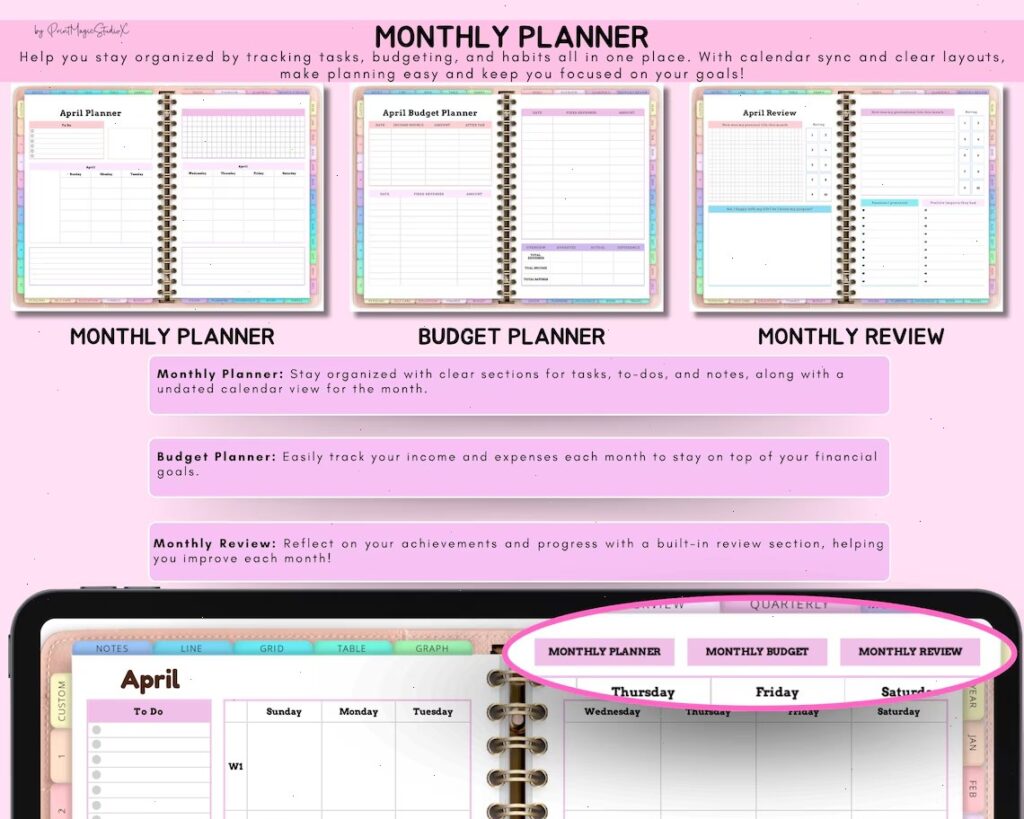
The household section follows a similar pattern. Meal planning, grocery lists, family appointments, chores, and home maintenance each have dedicated templates. A simple Friday meal-planning routine, followed by a grocery list for the coming week, would be a more realistic starting point than completing every household worksheet.
A Colorful Digital Planner With Plenty of Customization
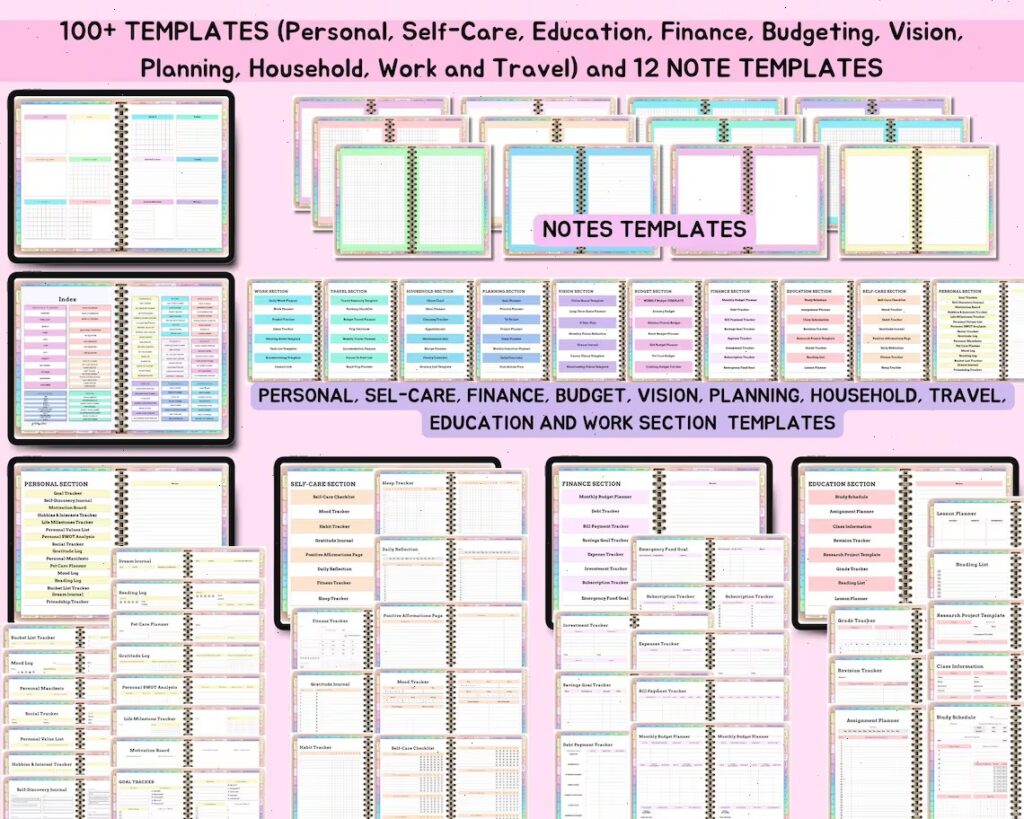
The visual side is difficult to ignore here. The seller lists 5,000 stickers, 150 covers, a rainbow theme, 10 custom sections, and 12 notepaper templates. For someone who enjoys handwritten digital notes and decorating a planner, that gives considerable room to personalize the experience.
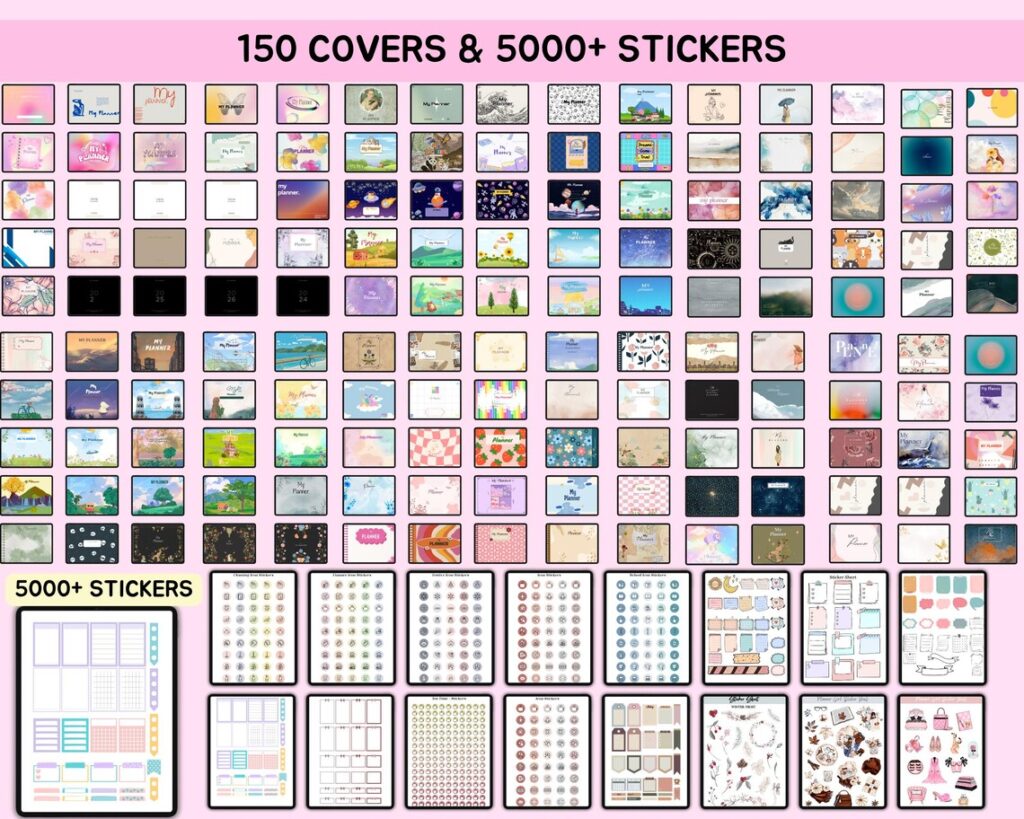
My preference would be to settle on one cover and a small set of functional stickers before adding decorative elements. Labels that distinguish appointments, deadlines, and recurring tasks are useful; spending half an evening arranging decorations probably isn’t necessary.
There is also a clear trade-off. Someone who wants a plain weekly checklist may find this collection excessive. Its stronger appeal is to people who genuinely want separate planning spaces for different parts of their lives and enjoy a colorful digital format.
Check the GoodNotes Setup Before You Begin
The product is advertised for digital planning with GoodNotes and Notability, and the listing mentions Apple and Google integration. It also states that a paid GoodNotes account is needed to open large files. That’s worth checking before downloading, especially if you’re currently using a free version.
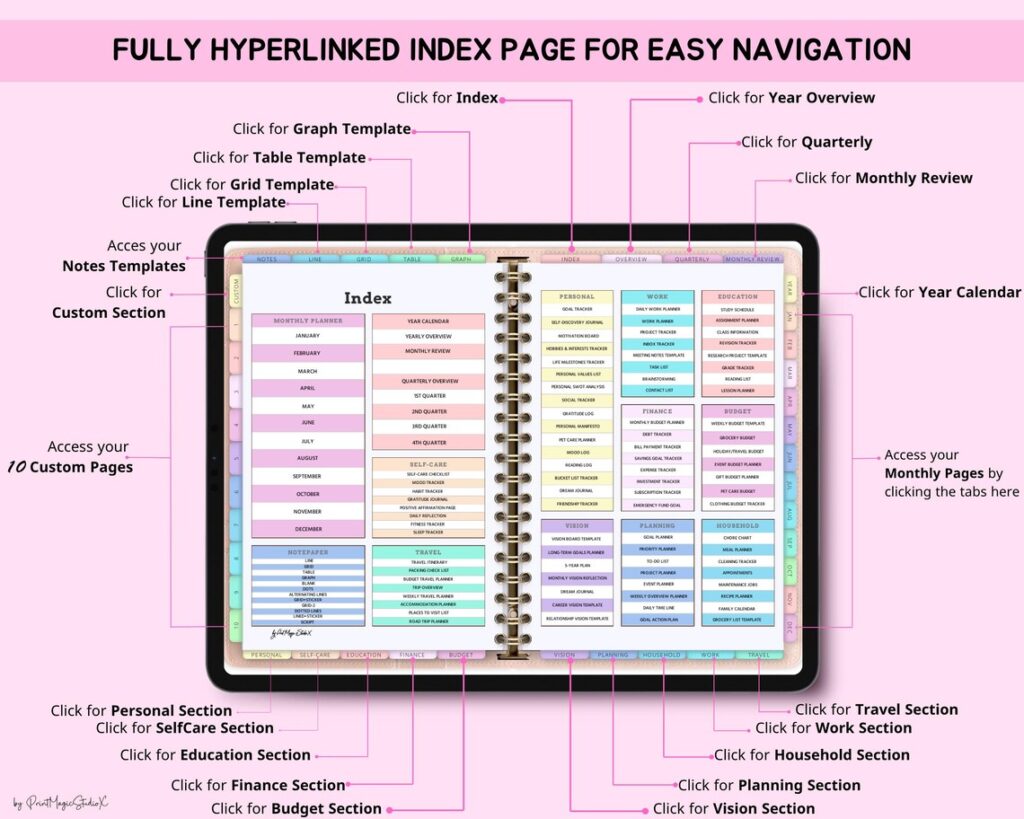
According to the seller, the download includes a PDF file with instructions for accessing the planner. I would follow those instructions first rather than assume that the initial PDF is the complete planner itself. If you use another note-taking app, confirm that it supports the necessary file and navigation features.
For a student managing assignments, someone organizing work alongside household responsibilities, or a digital journaling enthusiast, this collection provides several relevant starting points. I’d still recommend choosing the pages you’ll maintain every week before exploring the rest. The purpose of an all-in-one planner is to reduce scattered information, not create another collection of unfinished trackers.
Frequently Asked Questions
What is included in this all in one digital planner?
The seller lists 86 templates covering personal planning, self-care, education, finance, budgeting, goals, household management, work, and travel. The collection also advertises 5,000 stickers, 150 covers, 10 custom sections, and 12 notepaper templates. You can focus on the planning categories that match your routine instead of using every template.
Can I use this digital planner in GoodNotes?
The planner is advertised for GoodNotes, but the seller specifically notes that a paid GoodNotes account is required to open large files. Before downloading, check your GoodNotes account and device compatibility. The product listing also provides instructions for accessing the planner through its downloadable PDF.
Is this digital planner useful for budgeting and everyday tasks?
Yes. The listed templates include monthly budgets, expense tracking, bill payments, weekly planning, priority lists, and daily timelines. A practical approach is to maintain one weekly planning routine and update financial trackers as needed. You do not have to complete every worksheet to make the planner useful.
Is an all in one digital planner better than a simple weekly planner?
An all in one digital planner is a better fit when you want to organize several areas of life in one collection, such as work, finances, household tasks, and personal goals. A simple weekly planner may be more convenient if you only need appointments and to-do lists. Choose based on how many sections you will realistically maintain.