
ℹ️ Affiliate Disclosure: This article may contain affiliate links. If you book or purchase through these links, we may earn a commission at no additional cost to you.
Explore the Best iPad Planner Template Designs
An iPad planner template can make tablet planning feel much simpler when the layout, navigation, and page structure match the way you actually organize your day. I compared digital planners on Creative Fabrica with an emphasis on iPad-friendly formats, hyperlinked navigation, reusable undated pages, GoodNotes compatibility, and useful daily, weekly, monthly, productivity, finance, wellness, and study sections.
I selected 15 options that approach digital planning differently. Some keep the interface intentionally minimal, while others combine calendars with trackers, goals, meal planning, finances, or thousands of linked pages. That range makes it easier to choose a planner without paying for a complicated system when all you really need is a clean digital schedule.
If you want to compare more options, browse Creative Fabrica’s Digital Planner for iPad collection.

The best iPad planner templates are reusable, easy to navigate, and suited to the amount of planning you actually do. I’d start with a minimalist daily planner for focused scheduling, an undated all-purpose planner for everyday life, a productivity planner for goals and routines, or a 2026 planner if you prefer dates already prepared.
Quick Picks
- Best Overall: All in One IPad Digital Planner — broad planning coverage, multiple layouts, calendar integration, and dated plus undated versions. See planner.
- Best Minimalist: Digital Minimalist Daily Planner — clean ivory styling and 365 undated daily pages. See planner.
- Best for Productivity: Smart Productivity Planner for IPad User — multiple daily and weekly layouts with calendar integration. See planner.
- Best for 2026: 2026 Bundle Digital Planner, Goodnotes — dated 2026 planning with multiple layouts and calendar integrations. See planner.
- Best for Daily Planning: Undated Daily Digital Planner — hyperlinked PDF planning with Monday and Sunday start versions. See planner.
iPad Planner Template Comparison
| Product | Best for | Style/Type | Project Fit |
|---|---|---|---|
| All in One IPad Digital Planner | Complete planning | All-in-one | Life, work, wellness |
| Minimalist Digital Planner | Simple organization | Minimalist undated | Daily and weekly planning |
| Digital Minimalist Daily Planner | Daily focus | Clean daily | Schedules and routines |
| Undated Digital Planner | Reusable planning | Undated life planner | Goals, health, finances |
| Digital Planner for GoodNotes | GoodNotes users | Hyperlinked | Planning and self-care |
| Undated Daily Digital Planner | Flexible daily planning | Undated hyperlinked | Daily schedules |
| Simple Undated Digital Planner | Home organization | Vertical A4 | Planning and household tracking |
| Digital Planner for Ipad, GoodNotes | Layout choice | Multi-template | Life and productivity |
| Digital Planner for Ipad, GoodNotes | Trackers | All-purpose | Fitness, finance, nutrition |
| Undated Digital Planner IPad, Goodnotes | Compact planning | 60-page horizontal | Everyday life |
| Undated Digital Planner Ipad Goodnotes | Balanced tracking | 68-page horizontal | Routines and wellness |
| Smart Productivity Planner for IPad User | Productivity | Integrated planner | Goals and schedules |
| 2026 Bundle Digital Planner, Goodnotes | 2026 planning | Dated bundle | Calendar-based planning |
| Digital Planner Undated | Reusable organization | Interactive PDF | Monthly and weekly planning |
| Digital Planner for IPad and Tablet | Tablet flexibility | Digital planner | General planning |
15 Best iPad Planner Template Designs
1. All in One IPad Digital Planner
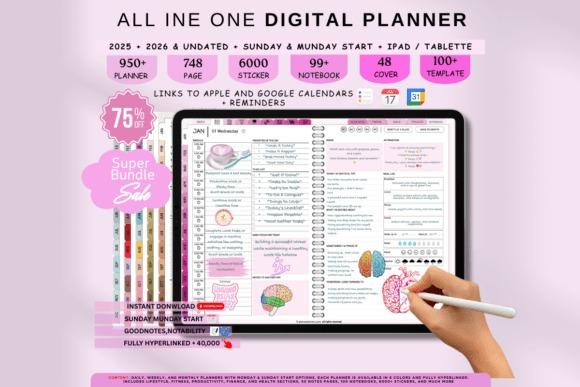
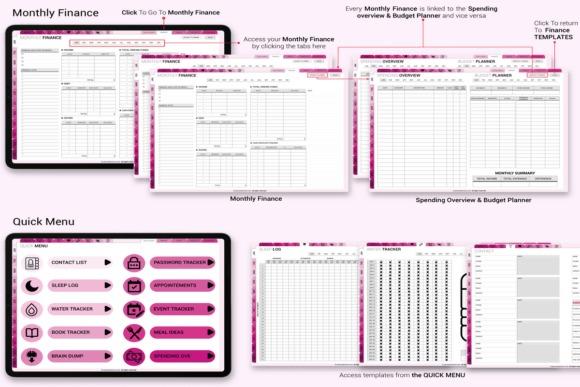
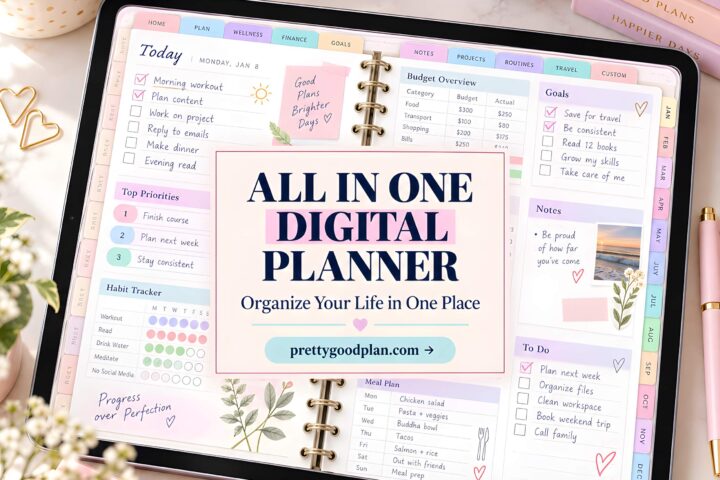
This is my broadest pick for someone who wants one iPad planner to cover several areas of life. It combines dated and undated planning with six color themes, four weekly layouts, four daily templates, and support for iPad and other devices. Apple and Google Calendar integration gives it an especially useful angle for people moving from conventional calendar apps to digital planning.
I’d choose this over a simple daily template when flexibility matters more than minimalism. Having multiple layouts lets you experiment before settling on a planning routine. The tradeoff is predictable: an all-in-one system provides far more structure than someone who only needs a weekly agenda may want.
- Best for: life planning, work schedules, multi-year planning
- Key features: six color themes; four weekly layouts; four daily templates; dated and undated versions
- Skip if: you want a very small, distraction-free planner.
2. Minimalist Digital Planner
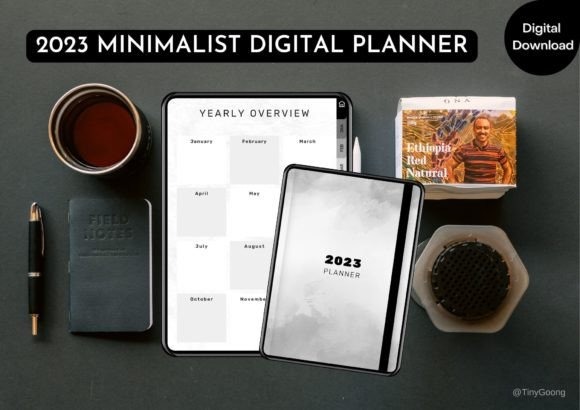
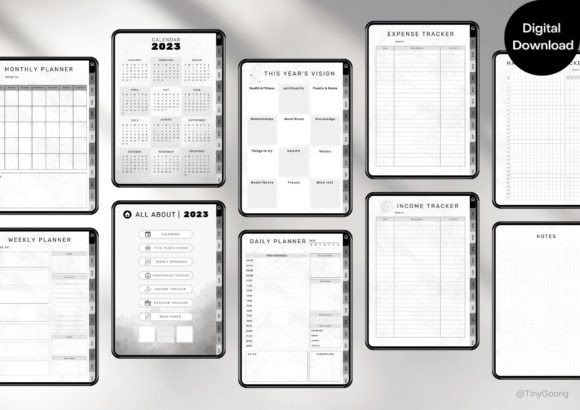
Minimalist Digital Planner is an undated tablet planner made for GoodNotes, Notability, Noteshelf, and Xodo on iPad or Android. Its structure covers a calendar, yearly overview, monthly, weekly, and daily logs along with useful trackers. Clickable tabs and buttons are included to make movement between sections quicker.
This is a stronger fit than the huge all-in-one planners if you prefer a more straightforward planning system while still wanting more than a basic calendar. Income, expense, habit, and mood tracking broaden its usefulness. Creative Fabrica specifically describes it as intended for tablet use rather than as a printable planner, so choose it for a digital workflow.
- Best for: everyday planning, appointments, task organization
- Key features: undated format; hyperlinks; daily, weekly and monthly logs; habit and finance trackers
- Skip if: you specifically need a printable planner.
See Minimalist Digital Planner
3. Digital Minimalist Daily Planner
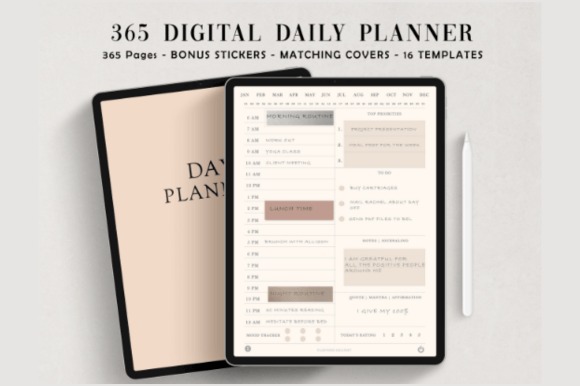
This ivory-white digital planner concentrates on daily organization rather than trying to manage every part of your life. It contains 365 undated daily planner pages within a 384-page hyperlinked file, plus 16 page templates. The clean aesthetic makes it one of my preferred choices for focused iPad scheduling in GoodNotes or Notability.
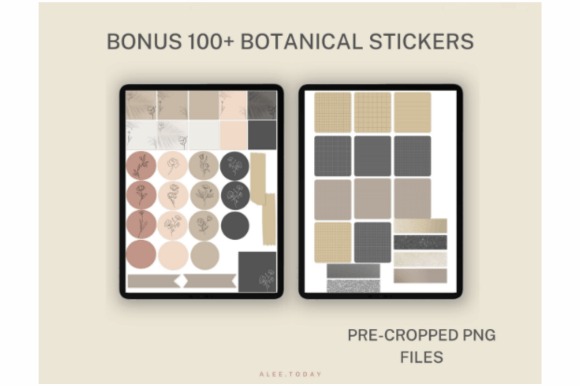
I’d choose it over an all-purpose life planner when your main goal is simply to plan each day consistently. Both 5 AM and 6 AM start versions are included, along with covers and digital stickers. Its specialization is also the limitation: people wanting extensive monthly finance, study, or wellness systems should look elsewhere.
- Best for: daily schedules, time planning, minimalist planning
- Key features: 365 undated daily pages; 384 total pages; hyperlinks; 5 AM and 6 AM versions
- Skip if: you need an extensive all-in-one life planner.
4. Undated Digital Planner
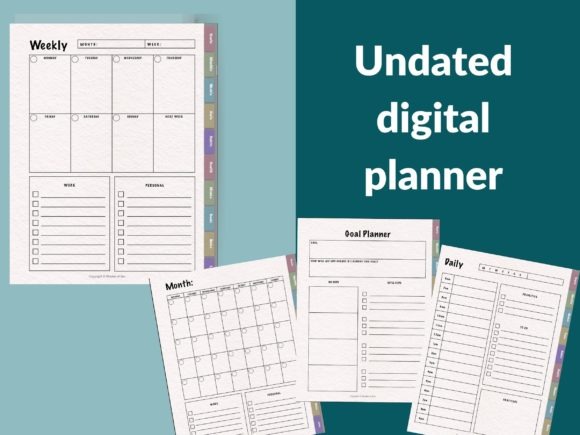
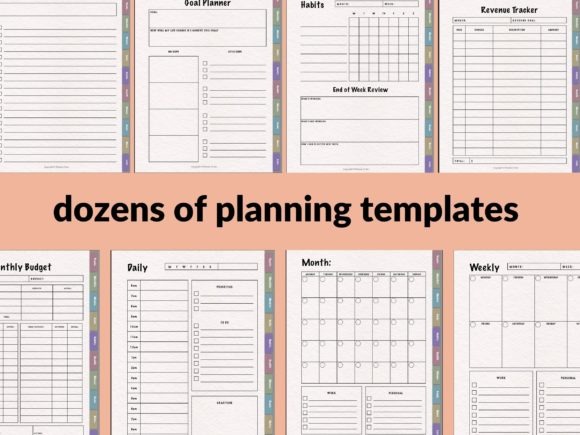
This reusable planner from Shades of Zen is a good middle ground between a stripped-down agenda and a large lifestyle planner. It is designed for import into GoodNotes, Notability, and other PDF annotation apps and includes monthly, weekly, and daily planning pages.
I selected it for users who want to start on their own date rather than being tied to a calendar year. Beyond scheduling, it includes sections for goals, health, finances, notes, and lists. That makes it versatile without requiring you to choose a dated planner every January. It is less specialized, however, than planners built specifically around productivity, school, or business workflows.
- Best for: reusable planning, goals, general organization
- Key features: undated; monthly pages; weekly and daily pages; health and finance sections
- Skip if: you want dates already filled in.
5. Digital Planner for GoodNotes
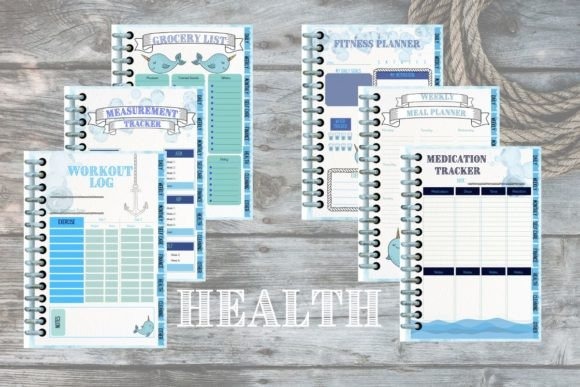
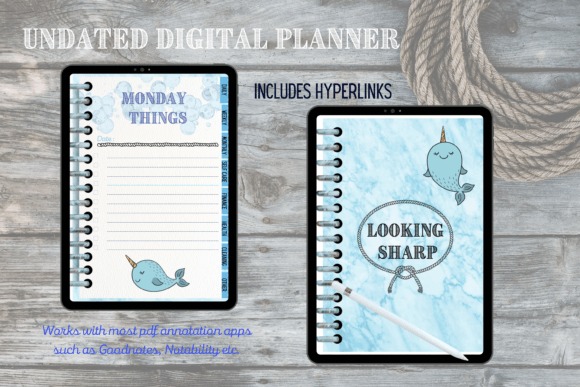
Digital Planner for GoodNotes is a 70-page undated planner with eight sections and extensive hyperlinking. It combines monthly, weekly, and daily pages with routine checklists, to-do lists, a vision board, habit tracking, self-care pages, and financial planning. It is designed for PDF annotation apps such as GoodNotes and Notability on iPad or tablets.
This is a particularly useful choice when you want personal-development pages alongside your calendar without moving into an enormous planner bundle. The self-assessment and self-care sections distinguish it from basic schedules. At 70 pages, though, it is intentionally more compact than some of the high-page-count alternatives below.
- Best for: GoodNotes, self-care, goals and budgeting
- Key features: 70 pages; eight sections; hyperlinked monthly pages; habit and budget pages
- Skip if: you want hundreds of specialized templates.
6. Undated Daily Digital Planner
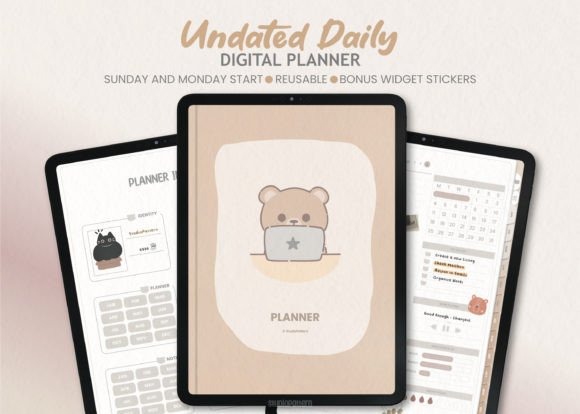
This iPad planner from studiopattern is built around flexible daily planning in PDF annotation apps including GoodNotes, Notability, Xodo, and Noteshelf. Its undated, fully hyperlinked format is practical if you do not plan every single day and dislike wasting dated pages.
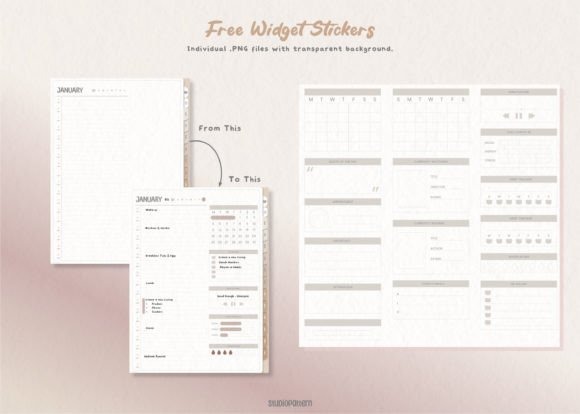
A useful detail is the inclusion of two hyperlinked PDFs for Sunday and Monday starts, so you can choose the weekly convention that feels natural. Calendar and widget stickers are included as separate PNG files. I’d pick this for straightforward daily organization rather than a complicated life-management dashboard. Hyperlink behavior can depend on the annotation app and its viewing mode.
- Best for: daily planning, flexible schedules, GoodNotes users
- Key features: undated; fully hyperlinked; Sunday and Monday versions; PNG calendar and widget stickers
- Skip if: you prefer a pre-dated annual calendar.
7. Simple Undated Digital Planner
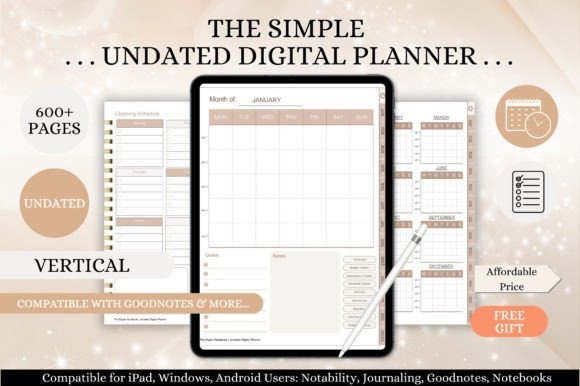
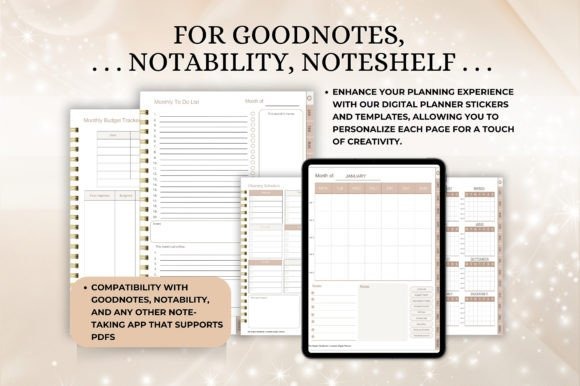
Simple Undated Digital Planner uses a vertical A4-format design with fully hyperlinked navigation. The core planner covers an index, yearly overview, 12 monthly calendars, weekly overviews, and daily pages, but the extra household and personal templates are what make this pick different.
I’d choose it for home-centered tablet planning because it includes a grocery list, meal planner, cleaning planners, budget and subscription trackers, gratitude journal, and several note styles. That combination can replace several separate digital notebooks. Users interested only in appointments and tasks may find those extra lifestyle sections unnecessary.
- Best for: household planning, meals, routines
- Key features: vertical A4 format; hyperlinks; monthly, weekly and daily pages; household trackers
- Skip if: you only need a basic calendar and task list.
8. Digital Planner for Ipad, GoodNotes
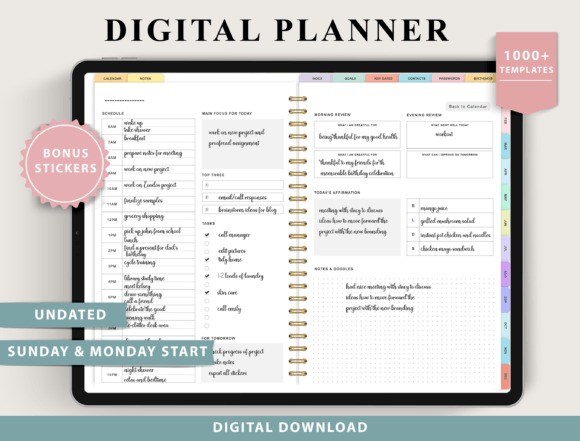
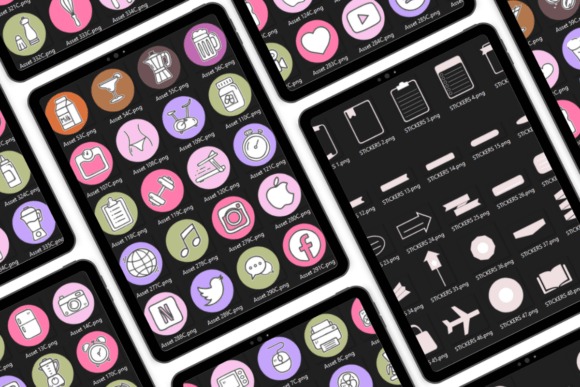
This ThePlannersDelight design is for people who want significantly more layout choice than a conventional iPad planner provides. It is undated and includes both Monday and Sunday starts, four weekly layout options, and four daily layout options ranging from structured to minimal designs.
Its deeper appeal is the collection of templates for fitness, finances, nutrition, and other areas. I’d consider it when you want one digital planning environment rather than separate notebooks for workouts, budgets, meals, and schedules. The quantity of choices can be a disadvantage for beginners who specifically want simple tablet planning, so decide whether you will actually use the extra sections.
- Best for: customizable routines, fitness, finance
- Key features: undated; Monday and Sunday starts; four weekly layouts; four daily layouts
- Skip if: too many templates make planning feel more complicated.
9. Digital Planner for Ipad, GoodNotes
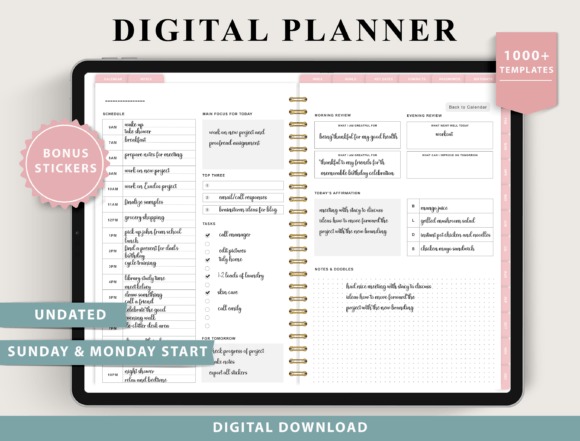
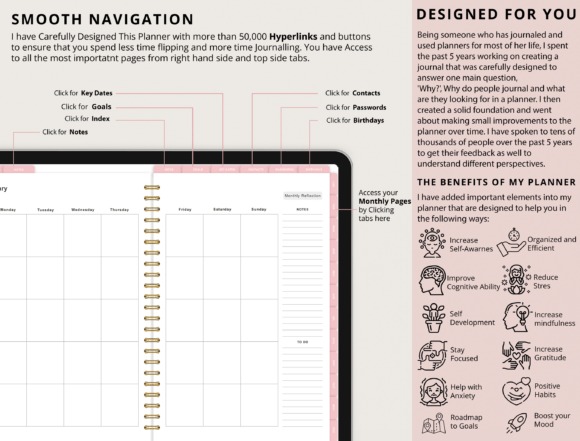
This alternative from ThePlannersDelight takes a tracker-heavy approach to iPad planning. Along with an undated structure and Monday or Sunday starts, it offers four weekly and four daily layout choices. Its supporting templates span fitness, finances, nutrition, and wellness.
I included it because it suits someone who thinks of a planner as a personal dashboard rather than simply a calendar. Examples include savings, debt payoff, workout, meal, hydration, sleep, mood, and habit tracking. That breadth is useful for consolidating several routines in one place, but it is more system than you need if your entire planning process is appointments plus a short to-do list.
- Best for: tracking routines, finances, nutrition
- Key features: four weekly layouts; four daily layouts; Monday/Sunday starts; multiple tracker categories
- Skip if: you want a lightweight agenda.
10. Undated Digital Planner IPad, Goodnotes
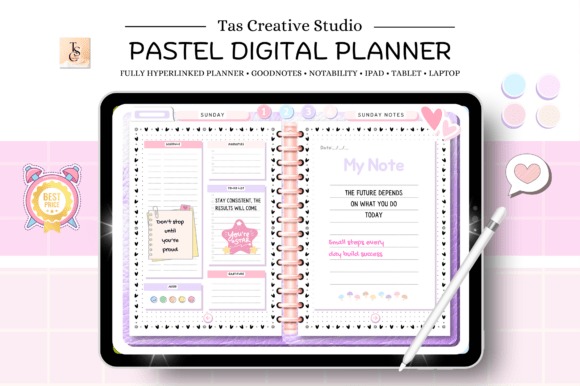
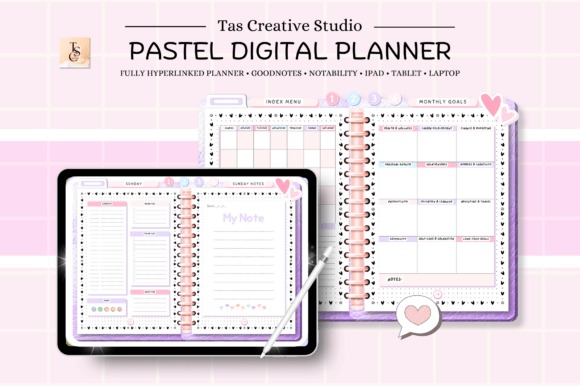
This 60-page horizontal digital planner is a more manageable alternative to enormous template bundles. It is fully hyperlinked and includes daily and weekly planning along with weekly self-care, meal, and vitamins or supplements pages. It also adds productivity, health, and finance sections.
I like its scope for simple tablet planning because it still provides habit tracking, goals, a Pomodoro planner, budgeting, expenses, debt payments, and savings without requiring hundreds of pages. The horizontal 11-by-8.3-inch format is worth noting before choosing it: users who strongly prefer portrait-oriented planning should consider a vertical design instead.
- Best for: compact life planning, routines, budgeting
- Key features: 60 pages; horizontal layout; hyperlinks; productivity, health and finance sections
- Skip if: you strongly prefer a vertical planner.
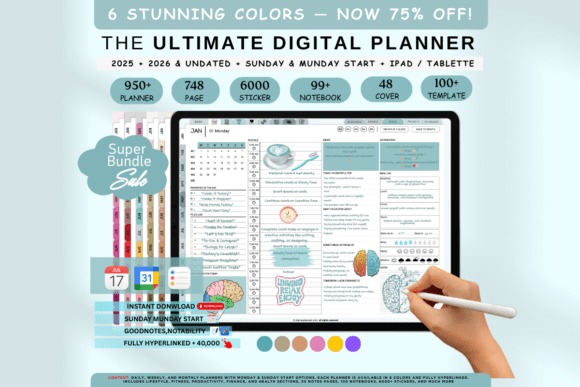
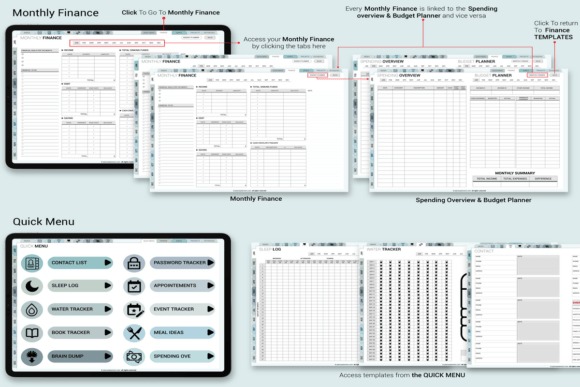
Smart Productivity Planner for IPad User is the pick I’d consider when digital planning needs to connect more closely with an existing calendar workflow. It offers six color themes, four weekly layouts, four daily templates, Monday and Sunday start choices, hyperlinked navigation, and dated plus undated options.
Its notable distinction is integration with Apple and Google Calendar. That can make it a more logical choice for users who already rely heavily on calendar events but want the visual structure of a digital planner. Compared with the minimalist daily picks, this is a broader system with more setup and layout choices, so simplicity-focused users may not need everything included.
- Best for: productivity, calendar users, flexible layouts
- Key features: six themes; four weekly layouts; four daily templates; Apple and Google Calendar integration
- Skip if: you want the fewest possible planning options.
See Smart Productivity Planner
12. 2026 Bundle Digital Planner, Goodnotes
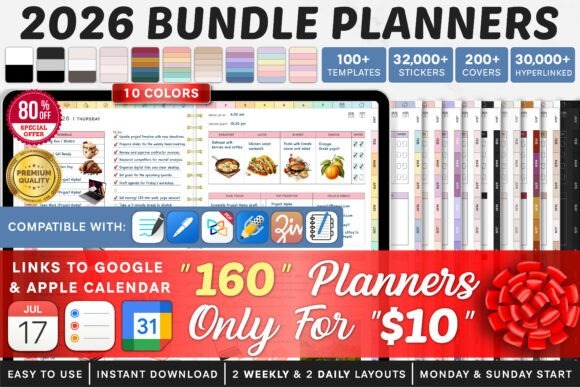
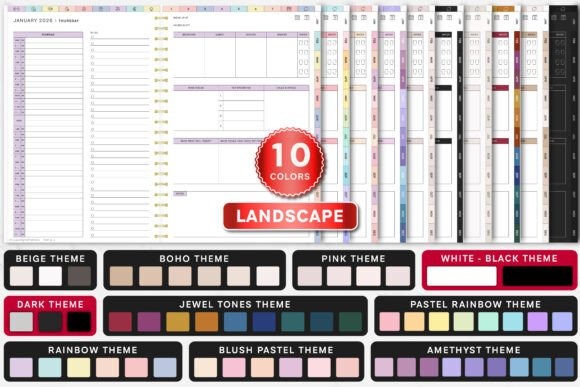
If filling dates into an undated planner feels like unnecessary work, this 2026 GoodNotes bundle is the dated alternative I’d consider. The bundle provides Monday and Sunday starts, two weekly layouts, two daily layouts, and extensive hyperlinking for navigation.
It also includes integrations for Apple Calendar, Reminders, and Google Calendar, which makes it particularly relevant to iPad users combining handwritten digital planning with scheduled events. Instructions are included to help with setup and use. The obvious tradeoff is longevity: unlike a purely undated planner, its core dated structure is specifically centered on 2026.
- Best for: 2026 schedules, GoodNotes, dated planning
- Key features: Monday/Sunday starts; two weekly layouts; two daily layouts; calendar and reminder integrations
- Skip if: you specifically want a timeless undated planner.
13. Digital Planner Undated
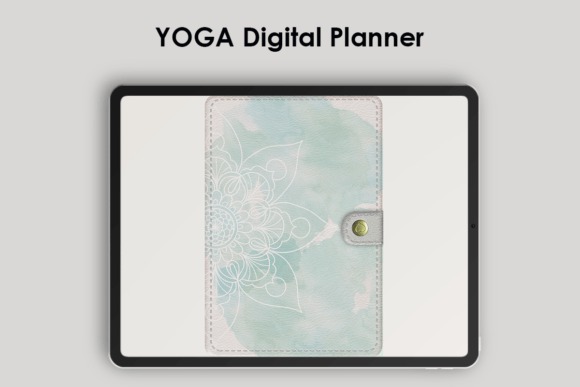
PlannerNook’s Digital Planner Undated is an interactive PDF designed for GoodNotes on iPad as well as compatible annotation apps on Android tablets. It uses hyperlinks for navigation through monthly, weekly, and supporting pages and can be reused because dates are not locked to a particular year.
I selected this one for people who enjoy adding some personality to otherwise functional digital planning. Digital planner stickers are included, giving you decorative and functional elements without needing a separate sticker pack immediately. As with other interactive PDF planners, you still need a suitable annotation app that supports the file and its hyperlinks.
- Best for: reusable planning, GoodNotes, digital stickers
- Key features: interactive PDF; undated structure; hyperlinked pages; included digital stickers
- Skip if: you do not want to use a PDF annotation app.
14. Digital Planner for IPad and Tablet
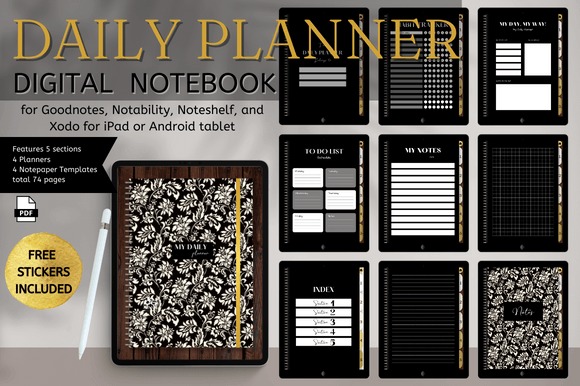
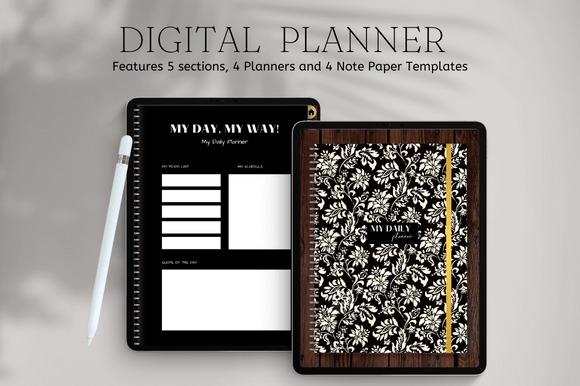
Digital Planner for IPad and Tablet from Nann Digital Art rounds out the list with a design explicitly positioned for tablet planning. I included it as an alternative for shoppers who want an iPad-oriented digital planner without limiting their search only to products whose names mention GoodNotes.
It makes the most sense for general tablet organization rather than a highly specialized workflow such as academic, financial, or business planning. That broader positioning gives it flexibility, but it also means I’d choose one of the more specialized options above if a specific feature—such as calendar integration, hundreds of daily pages, or extensive lifestyle trackers—is your main priority.
- Best for: general tablet planning, everyday organization
- Key features: digital planner format; designed for iPad and tablet use
- Skip if: you need a planner selected primarily for a specialized tracker system.
Which iPad Planner Template Should You Choose?
For one broad planning system, I’d start with All in One IPad Digital Planner. If simplicity is more important, Digital Minimalist Daily Planner is the cleaner daily-focused choice.
For productivity and calendar integration, Smart Productivity Planner for IPad User stands out. Choose 2026 Bundle Digital Planner, Goodnotes when you specifically want a dated 2026 setup, or Undated Daily Digital Planner when you want a reusable daily system instead.
Frequently Asked Questions
What is an iPad planner template?
An iPad planner template is typically a digital PDF designed to be opened in a compatible note-taking or PDF annotation app. Many templates use hyperlinks to connect calendars, daily pages, weekly layouts, and trackers, letting you navigate the planner by tapping tabs or linked sections.
Can I use these iPad planner templates in GoodNotes?
Many of these iPad planner templates specifically list GoodNotes compatibility, but compatibility varies by product. Check the individual Creative Fabrica listing before downloading. Some designs also list Notability, Noteshelf, Xodo, Samsung Notes, or other PDF annotation apps as supported options.
Is a dated or undated digital planner better for iPad?
An undated digital planner is usually better for flexibility because you can start whenever you want and reuse the structure, while a dated planner is more convenient when you want calendars prepared in advance. The better choice depends on how consistently you plan throughout the year.
Do I need an Apple Pencil to use an iPad planner?
An Apple Pencil can make handwriting, drawing, and annotating an iPad planner more natural, but the exact requirements depend on your device, annotation app, and planning style. If you mainly type or navigate through hyperlinks, a stylus may not be essential for every workflow.